How to Grow Poplar Trees
Learn how to effectively grow poplar saplings with random color mechanics in Minecraft 26.3.

Shahrukh Sial is a Gaming Content Strategist at Sparked Host. He identifies his own strategic outlines through deep research to cover game guides, tips, and updates that help players improve their skills and enjoy a better gaming experience.
Summary: Poplar saplings in Minecraft 26.3 grow into trees with a random leaf color (red, orange, or yellow). There is no way to influence or predict the color; each sapling has an equal chance to become any variant. Each poplar sapling has an equal chance to grow into any of the three variants. Poplar trees have three leaf color variants: red, orange, and yellow. There is no official gameplay mechanic to influence leaf color outcomes for poplar trees.
Introduction
Are you a Minecraft player experimenting with new tree mechanics, autumn-themed building, or more efficient farming in version 26.3? This guide explains how to grow poplar saplings and how random color mechanics work in Minecraft 26.3: when a poplar sapling grows, the tree’s leaf color is assigned at random as red, orange, or yellow, each with an equal 33.3% chance, and that result cannot be predicted or influenced by any gameplay mechanic.
Understanding that RNG matters if you want specific leaf colors for builds, need to plan a resource farm around repeated growth attempts, or want to make the most of the new Poplar trees.
Beyond the core growth rules, this guide covers where to get poplar saplings, practical strategies for farming until you get the color you want, uses for Poplar wood, decoration ideas including shelf mushrooms, and technical notes on data pack compatibility and troubleshooting.
New Features Overview: Dappled Forest Biome In Java Edition
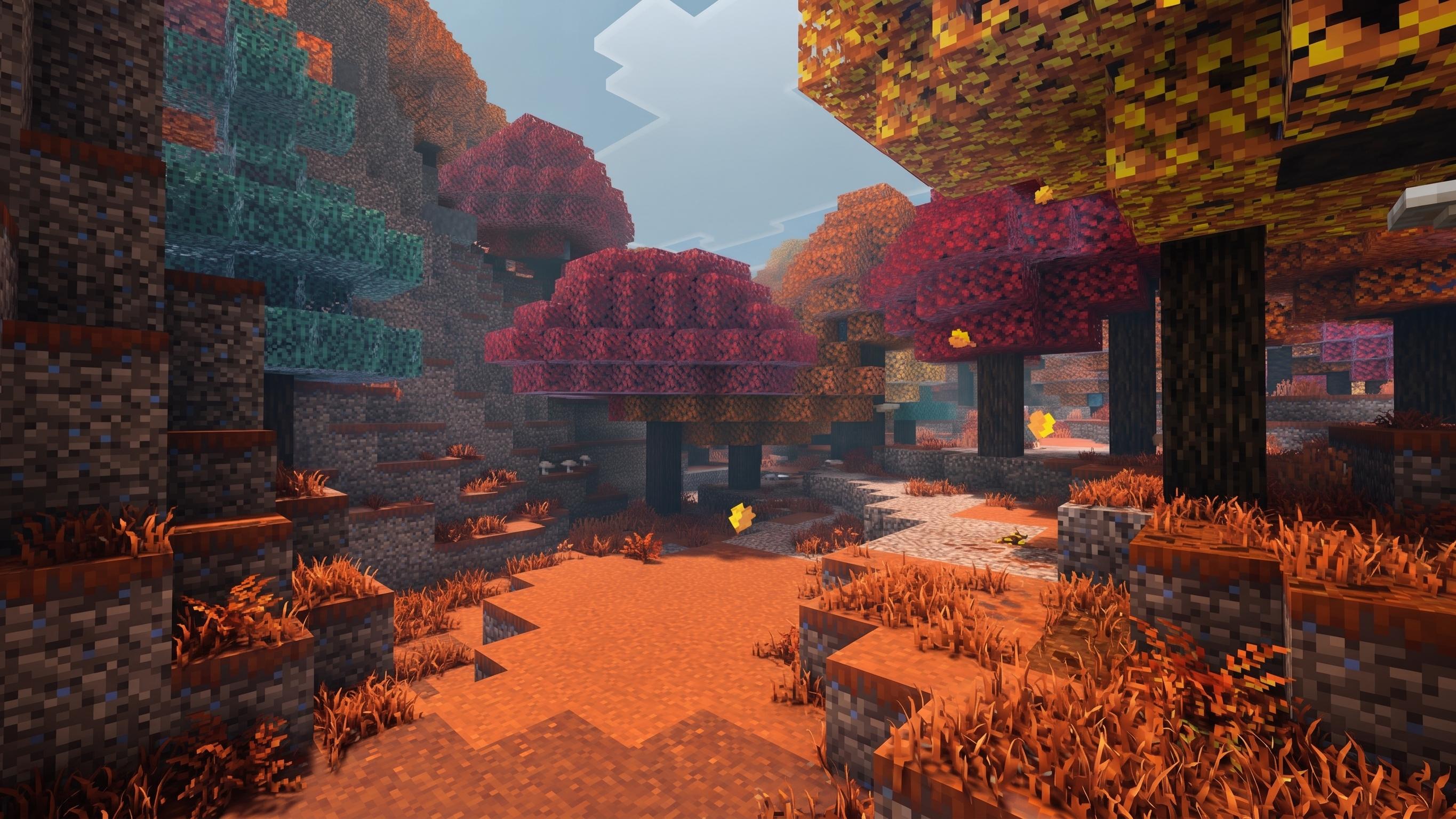
Minecraft 26.3 introduces the Dappled Forest, an autumn-themed biome that brings permanent fall foliage to the Overworld. This biome generates adjacent to cold biomes, sits among woodland-style forests, and serves as the exclusive home for Poplar Trees, the first multi-color wood type in the game.
| Feature | Details |
|---|---|
| Biome | Dappled Forest (generates near cold biomes) |
| New Wood | poplar wood set (3 random leaf colors) |
| Structures | Fallen Trees, Abandoned Camps |
| Data Pack | Version 113.0 required |
Critical Warning: Always backup your worlds before loading Snapshot 26.3. The new world generation features can corrupt existing terrain, and the transition to the new worldgen/feature registry is irreversible.
With the new biome introduced, let's explore the unique properties of Poplar trees and their saplings.
Poplar Saplings: How Growth Works

Growing poplar saplings requires a light level of at least 9 for natural growth, adequate vertical and horizontal space, and bone meal can be used to accelerate the growth process.
Definitions:
-
Poplar Sapling: An item that can be planted to grow a Poplar Tree. The sapling does not store or determine the future color of poplar trees.
-
Poplar Tree: The tree that grows from a Poplar Sapling. Each tree will randomly have one of three leaf color variants: red, orange, or yellow.
-
Leaf Color Variant: The specific color (red, orange, or yellow) of the leaves on a Poplar Tree. Each poplar sapling has an equal chance to grow into any of the three variants, and there is no official gameplay mechanic to influence leaf color outcomes for poplar trees.
When you break Poplar leaves, they drop generic Poplar Saplings that carry no metadata about their parent tree. This means:
-
A sapling from a Red tree can grow into Orange or Yellow
-
A sapling from a Yellow tree can become Red or Orange
-
There is no visual indicator on the sapling item to predict the outcome
Wandering Traders now include Poplar Saplings in their trade rotation, allowing access to these trees even if you cannot locate a Dappled Forest biome. However, even trader-sourced saplings follow the same random color rules.
Random-Color Mechanics For Poplar Sapling Growth
The color selection occurs at the growth tick, not at planting. When a sapling receives the final tick of growth (either naturally through random ticks or instantly via Bone Meal), the game executes a random roll:
-
Probability: Approximately 33.3% for each color
-
Independence: Each growth event is isolated; previous plantings do not influence future outcomes
-
No Neighbor Effect: Planting next to a Red tree does not increase Red spawn rates
Testing Recommendation: Plant 100 saplings in Creative mode to verify the distribution. Community testing in Snapshot 1 suggests equal weighting, but large sample sizes help confirm the RNG algorithm.
Now that you understand how Poplar saplings grow and how their color is determined, let's look at the unique features of Poplar trees and the new wood type they introduce.
Poplar Trees And The New Wood Type
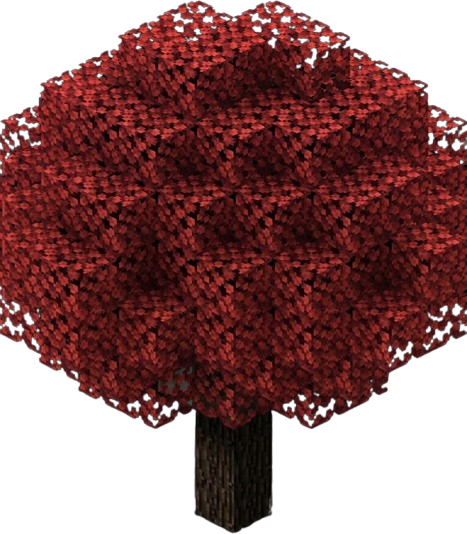
Poplar Trees redefine Minecraft's arboriculture by introducing chromatic randomization at the block level. Unlike Oak or Birch which maintain consistent leaf textures, each Poplar tree generates as one of three distinct variants:
Poplar Leaf Color Variants
-
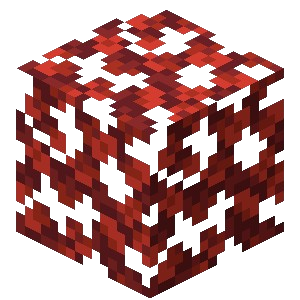
Red Poplar Leaves – Deep burgundy canopies with crimson falling leaf particles.
-
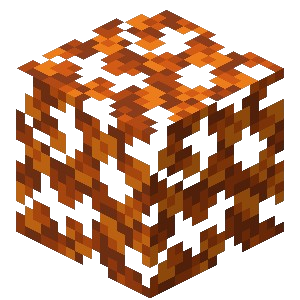
Orange Poplar Leaves – Bright amber foliage with orange particles.
-
Yellow Poplar Leaves – Pale golden crowns with yellow particles.
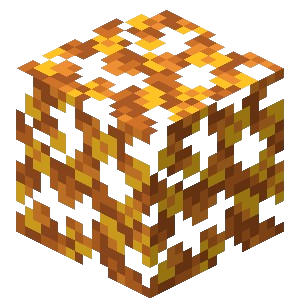
Despite the visual variety, all variants derive from the same Poplar Log block, which can be crafted into the broader building family, including stairs, slabs, fences, doors, and the new Poplar Shelf block. The logs themselves are pale and uniform, meaning your inventory will not distinguish between a red, orange, or yellow tree until you place the leaves or see the particles.
With the basics of Poplar trees covered, let's move on to how you can obtain Poplar saplings in your world.
Obtaining Poplar Saplings From Fallen Trees And Abandoned Camps
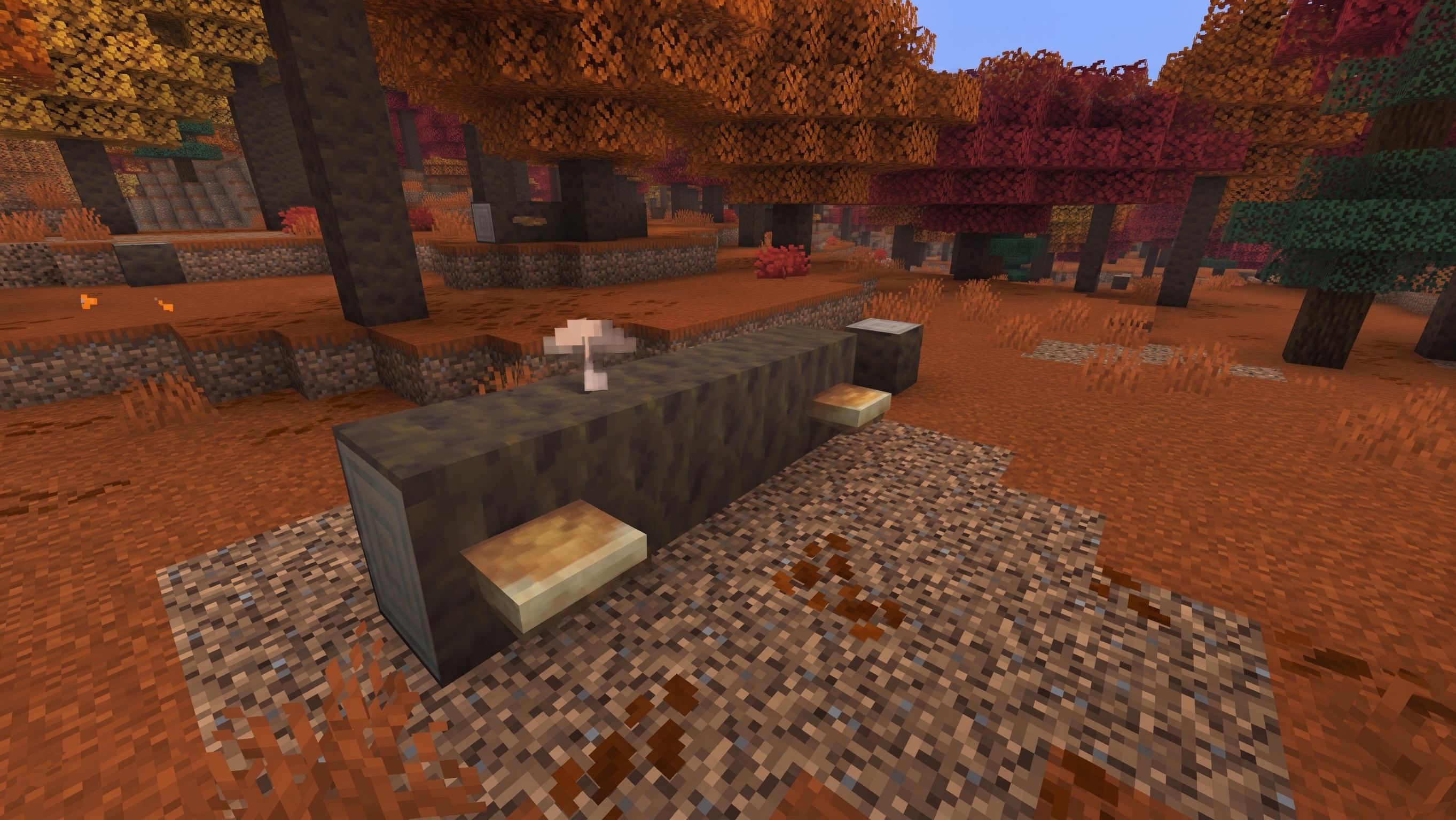
Primary Method: Break Poplar leaves in the Dappled Forest. Standard leaf drop rates apply.
Secondary Sources:
-
Fallen Trees: These horizontal Poplar logs generate frequently in the Dappled Forest and occasionally drop saplings when the leaf blocks attached to them are harvested.
-
Abandoned Camps: Chests in these structures sometimes contain Poplar Saplings as loot, alongside Bone Meal and other farming supplies.
Scouting Tip: Fallen trees often host Shelf Mushrooms, making them dual-purpose targets for resource gathering.
Once you have collected saplings, it's time to focus on the best strategies for growing and farming Poplar trees efficiently.
Growing Strategies And Farming Techniques (Java Edition)
Poplar Sapling Growth Requirements
Successful Poplar farming requires vertical clearance and patience.
-
Clearance: 5x5 horizontal space and 6+ blocks vertical clearance for full canopy development
-
Lighting: Standard light level 9+ for growth initiation
-
Tick Settings: Ensure random ticks are enabled in world settings for natural growth
Accelerating Growth and Increasing Efficiency
Acceleration Method: Use Bone Meal to force growth attempts. This does not guarantee your desired color, but it compresses the time between rerolls. A single Bone Meal application instantly grows the tree, allowing you to immediately see if the color matches your needs.
Parallel Processing: Plant multiple saplings simultaneously (10 to 20 at once) to increase the statistical probability of obtaining your desired color in a single growth cycle.
Practical Reroll Methods For Desired Leaf Color
Since color is randomized, "farming" becomes "rerolling" until the RNG favors you.
The Reroll Cycle:
-
Plant sapling
-
Apply Bone Meal (or wait for natural growth)
-
Check color
-
If wrong color: Break tree, collect new saplings, replant
-
If correct color: Preserve and move to next slot
Efficiency Tips:
-
Grow batches concurrently rather than sequentially. A 3x3 grid of saplings growing simultaneously yields 9 color rolls at once.
-
Use shears to collect leaves from wrong-colored trees before breaking them, preserving the leaf blocks for decoration even if the tree color is not what you wanted for that specific location.
-
Mark coordinates of desirable trees with signs or maps; do not rely on memory alone.
With your farming strategy in place, you can also use fallen Poplar trees for natural decoration and resource gathering.
Fallen Trees And Natural Decoration Tips
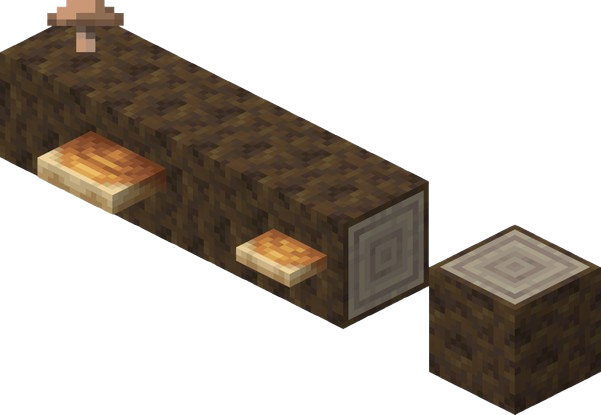
Fallen Trees as Decoration
Not every fallen Poplar needs to become planks. These horizontal logs serve as excellent natural decor.
Preservation Benefits:
-
Shelf Mushroom Farms: Fallen logs come pre-colonized with Shelf Mushrooms, and Bone Meal can grow a large shelf mushroom before harvesting it for bouncy blocks
-
Leaf Litter Integration: The ground around fallen trees generates with leaf litter blocks, perfect for autumn-themed pathways
-
Rustic Builds: Use fallen logs as natural fences or bridge supports without crafting
Harvesting Fallen Trees
Harvest Strategy: Only break the logs after harvesting attached mushrooms and leaf blocks to maximize resource yield.
Next, let's see how Poplar wood can be used in your builds and what new crafting options it brings.
Building With Poplar: New Wood Type Uses
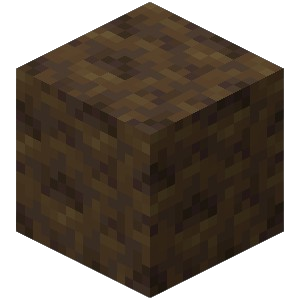
Poplar wood offers a light, almost white bark texture that pairs beautifully with its colored leaves.
Crafting Applications:
-
Poplar Planks: Pale wood suitable for Scandinavian or winter-themed builds
-
Poplar Stairs/Slabs: Clean lines for modern architecture
-
Poplar Doors: Light-colored entryways that contrast with dark oak interiors
Together, the Poplar wood set gives you a bright, flexible base for seasonal and modern designs.
Palette Pairings: Combine Poplar wood with the new Wool Stairs and Slabs (available in all 16 colors) to match almost any wool color to the leaf variants and create cohesive autumn interiors. Orange wool stairs complement Yellow Poplar leaves, while red wool slabs create dramatic contrast against the pale Poplar planks.
While building, don't forget the culinary and parkour uses of Shelf Mushrooms found on Poplar trees.
Shelf Mushrooms And Mushroom Stew Integration
While farming Poplar colors, do not ignore the Shelf Mushrooms growing on the trunks.
Culinary Update: Minecraft 26.3 allows any two mushrooms to craft Mushroom Stew and Suspicious Stew. Shelf Mushrooms function identically to Brown or Red mushrooms in these recipes, meaning your Poplar farm doubles as a stew ingredient source.
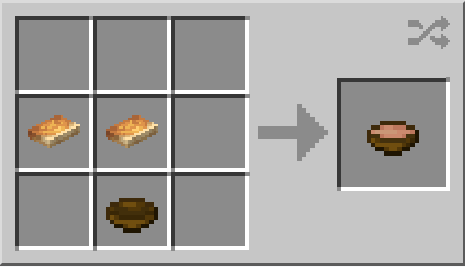

Parkour Utility: Large Shelf Mushrooms are bouncy blocks that negate fall damage. When designing farms with tall Poplar trees, place Shelf Mushrooms at the base to create safe landing zones if you fall from the canopy.
If you want to find Poplar saplings without chopping wood, Abandoned Camps are your best bet.
Abandoned Camp Structure Distribution And Loot
Poplar Saplings can be found without ever chopping wood, thanks to the Abandoned Camp structure.
-
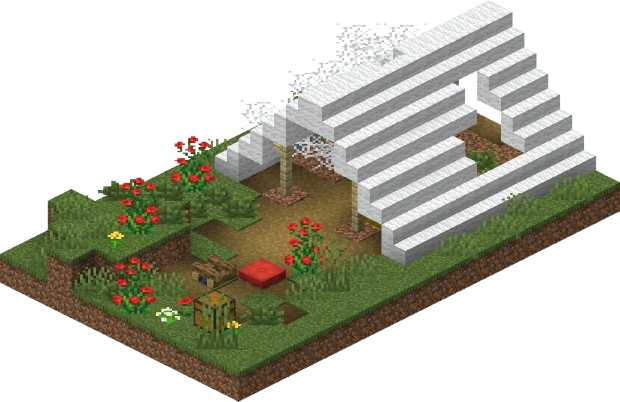
Spawn Biomes (16 total): Meadow, Cherry Grove, Forest, Birch Forest, Old Growth variants, Flower Forest, Windswept Forest, Dappled Forest, Taiga, Snowy Taiga, Old Growth Spruce Taiga, Old Growth Pine Taiga, Sparse Jungle, Bamboo Jungle, Swamp, Savanna, Wooded Badlands, Pale Garden
-
Loot Inspection: Camp chests contain survival supplies but specifically check for Poplar Saplings and Bone Meal to jumpstart your farming efforts. The Dappled Forest variant of camps sometimes generates with pre-grown Poplar trees nearby, effectively giving you free saplings via leaf breaking.
-
Documentation Task: Each biome variant shows different wool colors and camp layouts, and some camp variants stand out because of their wool color. Document these during exploration to help the community map biome-specific generation patterns.
To ensure compatibility and avoid issues, pay attention to data pack requirements and troubleshooting tips.
Data Pack Version And Compatibility Notes
Modders attempting to force specific Poplar colors must update their tools.
| Requirement | Version |
|---|---|
| Data Pack Format | 113.0 |
| Key Registry | worldgen/feature (moved from configured_feature) |
| Tree Placers | poplar_foliage_placer, poplar_trunk_placer |
| Compatibility: Existing data packs from 26.2 will break. The poplar_foliage_placer now handles color randomization internally, meaning custom world generation can theoretically override the random weights, but standard survival mode maintains the 33.3% distribution. Preserved item data also matters in custom content workflows, including broken decorated pots and custom names. |
If you encounter issues or want to test the new features, follow these steps.
Testing And Troubleshooting On Java Edition
Installation Steps:
-
Open Minecraft Launcher
-
Navigate to Installations tab
-
Enable Snapshots
-
Create new installation for 26.3-snapshot-1
-
Backup saves folder before launching
Common Issues:
-
Trees not growing: Check vertical clearance; Poplar trees require more height than Oaks
-
Wrong colors persist: This is not a bug; color randomization is intentional
-
Missing particles: Ensure particles are enabled in video settings; the game is referring to falling leaf particles, which are client-side
Bug Reporting: Reproduce any generation anomalies (floating trees, missing leaves) in a fresh world before reporting to the official snapshot tracker. Nearby vibration-based builds using sculk sensors are unrelated to poplar color RNG when troubleshooting farms.
FAQs
Can I force a specific color with commands?
In Creative mode, place the specific leaf block directly. In Survival, you must reroll via repeated planting.
Do Wandering Trader saplings have better odds for rare colors?
No. All saplings pull from the same random pool regardless of source.
Can I breed trees like animals to get color inheritance?
No. Mendelian genetics do not apply to Poplar trees; each growth is an independent random event.
Quick Tips
-
Trade with Wandering Traders to obtain saplings without exploring.
-
Grow 10+ saplings simultaneously to collect all three colors faster.
-
Collect red shrubs from the Dappled Forest and replant them alongside Poplar builds for matching autumn decoration.
-
Use Creative mode to preview every Poplar color variation before committing to Survival farming.