Red Shrub Farming: Bone Meal Spreading In Minecraft 26.3
Learn effective techniques for spreading bone meal to master red shrub farming in Minecraft.

Shahrukh Sial is a Gaming Content Strategist at Sparked Host. He identifies his own strategic outlines through deep research to cover game guides, tips, and updates that help players improve their skills and enjoy a better gaming experience.
You need more bone meal in your life? Let me get you started on Red Shrub farming with bone meal in Minecraft 26.3. You can follow either of these routes to a Red Shrub farm.
Decorating your world is one reason, but there are others like studying the new biome mechanics or simply creating unique landscapes with Red Shrub farms. You name the motive that gets you to Red Shrub farming; this article will give you the lowdown on that.
To get started, you need Red Shrub to be spread on a Dappled Forest biome first.
If you're ready to get going, pick a spot to put your Red Shubs, either dirt, grass, podzzol, any flat ground basically!
You can expect a Red Shrub that's bone meal-fed to try and find an adjacent empty block randomly and spread to it, and you can go on with it to get your shrubs multiplied and hedges created. It is a very decorative use of Red Shrubs but not the only one. Besides, their spreader is part of the new biome mechanics, and the result would be you ending up with a pretty forest of Red Shrubs in a very short time.
Red Shrubs is a way to create dense, hedge-like structures and add color to your builds that are unique to Red Shrubs' spreading behavior and integration with the new, Dappled Forest biome.
A few tips for you: Use dispensers in the setup to be able to automate the process and make sure you prepare the land properly to achieve a rapid expansion of the plant.
Overview Of Red Shrub In Dappled Forest And Poplar Trees
Red Shrubs are decorative plants that appear in patches throughout the Dappled Forest biome. When bone meal is applied, Red Shrubs spread to neighboring blocks. This spreading occurs as the shrub attempts to grow another shrub into a random adjacent empty space.
Key Characteristics:
-
Block Type: Decorative bush (similar to dead bush but red and placeable on dirt/grass)
-
Growth Mechanic: Horizontal spread via Bone Meal (not vertical growth)
-
Biome Lock: Exclusive to Dappled Forest generation
-
Visual Role: Provides ground-level color contrast to Poplar trees and often generates near Shelf Mushroom clusters on fallen logs
The shrubs do not grow into trees or produce additional items beyond their own block form, making them purely aesthetic blocks for landscaping and hedge construction.
Now that you know what Red Shrubs are and how they spread, let's look at where you can find them in the world.
Where To Find Red Shrub And Abandoned Camp Structure
-
Primary Location: The Dappled Forest biome remains the only natural source. Look for small patches scattered across the leaf-littered ground, particularly in areas with dense Poplar tree coverage.
-
Secondary Source: Abandoned Camp structures occasionally generate with Red Shrubs incorporated into their overgrown variants, suggesting these waystations have been reclaimed by the biome's aggressive autumnal growth.
-
Spawn Patterns: Red Shrubs show increased density near fallen Poplar logs, often appearing in clusters of 2-4 blocks adjacent to the horizontal trunks. This makes fallen tree clearings ideal starting points for farm establishment.
Scouting Tip: When exploring the Dappled Forest, mark coordinates of large fallen logs. The shrubs nearby provide excellent starter material for cloning via Bone Meal spreading.
Once you've gathered your initial Red Shrubs, you can begin setting up your own farm.
Farming Setup For Red Shrub
Red Shrubs spread to neighboring blocks when bone-mealed, making them one of the easiest decorative plants to multiply in Minecraft. To start cultivating them, you must first find Red Shrubs in the Dappled Forest biome. Clear nearby blocks to ensure there is a valid location for new shrubs to grow, as a Red Shrub can attempt to grow another shrub into a random adjacent empty space when bone meal is applied.
Initial Farm Layout
Creating an efficient Red Shrub farm requires horizontal thinking rather than vertical farming towers.
-
Base: Flat dirt or grass area (podzol also works)
-
Pattern: 3x3 planting patches with the center block occupied by the source shrub
-
Access: Leave one-block gaps between 3x3 patches for dispenser placement
-
Border: Optional fencing using the new Poplar wood set to match the aesthetic
Preparing the Area
-
Place one Red Shrub in the center of your 3x3 dirt patch.
-
Ensure all eight surrounding blocks are valid growth surfaces (dirt, grass, podzol, or farmland).
-
Position water streams or hopper minecarts below to collect dropped shrubs (they break instantly when the block beneath is removed).
With your farm layout ready, it's time to understand how bone meal triggers the Red Shrub's unique spreading mechanic.
Bone Meal Spreading Mechanics

Unlike wheat or saplings, Red Shrubs do not grow taller when fed Bone Meal. Instead, they attempt to spread horizontally to adjacent valid blocks.
How Bone Meal Spreads Red Shrubs
-
Spread Behavior: When Bone Meal is applied to a Red Shrub, it checks the eight neighboring blocks (horizontal and diagonal). If any valid empty space exists, the shrub has a chance to duplicate itself onto one of these blocks. This creates a chain-reaction farming opportunity where a single shrub can colonize an entire prepared area.
-
Local Spread Radius:
-
Immediate: 1 block radius (all adjacent blocks)
-
Success Rate: Chance-based (not guaranteed per Bone Meal use)
-
Limit: Requires valid ground block; cannot spread onto stone, wood, or leaves
-
The specifics of bone meal spreading can vary slightly between Java and Bedrock Editions, so let's break down the mechanics for each version.
Java Edition: Bone Meal Spread
In Java Edition 26.3, the spreading mechanic follows chance-based algorithms similar to grass or mycelium spread but accelerated by Bone Meal application.
-
Each Bone Meal application rolls for spread to one random adjacent valid block.
-
If no valid blocks exist, the Bone Meal is consumed but nothing happens.
-
Shelf Mushroom Interaction: When testing near Shelf Mushrooms, note that mushrooms occupy block space and prevent shrub spread to those positions. Keep mushroom clusters separate from shrub patches to maximize Bone Meal efficiency.
Testing Recommendation: Create a creative world with a 5x5 dirt platform and a single center shrub. Apply Bone Meal repeatedly while counting uses to determine average spread rates for documentation.
Bedrock Edition: Bone Meal Spread
Bedrock Edition 26.3 likely mirrors the Java mechanics, though behavioral differences may exist in tick timing and spread probability. The randomization seeds may produce different spread patterns.
Repeatable Test Steps for Bedrock:
-
Create a flat world with dirt platform.
-
Place single Red Shrub at coordinates 0, 0.
-
Surround with 8 dirt blocks.
-
Apply exactly 10 Bone Meal.
-
Count resulting shrubs and compare with Java Edition results.
Cross-Platform Note: If building farms for both editions, test redstone timing separately. Bedrock's quasi-connectivity and random tick handling may affect dispenser firing rates.
Once you understand the spreading mechanics, you can automate your Red Shrub farm for efficient harvesting.
Automation: Dispensers And Red Shrub Farms
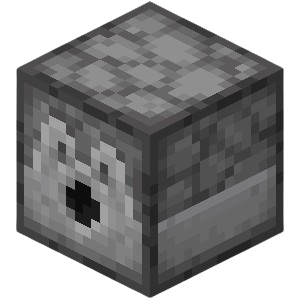
Automating Red Shrub collection requires precise dispenser placement due to the horizontal spread mechanic.
Dispenser Automation Details
Dispenser Layout:
| EMPTY | DISPENSER | EMPTY |
|---|---|---|
| EMPTY | SHRUB | EMPTY |
| EMPTY | EMPTY | EMPTY |
| Redstone Timing: |
-
Clock Speed: 4-tick repeater cycle (fastest reliable rate)
-
Duration: Pulse dispensers for 1-2 ticks to eject single Bone Meal
-
Collection: Position hopper minecarts or water streams beneath the 3x3 patch
Concealment: Hide redstone wiring under wool slabs (new in 26.3) to maintain the natural forest floor aesthetic while keeping the mechanism functional.
For a visually appealing farm, consider integrating your Red Shrub setup with the new Poplar wood set and other Dappled Forest features.
Integration With Wood Set And Poplar Trees
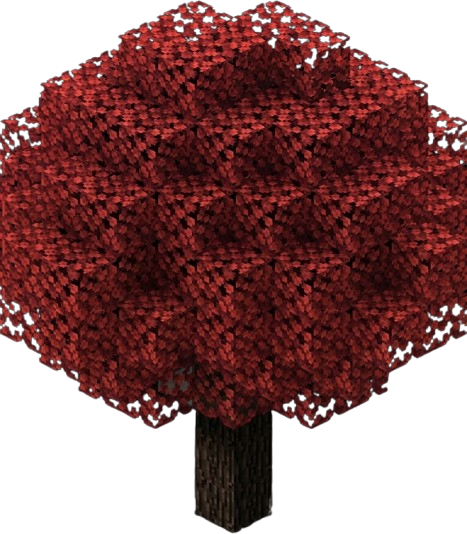
Red Shrub farms benefit aesthetically from integration with the update's new wood types.
-
Poplar Trees: Plant full Poplar trees around the farm perimeter for authentic Dappled Forest ambiance
-
Fencing: Craft Poplar Fences to border the farm beds, matching the light bark texture to the shrub's crimson color
-
Collection: Use Poplar Logs as camouflage for collection funnels, disguising hopper chains as fallen timber
Color Palette: The red shrubs create striking contrast against Poplar's white bark and the golden/orange leaf particles from nearby trees, making farms visually distinct from traditional oak or birch builds.
If you want to farm both Red Shrubs and Shelf Mushrooms, pay attention to their interactions and spacing.
Shelf Mushroom And Red Shrub Interactions
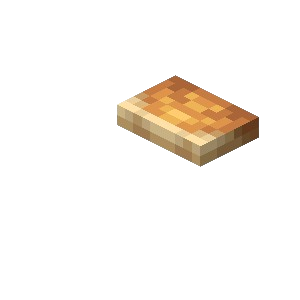
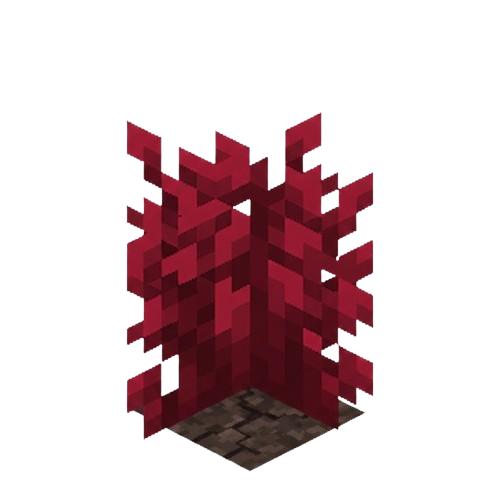
When farming both new block types simultaneously, spacing matters.
-
Interaction Testing: Bone Meal affects both Red Shrubs and Shelf Mushrooms, but they compete for block space. If a Shelf Mushroom occupies a side block next to a shrub, the shrub cannot spread there.
-
Best Practice: Separate your Red Shrub patches from Shelf Mushroom clusters by at least two blocks. This prevents the mushrooms (which grow on wood) from accidentally blocking shrub spread on dirt, and vice versa.
-
Synergy: Despite spacing needs, both blocks complement each other visually. Place Shelf Mushrooms on Poplar logs as vertical elements, with Red Shrub carpets below as ground cover.
The new wool stairs and slabs introduced in 26.3 can further enhance your farm's design and functionality.
Building Blocks: Wool Stairs And Wool Slabs Usage
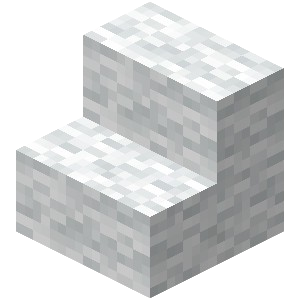
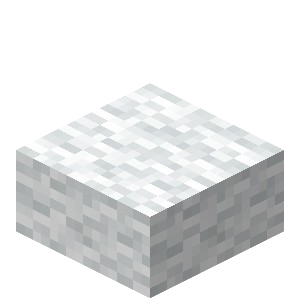
The 26.3 update introduces wool stairs and slabs, perfect for decorative farm architecture.
-
Roofing: Use wool stairs to create gentle-sloped roofs over your shrub farms. These dampen vibrations (preventing Sculk Sensor activation) and provide soft color accents that complement the red shrubs.
-
Concealment: Wool slabs excel at hiding redstone components while maintaining walkable surfaces. Place them above dispenser lines to create clean, carpeted pathways through your farm that do not interfere with the shrub spread below.
-
Color Selection: Choose wool colors from the Dappled Forest palette - oranges, yellows, and reds - to create cohesive autumn-themed farm structures.
If you come across Abandoned Camps, you can use them as ready-made farm locations.
Abandoned Camp Structure Farming Tips
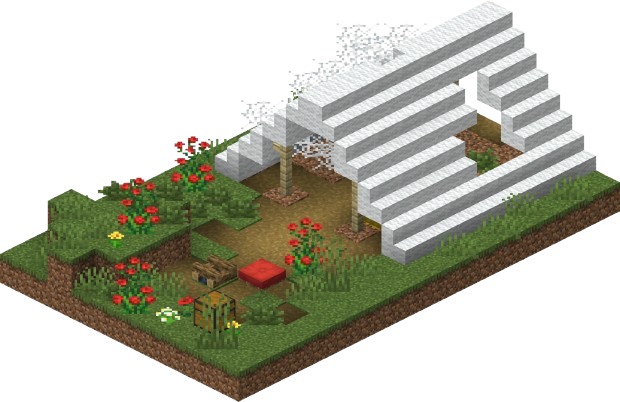
For players who discover Abandoned Camps within the Dappled Forest, these structures offer unique farming opportunities.
-
Scouting: Check camp clearings for preexisting Red Shrubs. Overgrown camp variants often contain 2-3 shrubs already in place, saving you the trouble of transporting starter plants.
-
Retrofitting: The small clearings around camps (typically 5x5 to 7x7 flat areas) make excellent compact farm locations. The preexisting ground clearing saves excavation time, and the camp's loot chests may contain Bone Meal to fuel your initial spreading operations.
-
Safety: Clear hostile mobs first. The dense shrubbery can hide creepers, and the camp's secret chests may attract other players on multiplayer servers.
If your Red Shrub farm isn't working as expected, use the following troubleshooting and testing tips.
Troubleshooting And Testing
Troubleshooting Spread Issues
When your Red Shrub farm fails to spread, check these common issues:
-
Single-Block Trials: Test Bone Meal spreading in isolation first. Place one shrub surrounded by dirt in a creative world. If it spreads there but not in your farm, check for obstructions.
-
Dispenser Verification:
-
Ensure dispensers face directly toward the shrub block (not upward or diagonal)
-
Check that redstone repeaters provide sufficient tick delay (too fast may cause misfires)
-
Verify Bone Meal is actually dispensing (check for particle effects)
-
-
Block Updates: If shrubs appear stuck, reload chunks by moving away and returning, or use /forceload commands if available. Some spread events may require block update ticks to visually register.
Testing Spread Mechanics
-
Documentation Standards:
-
Label all screenshots clearly with "Java Edition" or "Bedrock Edition"
-
Include coordinate readouts for complex redstone timing mechanisms
-
Document exact repeater timings (e.g., "4 ticks on, 2 ticks off") for community replication
-
-
Testing Contribution: The 26.3 snapshot needs data on spread rates. Publish your single-block trial results with sample sizes of at least 100 Bone Meal applications to help establish baseline probabilities for the wiki.