Minecraft 26.3: Poplar Tree Colors Explained
Discover the vibrant colors of poplar tree leaves in Minecraft 26.3. Learn how to identify and utilize red, orange, and yellow leaves

Shahrukh Sial is a Gaming Content Strategist at Sparked Host. He identifies his own strategic outlines through deep research to cover game guides, tips, and updates that help players improve their skills and enjoy a better gaming experience.
The autumn update has finally arrived. With Minecraft 26.3 Snapshot 1, Mojang introduces the Dappled Forest, a biome that captures the fleeting beauty of fall and freezes it in perpetual display. At the center of this seasonal shift stands the Poplar Tree, a new wood type that doesn't arrive alone, it brings three distinct personalities, each painted in the fiery hues of autumn: crimson, amber, and gold. This article explains the red, orange, and yellow Poplar leaf colors introduced in Minecraft 26.3.
This guide is for Minecraft players and builders interested in the new Poplar tree mechanics and autumn biome aesthetics. Understanding these colors helps players plan builds and explore the new biome features.
Summary: Poplar trees in Minecraft 26.3 have three leaf colors: red, orange, and yellow. Each tree randomly generates with one color, and each leaf variant emits matching falling leaf particles. The colors are purely decorative and do not affect gameplay.
Unlike previous arboreal additions where the only variation came from bark texture or plank color, Poplar Trees fundamentally alter their appearance based on randomized generation. This isn't just a new block; it's a new mechanic that challenges how we think about farming, building, and biome identity in Minecraft.
Quick Overview
Before diving into the leaf litter, here's what defines this snapshot:
| Feature | Details |
|---|---|
| Focus | Autumn aesthetics & world generation |
| Biome | Dappled Forest (generates near cold biomes) |
| New Wood | Poplar (3 leaf color variants) |
| Key Mechanic | Random color selection-saplings don't inherit parent colors |
| Structures | Abandoned Camps (16 biome variants) |
| Pack Version | Data Pack 113.0 |
| The update also introduces Wool Stairs and Slabs (finally!), Shelf Mushrooms with bounce physics, Straw Beds for temporary resting, and Cushions, actual sit-able furniture entities. But the stars of the show remain those three-colored canopies drifting particles into the crisp air. |
Dappled Forest Brings Autumn (Minecraft 26.3 Snapshot 1)
Step into the New Dappled Forest Biome, and you'll immediately sense the difference. The lighting feels softer, filtered through canopies that burn with permanent sunset colors. This biome generates strategically adjacent to cold biomes, you'll find it transitioning between snowy taigas and temperate zones, creating dramatic vistas where white snow meets crimson leaves.
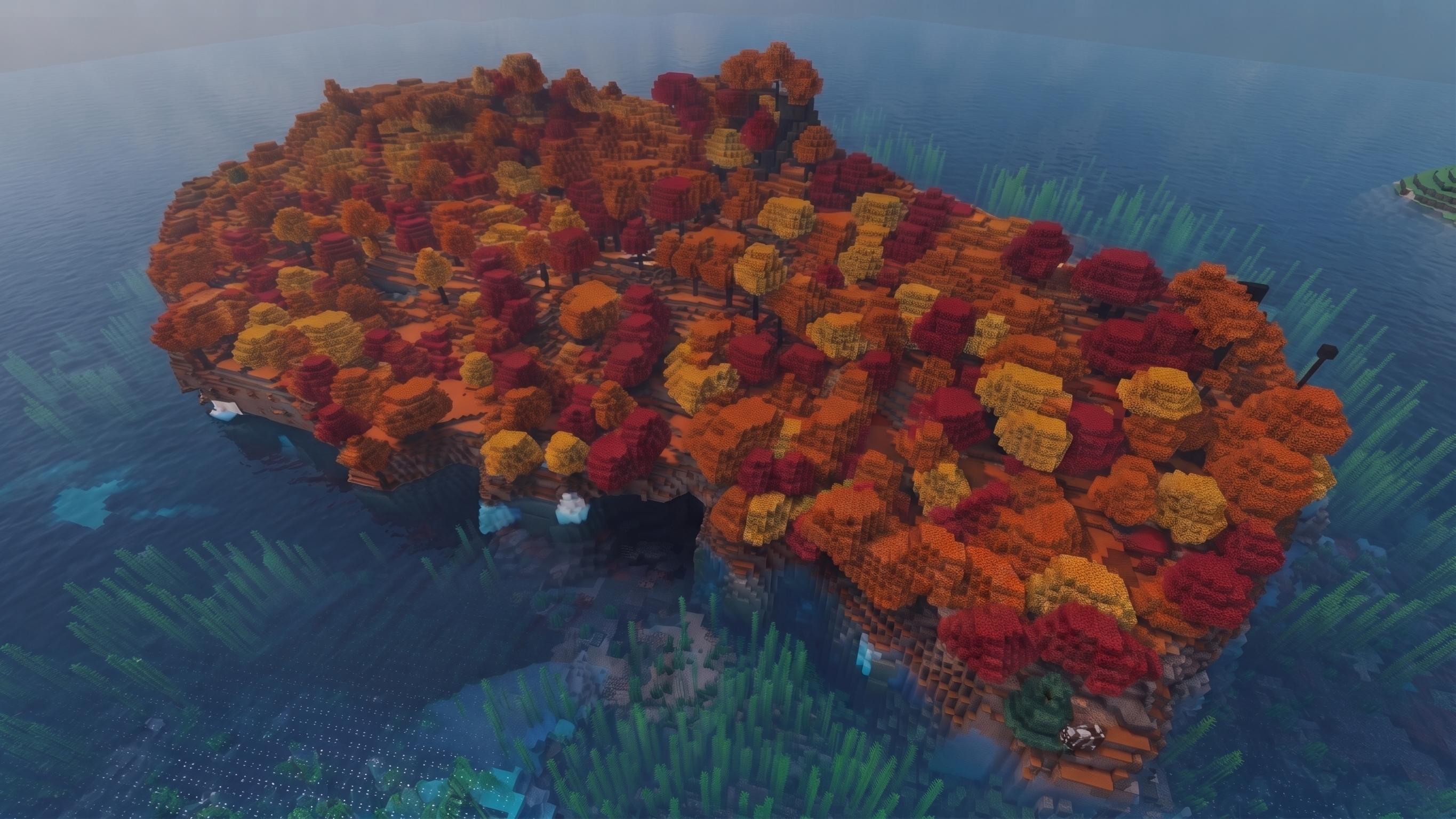
The forest floor tells its own story. Leaf litter blocks cover the ground, while Red Shrubs dot the understory. But look closer, and you'll notice the terrain is messier than a manicured oak forest, fallen Poplar trees lie horizontally across the landscape, creating natural bridges and obstacles. These fallen giants generate here more frequently than in any other biome, often hosting colonies of fungi that hint at the biome's other new resident: the Shelf Mushroom.
Atmospheric Note: Each tree variant emits distinct falling leaf particles that match its color. Stand still in a mixed grove, and you'll see crimson, amber, and gold motes drifting down simultaneously, a visual effect unique to this biome.
Fallen Poplar Trees
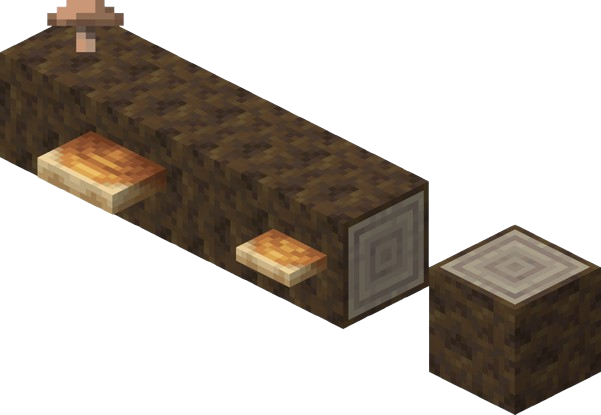
Fallen Poplar trees deserve special mention. Unlike the rare fallen trees in other biomes, these generate frequently in the Dappled Forest, lying horizontally and creating natural barriers. They serve as the primary spawn location for Shelf Mushrooms, creating organic mushroom farms without player intervention.
Poplar Tree Leaf Color Basics
Poplar trees have three leaf colors: red, orange, and yellow. Each Poplar leaf variant emits unique falling leaf particles that match its color.
Poplar Trees break Minecraft's traditional wood-farming logic by introducing three distinct chromatic variants, each with unique block IDs and particle effects:
-
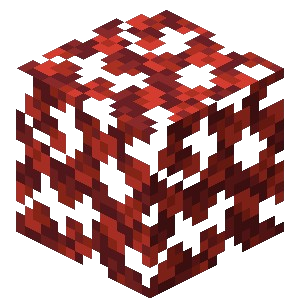
Red Poplar Leaves (minecraft:red_poplar_leaves) – Deep burgundy canopies.
-
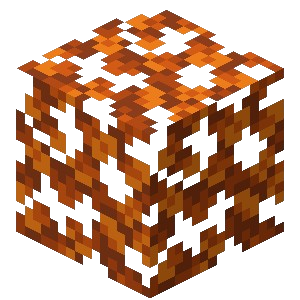
Orange Poplar Leaves (minecraft:orange_poplar_leaves) – Bright citrus tones.
-
Yellow Poplar Leaves (minecraft:yellow_poplar_leaves) – Pale golden hues.
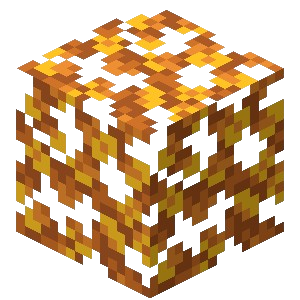
The visual distinction is immediate and striking. What makes these trees revolutionary, however, is how they reproduce, or rather, how they don't.
Leaf Color Mechanics
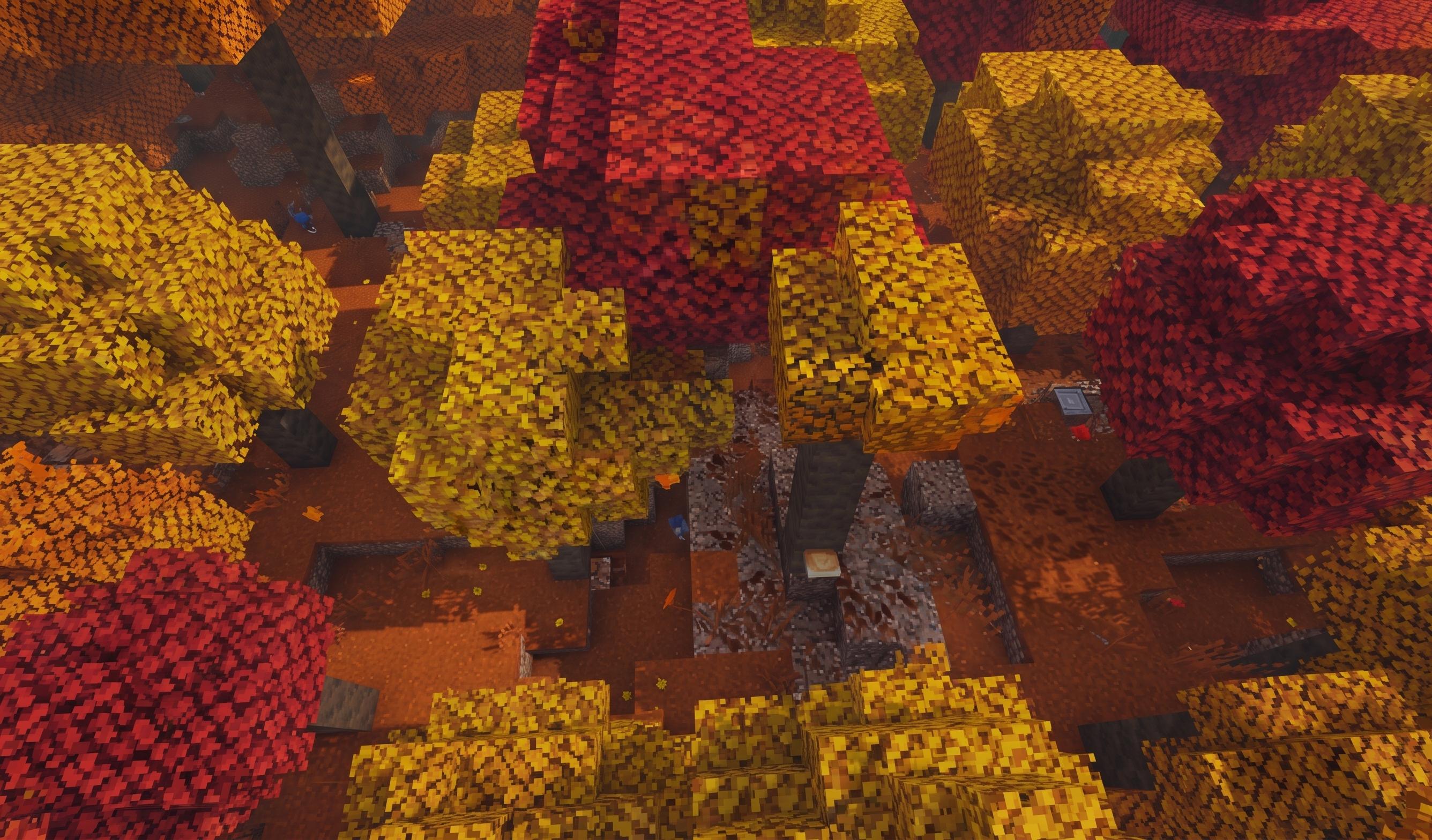
Here's where things get interesting. When a Poplar tree generates naturally in the Dappled Forest, the game engine performs a random color selection with approximately equal probability (33.3%) for each variant. But this randomness persists when farming.
Plant a Poplar Sapling obtained from a Red tree, apply bone meal, and watch it grow. The resulting tree might be Red, matching its parent. Or it might burst forth in Orange or Gold. Each growth event is an independent dice roll, meaning you cannot breed for color. A forest of Red Poplars will produce saplings that grow into a rainbow of possibilities.
This has led to fascinating theories in the testing community. Some players suspected that neighboring trees might influence the outcome, that planting next to a Red tree would increase Red offspring probability. Current Snapshot 1 testing suggests no neighbor influence exists, but the biome is young, and data pack makers are already investigating whether the poplar_foliage_placer parameters can be tweaked to create color-weighted generation.
Testing Recommendation: Document your plantings. The community needs data on whether the three colors truly generate at equal rates or if certain colors have weighted preferences in the code.
Saplings, Drops, And Farming Poplar Trees
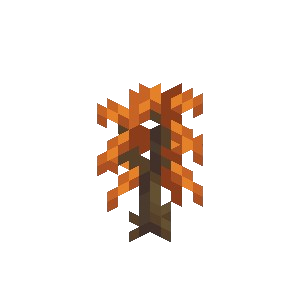
Breaking Poplar leaves drops generic Poplar Saplings that carry no metadata about their origin. This creates a unique farming challenge for builders seeking aesthetic consistency. If you want a grove of purely Red Poplars for that Japanese maple garden aesthetic, you must plant in bulk and remove the "wrong" colors.
Acquisition paths vary:
-
Natural Generation: Found exclusively in the Dappled Forest
-
Trading: Wandering Traders now stock Poplar Saplings and unstripped Poplar Logs, bringing autumn to biomes that never see falling leaves
-
Data Packs: Server owners can override the poplar_foliage_placer to force specific colors, bypassing the randomization entirely for architectural projects
For survival purists, patience becomes the primary virtue. Plant twenty saplings, grow them, keep the three Red trees, harvest the Orange and Yellow for resources, and repeat. It's less efficient than oak farming, but significantly more rewarding when that perfect crimson canopy finally emerges.
World Generation Features
Underneath the autumn aesthetics lies significant technical innovation. The update introduces two specialized world generation components:
The poplar_trunk_placer generates straight vertical trunks with distinctive branching structures near the crown, while the poplar_foliage_placer creates those characteristic rhombus-shaped canopies that extend asymmetrically in one of two possible directions. Together, they give Poplar trees a unique silhouette that reads immediately as "deciduous" even in Minecraft's blocky language.
Fallen Poplar Trees
Fallen Poplar trees deserve special mention. Unlike the rare fallen trees in other biomes, these generate frequently in the Dappled Forest, lying horizontally and creating natural barriers. They serve as the primary spawn location for Shelf Mushrooms, creating organic mushroom farms without player intervention.
Abandoned Camps
Abandoned Camps scatter across sixteen different biomes, from Meadows to the Pale Garden. Each biome receives architectural variants, Meadow camps feature flower-strewn wool, while Swamp variants show water damage and moss. These structures contain the new Straw Beds and Cushions, along with loot that tells a story of hasty evacuation.
Warning: Snapshot 1 generation remains unstable. Players have reported floating tree canopies and incomplete camp walls. Always backup your worlds before exploration.
Shelf Mushroom And Ground Flora
Shelf Mushroom Mechanics
The Shelf Mushroom introduces functional fungi to the forest ecosystem. These grow exclusively on Poplar wood, both standing trunks and fallen logs, appearing initially as small clusters that respond to bone meal by growing into large, shelf-like platforms.
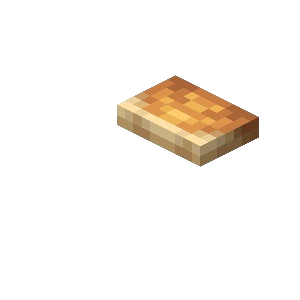
The large variants possess a peculiar property: they're bouncy. Landing on a large Shelf Mushroom negates fall damage and launches the entity upward with the same physics as a bed, complete with a satisfying bounce sound effect. This makes them invaluable for parkour courses or natural-looking safety nets around mountain bases. Unlike beds, however, they don't set spawn points and can be harvested without silk touch.
Crafting applications extend beyond decoration. The update finally allows any two mushrooms to craft Mushroom Stew and Suspicious Stew, meaning Shelf Mushrooms can substitute for traditional brown or red varieties in a pinch.
Ground Flora and Red Shrubs
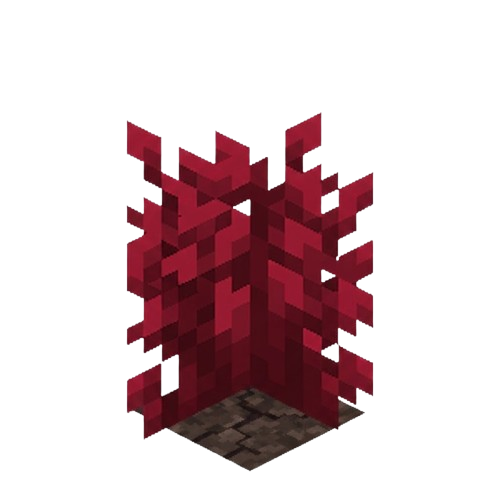
The forest floor tells its own story. Leaf litter blocks cover the ground, while Red Shrubs dot the understory, adding to the autumnal ambiance and providing additional decorative options for builders.
Abandoned Camp Structure Details
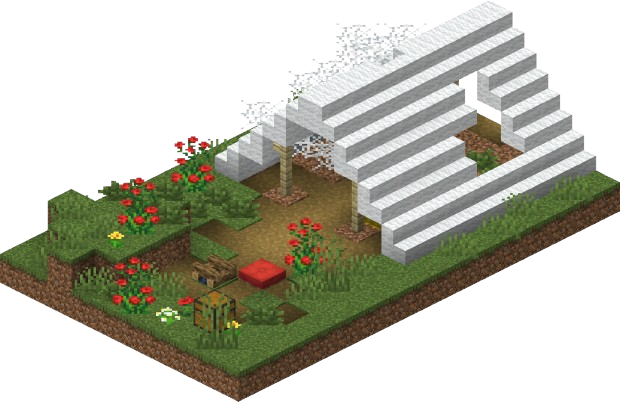
These aren't just decorative tents. Abandoned Camps generate with biome-specific personalities, containing architectural elements that reflect their environment. A camp in the Cherry Grove might feature pink wool stairs, while one in the Wooded Badlands uses terracotta accents.
Loot distribution follows a tiered system:
| Container | Contents |
|---|---|
| Barrels | Common items, cobwebs (notable chance) |
| Common Chests | Copper gear, buckets, compasses, maps, fireworks |
| Secret Chests | Iron/diamond gear, gold, potions |
| The presence of Straw Beds (crafted from three hay bales, usable once before destruction) and Cushions (sit-able entities in sixteen colors) suggests these were waystations for travelers who left in a hurry. Documenting these loot tables in Snapshot 1 helps the developers balance the risk-reward ratio before the full release. |
Building Blocks: Poplar Wood, Wool Slabs, And Decorative Pieces
Poplar Wood Set
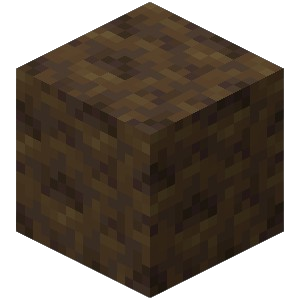
Beyond the biological curiosities, 26.3 expands the builder's palette significantly. Poplar wood features a light, almost white bark that contrasts beautifully with its colored leaves. The set includes everything from standard stairs and slabs to the new Poplar Shelf, a horizontal surface perfect for item display without the visual weight of full blocks.
Wool Stairs and Slabs
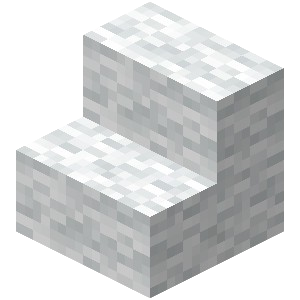
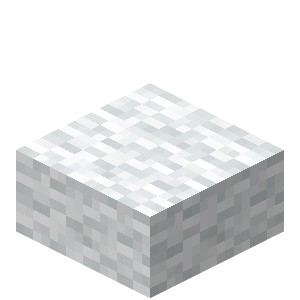
Wool Stairs and Slabs arrive in all sixteen dye colors, maintaining wool's crucial property of vibration damping. For the first time, players can construct stepped pathways and half-height walls that don't trigger Sculk Sensors, opening new possibilities for silent redstone circuitry and stealth builds.
Cushions
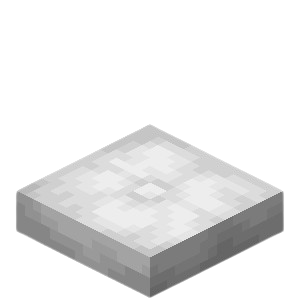
The Cushion entity, crafted from wool slabs, adds functional seating without collision interference. Place them in tight spaces, stack them to sixteen in inventory, and arrange them in sixteen colors to match any interior design. They break if the supporting block is removed, so plan your furniture placement accordingly.
26.3 Snapshot 1 Technical Notes And Data Pack Version
Modders should prepare for significant structural changes. The data pack version has incremented to 113.0, with the worldgen/configured_feature registry migrating to worldgen/feature utilizing inline configuration rather than separated config objects.
Specifically, the new tree decorator formats for shelf_mushroom, poplar_foliage_placer, and poplar_trunk_placer demand careful review. These components now handle color randomization and fungal attachment logic, meaning existing world generation packs will break without updates.
Critical reminder: World conversion in Snapshot 1 is one-way. The new world generation systems may corrupt existing chunks or cause irreversible terrain modification when downgrading to previous versions.
How To Install Minecraft 26.3 Snapshot 1
Getting your hands on autumn requires a few specific steps:
-
Open your Minecraft Launcher and navigate to the Installations tab
-
Enable Snapshots in the settings menu
-
Create a new installation specifically for 26.3-snapshot-1 (don't overwrite your stable profile)
-
Backup your saves folder, copy it entirely before loading any existing worlds
-
Launch the snapshot and use /locate biome minecraft:dappled_forest to find the new content
-
Report generation bugs to the official tracker with coordinates and screenshots
Recommended Tests And Content Ideas
The community can help refine this update through specific investigations:
-
Color Distribution Studies: Plant 100 saplings and record the exact Red/Orange/Yellow ratio to verify true 33.3% equality
-
Bounce Mechanics Testing: Determine if Shelf Mushrooms have height limits for damage negation
-
Autumn Builds: Create seasonal scenes using Poplar wood, wool stairs, and straw beds to showcase the new aesthetic
-
Camp Mapping: Document Abandoned Camp architectural variants across different biomes to verify biome-specific generation
Final Notes
As the first of six planned snapshots, 26.3 represents a foundation rather than a final product. The leaf color randomization may see adjustment based on farming feedback, and Abandoned Camp loot tables are likely placeholders. Keep your data packs updated to version 113.0, backup religiously, and document everything. The Dappled Forest is a biome that rewards observation, those falling leaves aren't just pretty particles, they're the visible signature of a complex new generation system that makes every tree feel like a unique discovery.