Minecraft 26.3 Shelf Mushroom Guide
Discover how to use shelf mushrooms in Minecraft 26.3 for bouncy blocks and delicious stew crafting.

Shahrukh Sial is a Gaming Content Strategist at Sparked Host. He identifies his own strategic outlines through deep research to cover game guides, tips, and updates that help players improve their skills and enjoy a better gaming experience.
The Quick Answer: Shelf Mushrooms are new functional fungi in Minecraft 26.3 that grow exclusively on Poplar trees in the Dappled Forest. They come in two sizes, can be grown with bone meal, and act as bouncy landing pads similar to beds. They also craft Mushroom Stew and Suspicious Stew, making them the first biome-specific mushroom with both culinary and parkour applications.
This guide is aimed at players curious about the bouncy block features and stew crafting system introduced in Shelf Mushrooms via Minecraft 26.3, detailing its benefits for both gameplay and creativity. The new bouncy blocks and Stew crafting are two major highlights that are both very interesting to use for builders, redstone engineers, and survival players, etc.
Quick Q: How do you play with Shelf Mushrooms as a bouncy block and for stew making in Minecraft 26.3?
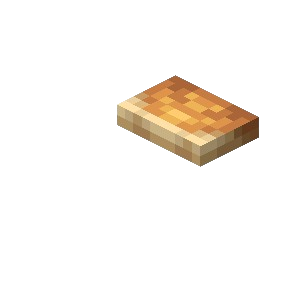
Just like beds, Shelf Mushrooms can be turned into bouncy blocks and also, they are used in stew making. When creatures jump on Shelf Mushrooms they are launched skywards. This is really a nice way to utilize such blocks to jump higher, minimize the fall damage, and in the creation of cool builds.
Players interested in making stews can use Shelf Mushrooms to partially or wholly replace mushrooms in recipes to make mushroom and suspicious stews, among others. By simply combining mushrooms with different flowers, players can get different kinds of stews, which have varying effects on the player depending on their level. Shelf Mushrooms can do all this and thus make a great combination of ingredients and tools in a player's life in Minecraft 26.3.
Quick Minecraft 26.3 Snapshot Overview
Minecraft 26.3 (Third Drop 2026) introduces the Dappled Forest biome and its signature flora, including the Shelf Mushroom. This is an early snapshot release, meaning instability is guaranteed.
| Snapshot Info | Details |
|---|---|
| Version | 26.3 Snapshot 1 (Java Edition) |
| Status | Unstable/Testing |
| Key Additions | Dappled Forest, Poplar Trees, Shelf Mushrooms, Abandoned Camps |
| Risk Level | High - World corruption possible |
Critical Warning: Snapshots can corrupt existing worlds. Always backup your saves folder before loading 26.3, or better yet, create a separate testing installation entirely. The world generation changes in this update are significant and irreversible.
Installing Minecraft 26.3 Snapshot, Data Pack Version, And Resource Pack Version
Enabling Snapshots:
-
Open the Minecraft Launcher
-
Navigate to the Installations tab
-
Toggle Enable Snapshots in the settings
-
Create a New Installation selecting version 26.3-snapshot-1
-
Name it clearly (e.g., "26.3 Testing") to avoid confusion with stable versions
Technical Requirements:
-
Data Pack** Version:** 113.0 (required for custom world generation features)
-
Resource Pack Version: 94.0 (for texture and model compatibility)
-
World Safety: Never load your main survival world in snapshots. Use a copy or fresh world.
Minecraft 26.3 Snapshot 1 Notes
This initial snapshot delivers the Dappled Forest biome, Poplar Trees with three leaf color variants, Abandoned Camp structures, and the Shelf Mushroom block. Generation bugs are expected, including floating trees and incomplete camp structures.
Report Issues: Found a bug? Submit it to the official Minecraft Bug Tracker with coordinates and screenshots. The developers need data on world generation failures, especially regarding fallen tree placement and camp loot table errors.
Where Shelf Mushrooms Spawn: Dappled Forest Biome & Poplar Trees
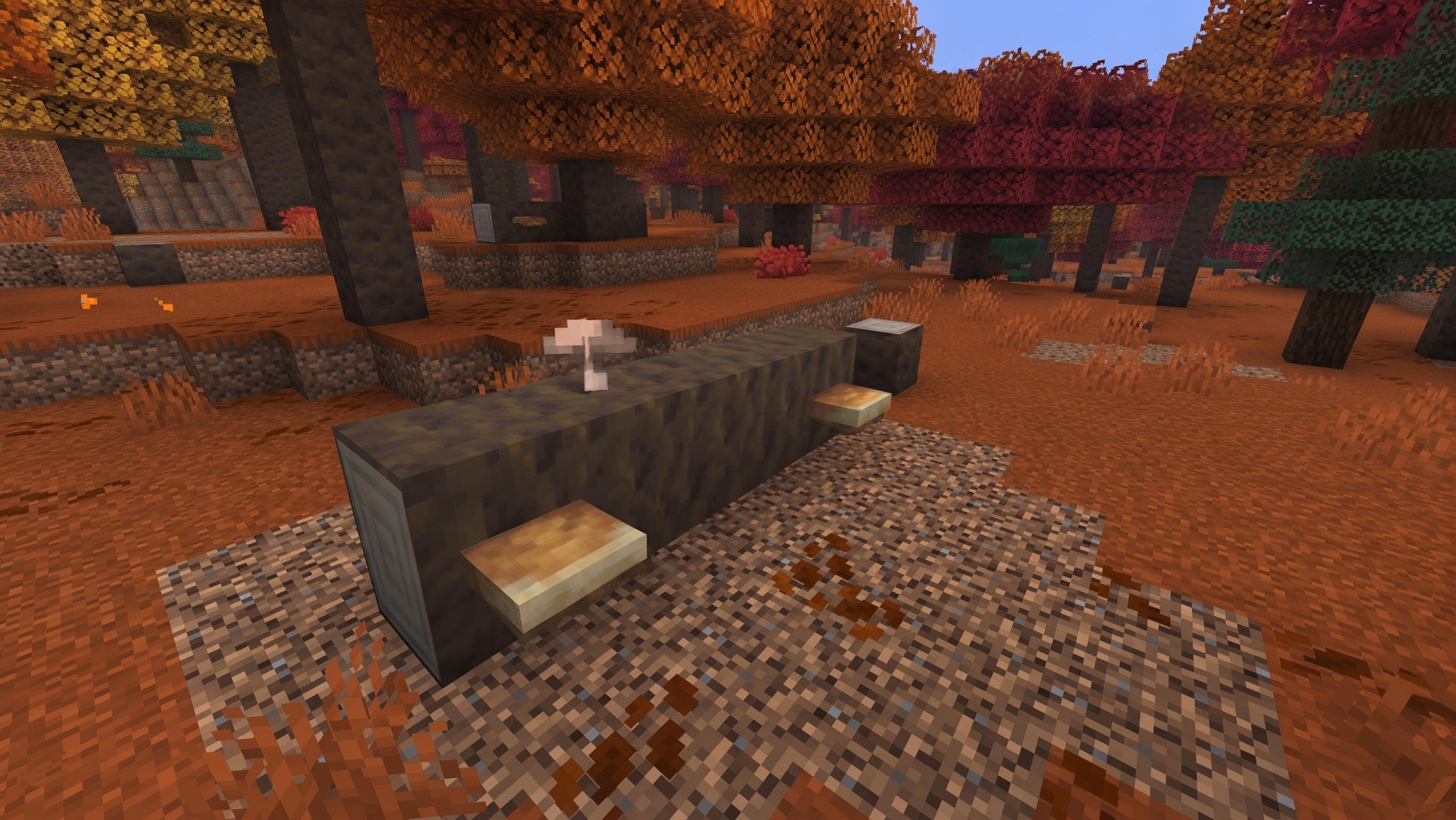
Shelf Mushrooms are biome-locked to the Dappled Forest and block-locked to Poplar wood. You will not find them in dark oak forests, mushroom islands, or swamps. They generate naturally on both standing Poplar trunks and fallen Poplar logs. Shelf Mushrooms grow on the sides of Poplar trees and logs.
Visual Themes: The Dappled Forest presents a permanent autumn palette - red, orange, and yellow Poplar canopies with falling leaf particles. The biome generates adjacent to cold biomes, creating stark contrasts between white snow and crimson foliage.
Mushroom Variants:
-
Small Shelf Mushroom: Initial growth state, drops 1 item when broken
-
Large Shelf Mushroom: Mature state, drops 2 items when broken, provides bounce mechanic
Dappled Forest Details
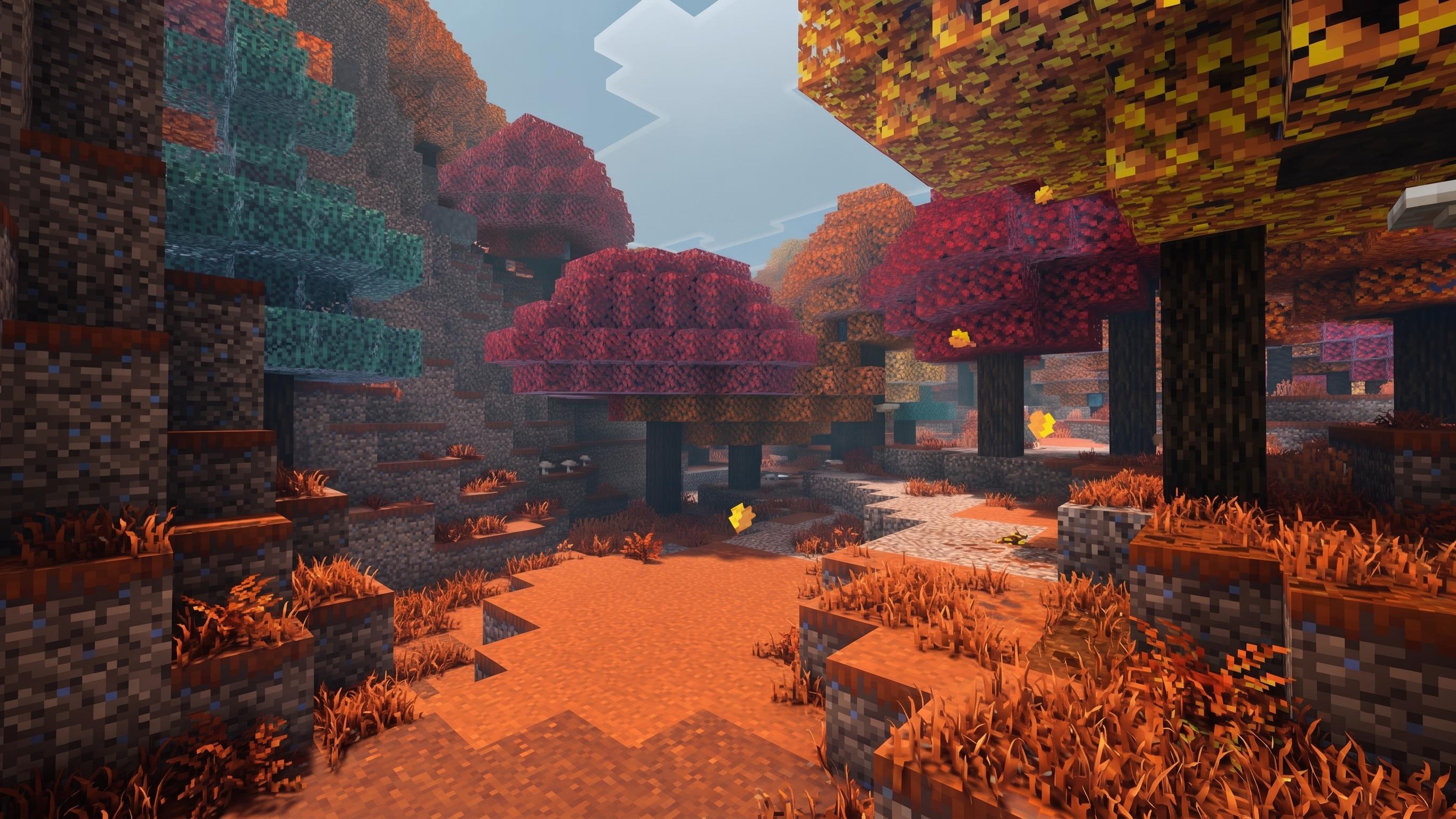
Unlike generic forests, the Dappled Forest features horizontal fallen trees scattered across the terrain. These fallen Poplars generate more frequently here than in any other biome and serve as primary hosts for Shelf Mushrooms, which are also commonly found on trees and fallen poplar in the biome. The ground cover includes leaf litter blocks and Red Shrubs, creating a dense, untamed aesthetic, while the visual theme mixes yellow foliage with red poplar and orange poplar tones.
Seed Hunting: Look for seeds that place Dappled Forests near spawn. The biome is rare enough that dedicated exploration may be required. Use /locate biome minecraft:dappled_forest once in-game to find the nearest instance.
Poplar Trees And Fallen Logs
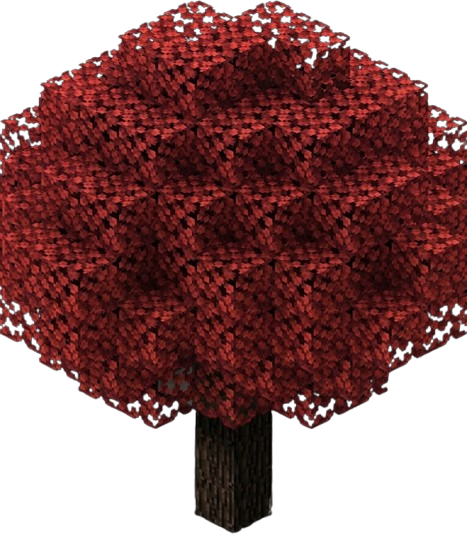
Standing Trunks: Shelf Mushrooms attach to the sides of standing Poplar logs, provided the block face has a full side surface. They can attach to any eligible block face with that shape, though in this biome they naturally generate on Poplar wood. They cannot grow on the top or bottom surfaces, and they will not attach to other wood types. This side-placement mechanic makes them ideal for vertical mushroom farms along tree trunks.
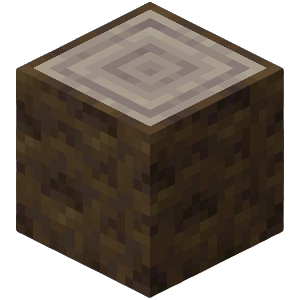
Fallen Logs: When Poplar trees fall as fallen poplar trees in the Dappled Forest, they create horizontal logs that also host Shelf Mushrooms. These fallen logs are particularly valuable because they provide multiple side faces at ground level, making mushroom harvesting easier than climbing standing trees. Check poplar tree trunks closely as well, since the mushrooms grow directly on them and on nearby fallen logs. Breaking Shelf Mushrooms requires no tools or enchantments.
Abandoned Camp Structure And Loot
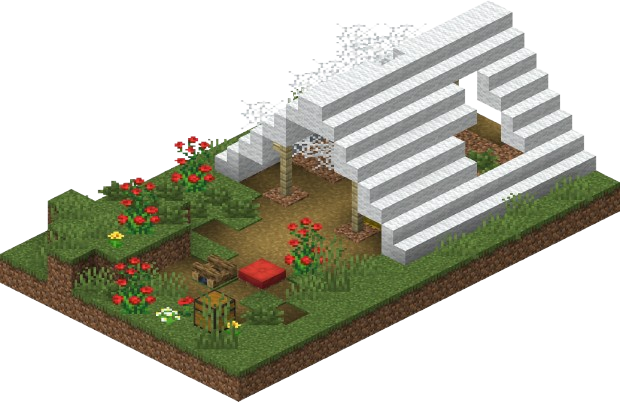
Abandoned Camps generate within the Dappled Forest and 15 other biomes, including Meadows, Cherry Groves, and Taigas. In the Dappled Forest specifically, these camps blend with the autumn aesthetic, featuring wool stairs and straw beds.
Expected Loot:
-
Barrels: Common items, notable chance for cobwebs
-
Common Chests: Copper weapons/armor, buckets, compasses, maps, fireworks
-
Secret Chests: Iron weapons/armor, diamonds, gold, potions
Mob Spawns: Expect cold variant animals (foxes, rabbits) and standard hostile mobs at night. The camps themselves do not spawn unique mobs, but the Dappled Forest's mob cap rules apply.
Obtaining Shelf Mushrooms Without Exploring
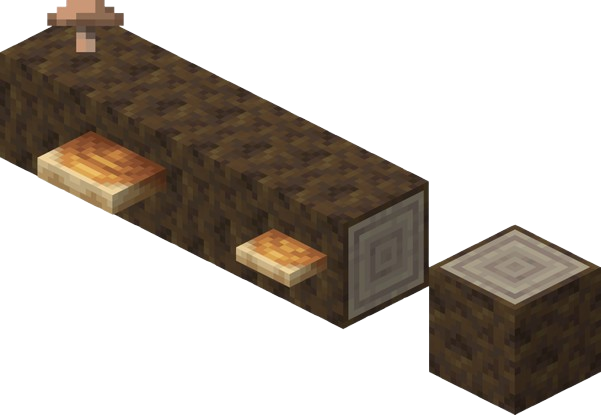
Wandering Trader: If you cannot locate a Dappled Forest, Wandering Traders now sell Shelf Mushrooms as part of their trade rotation. This allows access to the items without biome exploration, though you'll still need Poplar wood to grow them.
Home Cultivation: Once obtained, plant Poplar Saplings near your base. While Shelf Mushrooms won't grow on other wood types, having Poplar trees nearby allows you to farm the mushrooms manually. Use Bone Meal on small mushrooms to grow them into large variants, effectively doubling your yield per harvest. Small Shelf Mushrooms can be grown into large ones using Bone Meal.
Uses And Mechanics Of Shelf Mushrooms
Shelf Mushrooms have a bouncy mechanic similar to beds when stepped on.
Primary Uses:
-
Mushroom Stew Crafting
-
Suspicious Stew Crafting
-
Decoration
-
Composting
-
Bounce Mechanic
Mushroom Stew Crafting
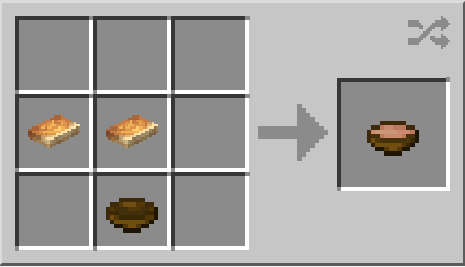
Standard Recipe:
- 2 Shelf Mushroom + 1 Bowl = Mushroom Stew
Shelf Mushrooms can be used to craft Mushroom Stew with flexible recipes.
Suspicious Stew Crafting
Suspicious Stew Recipe:
- 1 Shelf Mushroom + 1 Flower + 1 Bowl = Suspicious Stew (grants status effect based on flower used)
Shelf Mushrooms allow crafting of Suspicious Stew and Rabbit Stew, and you can pair one with any other mushroom for flexible stew recipes.
Important: 26.3 allows any two mushrooms to craft these stews, meaning Shelf Mushrooms can substitute for regular mushrooms in all recipes.
Decoration
Shelf Mushrooms have a unique shelf-like appearance, making them a creative option for builds and decorative projects.
Composting
Shelf Mushrooms can be placed in composters, allowing you to recycle surplus mushrooms into Bone Meal.
Bounce Mechanic
Large variants act as bouncy blocks. Shelf Mushrooms provide a bounce effect similar to beds. When an entity lands on one, they are launched upward and take no fall damage. Entities bounce upward when landing on Shelf Mushrooms.
However, the bounce strength is less powerful than Slime Blocks, making them suitable for controlled descents rather than high-velocity launchers. Shelf Mushrooms mitigate some fall damage but do not negate it completely.
Bounce Details
Bounce Strength: Shelf Mushrooms provide approximately 50% of the bounce velocity of Slime Blocks. They are ideal for:
-
Preventing fall damage from moderate heights
-
Creating parkour courses with precise landing requirements
-
Decorative bouncy platforms that don't launch players into the stratosphere
Redstone Applications: Because they provide consistent, moderate bounces, they work well in redstone contraptions requiring small, predictable vertical movements. However, they do not push entities like Slime Blocks do; they only react to landing entities.
Limitations: Do not rely on Shelf Mushrooms for major fall mitigation from extreme heights (above 100 blocks). While they prevent damage, the bounce may not clear the ground properly on subsequent impacts if the fall is too high.
Block Entity Notes
Shelf Mushrooms are standard blocks, not block entities. They do not store additional data like chests or signs. This means:
-
No NBT data to preserve when breaking/placing
-
No inventory interface
-
Standard block breaking mechanics apply
However, when used in redstone contraptions, they interact with block update systems normally. They do not require special handling for block entity systems.
Farming Setups And Base Integration
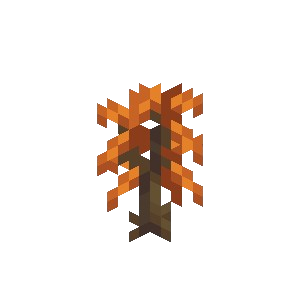
Compact Farm Layout
-
Plant Poplar Saplings in a grid (2x2 or 3x3 spacing)
-
Allow trees to grow to full height
-
Place temporary blocks adjacent to trunks for easy climbing
-
Harvest natural Shelf Mushrooms
-
Apply Bone Meal to small mushrooms to grow large ones
-
Break large mushrooms for 2-item drops
Automation
While fully automatic farms are difficult due to the need for Bone Meal application, dispensers can be rigged to apply Bone Meal to detected small mushrooms. Water streams can then wash dropped items to collection hoppers.
Composting
Surplus mushrooms convert to Bone Meal via composters, creating a closed loop for farming.
Server And Multiplayer Considerations For Minecraft 26.3
Server Owners
Server Owners: Test 26.3 on a separate instance before deploying to production. The world generation changes can corrupt existing terrain, and the new worldgen/feature registry (moved from configured_feature) may break existing data packs.
Performance
-
Minimum RAM: 4GB allocated (snapshots are less optimized than releases)
-
Chunk Generation: Dappled Forest generation is complex; expect minor lag when exploring new chunks
-
Backup Protocol: Automate world backups before each snapshot session
Appendices And Compatibility
| Component | Version | Notes |
|---|---|---|
| Data Pack | 113.0 | Required for custom world generation |
| Resource Pack | 94.0 | Required for new textures/models |
| Protocol | MSMP 3.1.0 | Server management protocol updated |
| 26.3 additions noted in related content include wool slabs; resource updates also cover orange poplar leaves particles/textures. |
Official Resources:
-
Changelog: [Feedback.Minecraft.Net/changelog]
-
Snapshot Downloads: Available through Launcher
-
Bug Tracker: bugs.mojang.com