Poplar Shelf Block: New Storage Block In Minecraft 26.3
Discover the features and uses of the new Poplar Shelf Block in Minecraft 26.3. Enhance your storage solutions today! Read the article for details.

Shahrukh Sial is a Gaming Content Strategist at Sparked Host. He identifies his own strategic outlines through deep research to cover game guides, tips, and updates that help players improve their skills and enjoy a better gaming experience.
Your walls are empty and your chests are ugly. Minecraft 26.3 fixes both problems with the new Poplar shelf block, a storage block in Minecraft 26.3 that lets you display up to three item stacks on a shelf while adding a cleaner decorative look than standard chests. This guide is for Minecraft players, builders, and modders interested in the new Poplar shelf block and Dappled Forest biome in version 26.3.
Having a Poplar shelf block at your disposal is significant for the reason that you can arrange and exhibit your things on it, thereby enabling you to locate essential items or exhibit rare items with relative ease, while also complementing your room's aesthetics and design with an interesting storage solution. Poplar planks that make up the Poplar shelf, in turn, are sourced from the Poplar trees in the Dappled Forest biome that are adjacent to cold places like the Taiga and the Snowy Taiga.
Therefore, players of the 26.3 snapshot can spot the red, orange, or yellow-leaved trees, fell them, and eventually transform the wood into a visible means of storage.
For Minecraft players, modders or builders who are interested in exploring what is new in 26.3, this guide outlines the functions of a Poplar shelf, the process of crafting one and placing it on the surface, its relation to the rest of the Poplar wood set and the world generation of the Dappled Forest, and the key points to consider for data packs and modding.
The Poplar shelf block is quite essential as it provides you with storage that acts as decoration instead of you hiding away all the things in a different box thus, item display, room design, and building with new palettes, for that matter, become far more efficient.
Minecraft 26.3: New Features Overview
The 26.3 Snapshot 1 introduces the Dappled Forest biome and its signature wood type: Poplar. This is the first true autumn wood in Minecraft, with planks that are light and creamy rather than brown or white. The complete Poplar wood set includes logs, planks, stairs, slabs, doors, trapdoors, fences, gates, signs, hanging signs, buttons, pressure plates, boats, chest boats, and the new Poplar shelf storage block. Abandoned camps also generate in this biome, offering loot and shelter.
Next, let's look at the Poplar shelf block itself and how it works.
Poplar Shelf Block: Storage Block Details
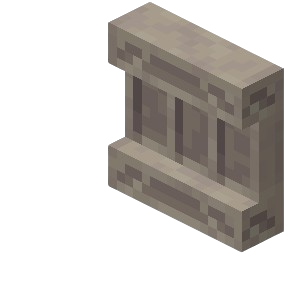
The shelf block is a display-storage block in Minecraft that holds three separate inventory slots. The Poplar shelf is a decorative storage block introduced in 26.3. It is crafted from Poplar planks and is part of the Poplar wood set. The shelf block stands out from other storage blocks because it visually renders the items you store on its front, making it ideal for quick access and visible organization of your most-used or most-prized items.
What is the Poplar Shelf Block?
-
The Poplar shelf block is a new storage block in Minecraft 26.3, crafted from Poplar wood.
-
It is part of the Poplar wood set, which includes all standard wood variants plus the unique shelf block.
-
The shelf holds three separate inventory slots for storage.
-
Each slot can accommodate a full stack of stackable items or a single non-stackable item.
-
Items stored are visually rendered on the front of the shelf block, making it perfect for display and organization.
-
Shelves are ideal for quick access and visible organization of items, unlike chests which hide their contents.
Shelf Block Features
| Feature | Details |
|---|---|
| Capacity | The shelf holds three separate inventory slots for storage. Each slot can accommodate a full stack of stackable items or a single non-stackable item. |
| Display | Items appear placed on the shelf surface and are visually rendered. |
| Interaction | Right-click to open inventory, similar to chests. |
| Breaking speed | Fast with axes, slow with other tools. |
| Fuel value | None; does not burn in furnaces. |
| Smelting | Cannot be smelted; drops itself when broken. |
| Stacking | Shelves stack to 64 in inventory. |
| Placement | Can face any direction; adjusts to walls. |
| Items on the shelf are visible from the outside, making this block perfect for showing off rare items, potions, or tools. The shelf has no lid animation; items simply sit on top. |
How to Place and Use the Shelf
-
Shelves can attach to any solid block face
-
They face the player when placed
-
Multiple shelves can stack vertically for a bookcase look
-
They blend well with leaf litter on Dappled Forest floors for hidden storage
Now that you know how the Poplar shelf block works, let's explore the unique properties of Poplar trees and their wood.
Poplar Trees And Orange Wood
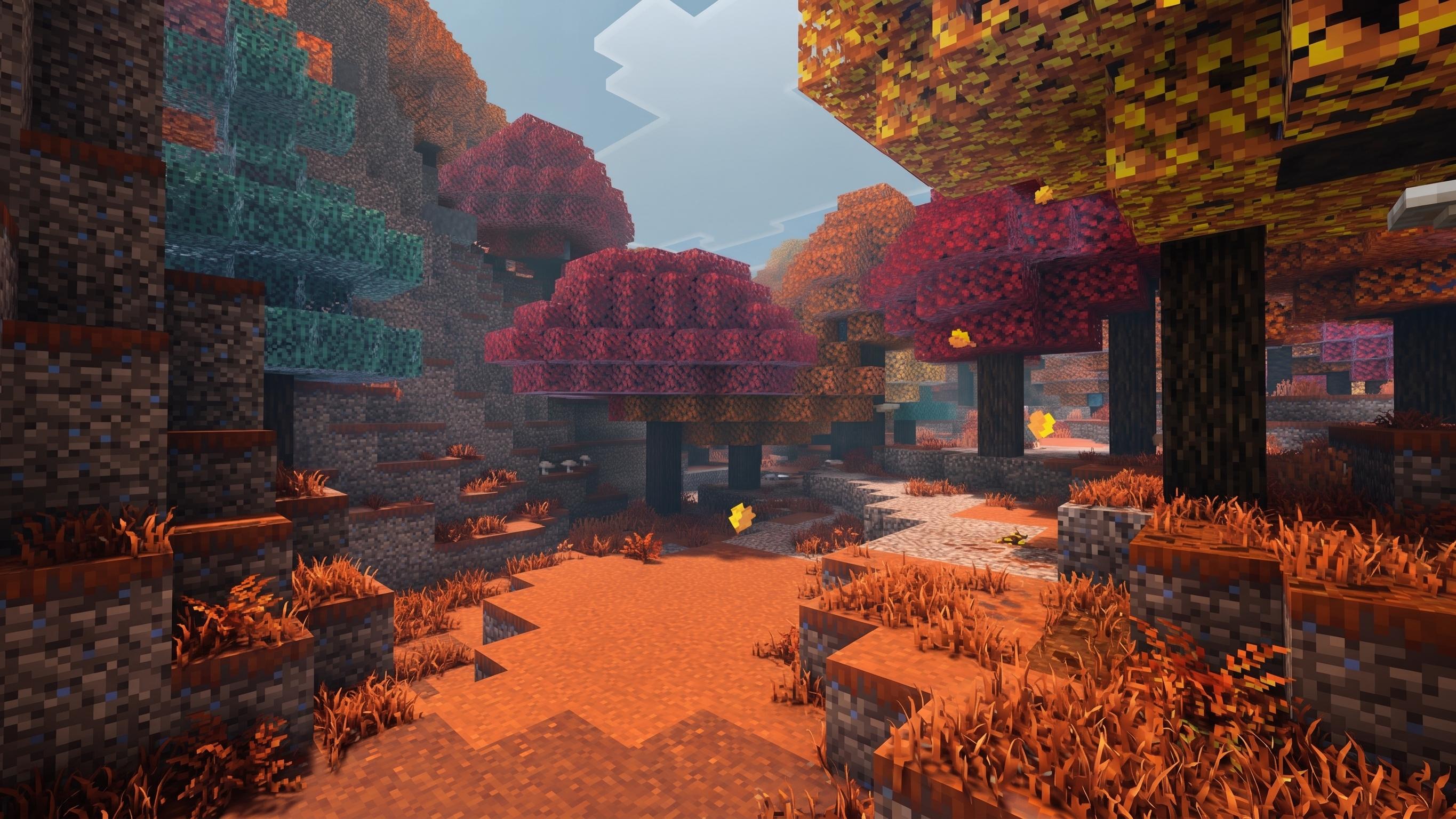
Poplar trees are the only source of Poplar wood. They generate in three leaf colors: red, orange, and yellow. The color is random; you cannot breed for a specific shade. When you break the logs, you get light-colored planks that look almost white with a warm undertone.
Builders use Poplar wood for:
-
Modern houses with clean lines
-
Cottage interiors that need bright walls
-
Autumn-themed builds paired with orange and red wool
-
Contrasting trim against dark oak or spruce
The full Poplar wood item set includes every standard wood variant plus the unique shelf block.
With Poplar wood and shelves available, you can now craft and place these blocks in your world. Let's see how to do that in the Dappled Forest biome.
Crafting And Placement In Dappled Forest Biome
Craft a Poplar shelf using Poplar planks. The exact recipe places planks in a pattern similar to a chest but with an open top row. The output is one shelf block.
How to Place and Use the Shelf
-
Shelves can attach to any solid block face
-
They face the player when placed
-
Multiple shelves can stack vertically for a bookcase look
-
They blend well with leaf litter on Dappled Forest floors for hidden storage
Once you've crafted and placed your shelves, you may want to customize or mod them. Here's what you need to know for data packs and modding.
Data Pack Version And Modding Notes
Data Pack version is 113.0 for 26.3. Resource Pack version is 94.0. Custom models for the shelf require block state files in assets/minecraft/blockstates/ and models in assets/minecraft/models/block/. The block ID is minecraft:poplar_shelf. Always test data packs on world copies before applying to main worlds.
With your shelves and mods ready, you can explore the Dappled Forest and discover new structures.
Abandoned Camps And Abandoned Camp Structure Spawns Near Dappled Forests
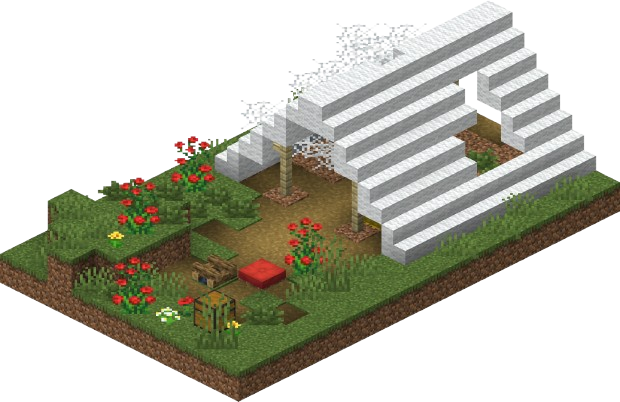
Abandoned camps are a new structure in the Dappled Forest, with unique variants. These structures contain:
-
Straw beds (single-use beds that do not reset spawn), plus seating and decorative furnishings made with wool blocks, Wool Stairs, wool slabs, and cushions in various colors, with autumn-themed surroundings that can include red shrubs near the camp area
-
Chests with loot including copper gear, iron items, diamonds, and potions
-
Rare oxidized copper chests in some variants
-
Shelf mushrooms growing on nearby logs
Loot priority:
-
Check secret chests first for iron and diamonds
-
Then barrels for cobwebs and common items
To find these new biomes and structures, you'll need to know how world generation works in 26.3.
Compatibility And World Gen: Dappled Forests In Existing Worlds
Dappled Forests only generate in new chunks. Existing worlds from before 26.3 will not have this biome unless you explore unloaded areas. Look near cold biomes like Taiga edges, Snowy Taiga borders, and transitions between snowy and temperate zones. Dappled Forests also spawn rabbits, foxes, and cold variants of farm animals. The biome often sits between forests and cold regions, creating visible color boundaries.
Before you report bugs or issues, make sure to check the following behaviors in your snapshot world.
26.3 Snapshot 1 Testing Checklist
-
Shelf block places on all six block faces
-
Items display correctly on shelf surface
-
Redstone comparators read shelf contents
-
Breaking speed matches other wooden storage (fast with axe)
-
Biome generates near cold biomes in new worlds
If you have more questions or need support, check the FAQ and release notes below.
FAQ And Release Notes
Will Dappled Forests appear in my old world?
Only if you explore new chunks. Old chunks stay unchanged.
When does 26.3 fully release?
Planned for Q3 2026.
Where do I report bugs?
Use the official Minecraft bug tracker at bugs.mojang.com. Include your seed, coordinates, and snapshot version.