Top Game Server Hosting Solutions for Seamless Multiplayer Experience
Discover the best game server hosting solutions for an uninterrupted multiplayer experience. Read on to find the perfect fit for your gaming needs.

Shahrukh Sial is a Gaming Content Strategist at Sparked Host. He identifies his own strategic outlines through deep research to cover game guides, tips, and updates that help players improve their skills and enjoy a better gaming experience.
Running a vanilla multiplayer server is simple, but adding massive modpacks completely changes the hardware requirements. When you load hundreds of custom items, complex automation machines, and modified world generation mechanics, standard game hosting setups quickly buckle under the pressure.
A server running heavy modifications requires exceptional single-core processing speeds, massive memory capacities, and responsive file management tools.
The commercial server hosting market is flooded with deceptive terminology. Many providers claim to offer "unlimited" resources, yet they hide outdated hardware nodes behind restrictive software locks.
Community feedback gathered from active game administration forums in early 2026 reveals that choosing the wrong host leads to constant Out-Of-Memory (OOM) crashes and permanent world file corruption.
This comprehensive authority guide breaks down the top modded server hosts, critical hardware metrics, and optimal configuration practices to keep your modded worlds running perfectly.
Best Modded Game Server Hosting Providers
Navigating the crowded game server hosting market requires evaluating real performance metrics over marketing promises. The top five hosting platforms each offer distinct operational layouts, hardware configurations, and management tools designed for modified gameplay.
1#. Sparked Host: Best Overall Price-to-Performance and Transparency
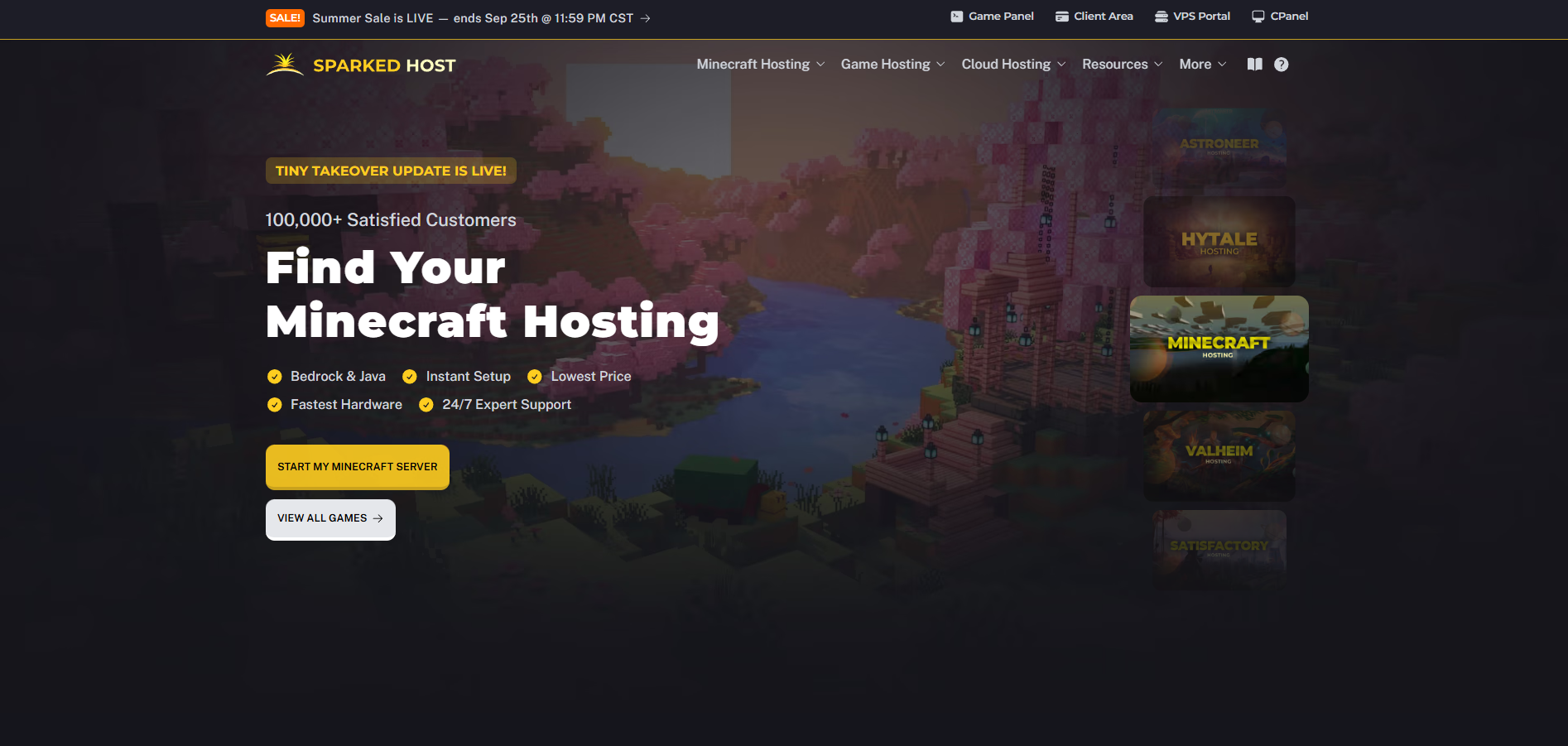
Sparked Host sets the industry standard for high-performance resource-based hosting by pairing top-tier enterprise hardware with an entirely transparent pricing model.
Instead of hiding behind vague resource pools, Sparked Host lets you choose exactly what hardware powers your community across distinct, clearly labeled infrastructure tiers.
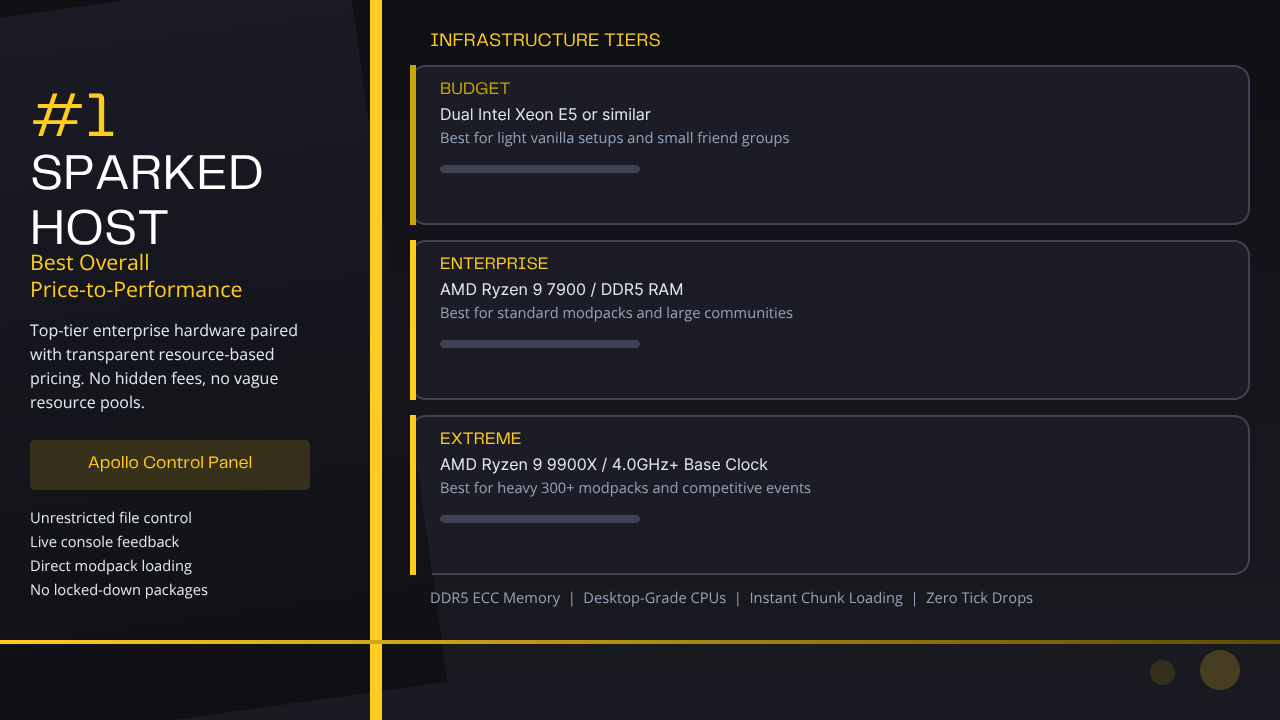
By utilizing high-performance desktop-grade processors running on high-speed DDR5 ECC memory arrays, Sparked Host ensures that entity tracking, chunk loading, and heavy automation scripts execute instantly without dropping server ticks.
The platform features an advanced, proprietary evolution of the Pterodactyl interface called the Apollo Control Panel. This dashboard grants users unrestricted file control, live console feedback, and direct modpack loading tools without forcing them into expensive, locked-down subscription packages.
2#. BisectHosting: Best for Modpack Variety and One-Click Installers
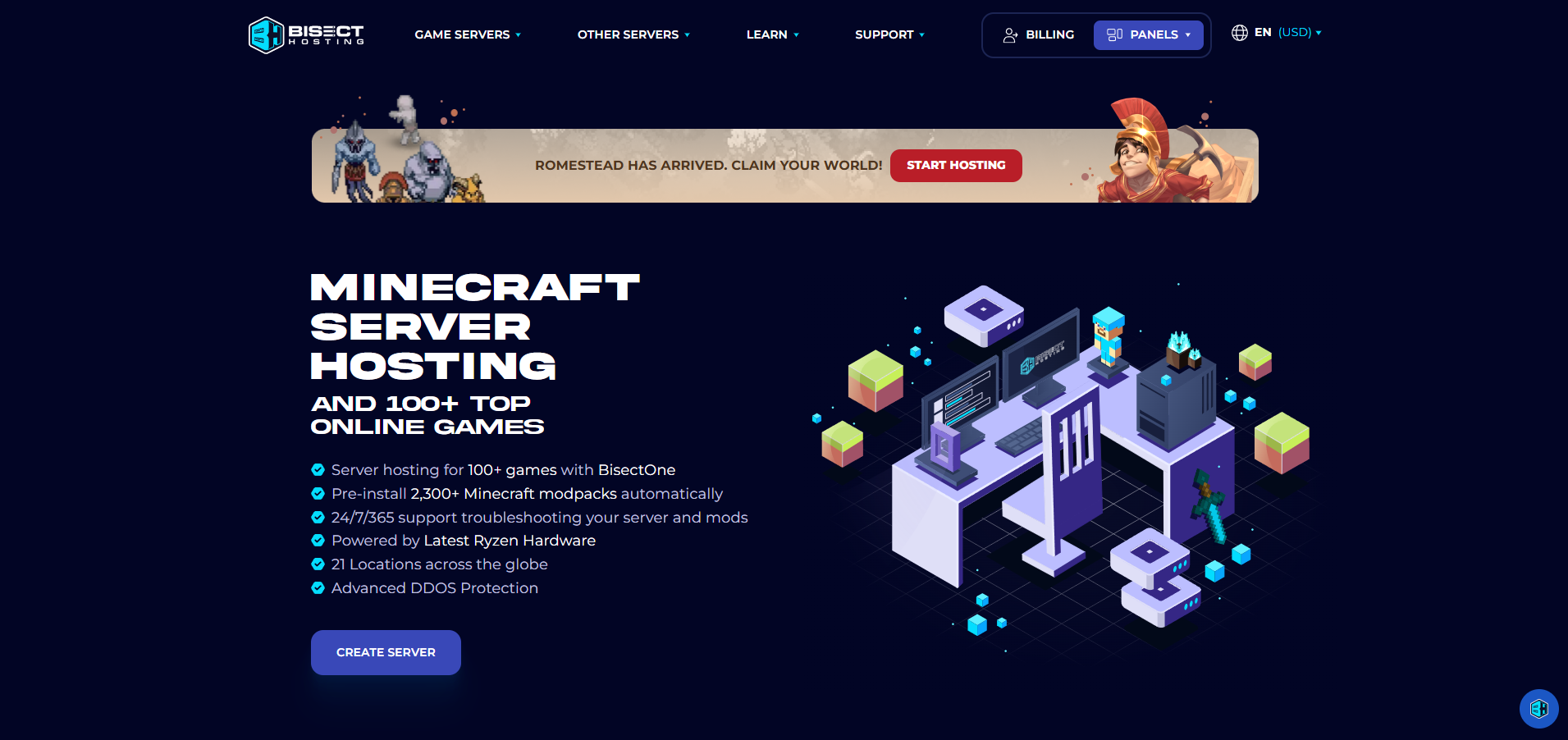
BisectHosting has earned a strong reputation among modded gaming communities thanks to its massive automated software library. Their custom system dashboard features an expansive collection of pre-configured, one-click installation profiles covering thousands of historical and modern modpacks.
While BisectHosting offers an incredibly accessible environment for absolute beginners who want to deploy a massive modpack without manual file sorting, this simplicity comes at a premium. Their high-performance "Premium" tiers carry a significantly higher price tag per gigabyte of RAM compared to resource-based competitors.
Additionally, users on their lower budgeting tiers often find advanced panel functions and automated off-site file saving tools locked behind paid add-on upgrades.
3#. GTXGaming: Best for Survival Game Mods and Steam Workshop Integration
GTXGaming is a powerful choice for open-world survival craft titles that rely heavily on the Valve infrastructure network, including games like Rust, Ark: Survival Ascended, and DayZ, though you can also compare it against Sparked Host's Ark Survival Ascended hosting. Their management control panels feature deep, automated application programming interface (API) links directly into the Steam Workshop ecosystem.
Administrators running a GTXGaming server can paste a list of numerical Steam Workshop mod identification numbers directly into a centralized text field. The host machine then handles the tedious process of querying the Steam network, fetching the latest compilation files, and injecting them into the core command line execution codes automatically during system boots.
However, the system's specialized focus on dense survival templates means its interface can feel unnecessarily complex and cluttered for users who just want to host basic sandbox worlds.
4#. Hostinger: Best Dedicated Game Server VPS Hosting for Complete Root Control
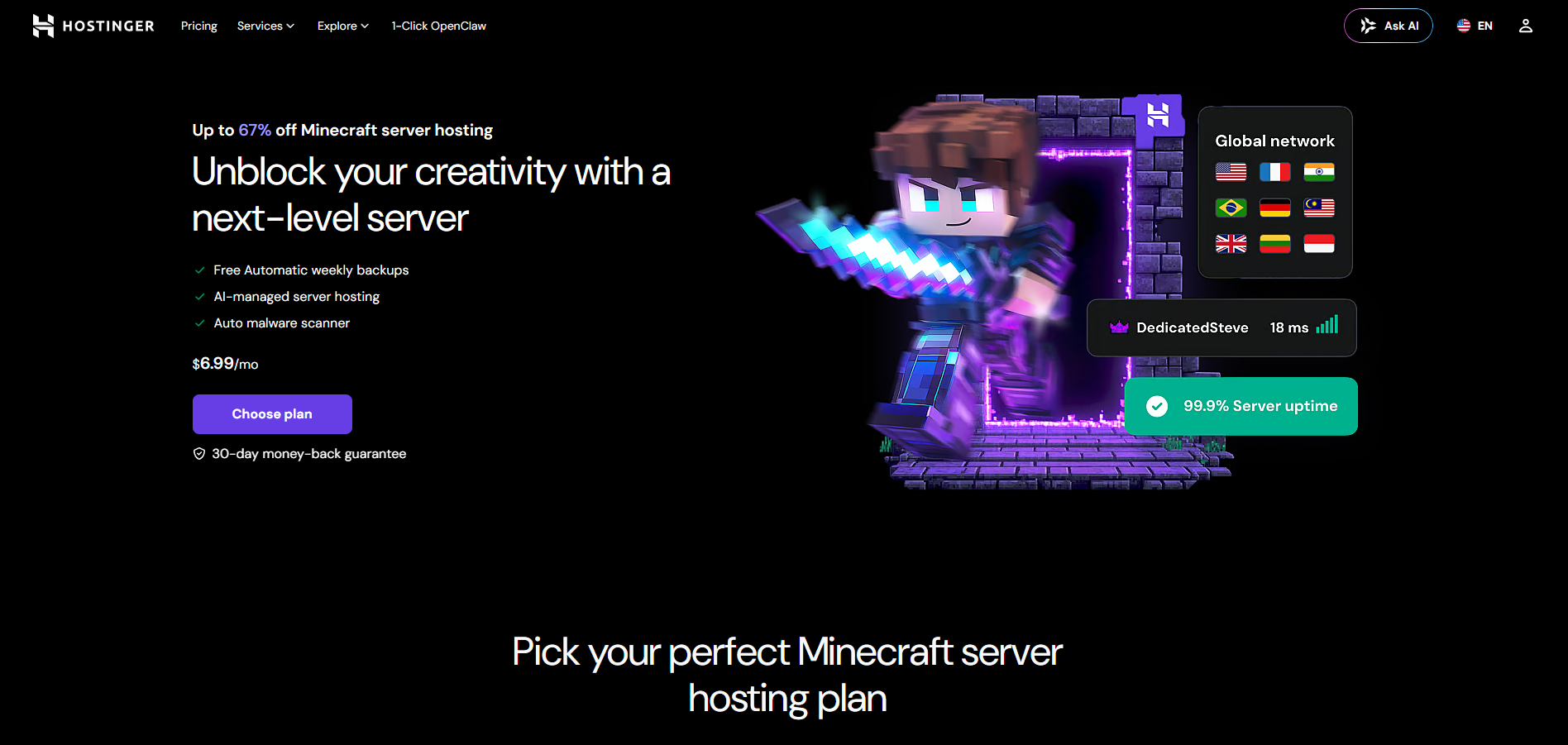
Hostinger approaches multiplayer hosting through a hybrid Virtual Private Server (VPS) model. Rather than placing your files inside a pre-configured game instance, this is closer to building a dedicated game server environment on an isolated slice of virtualized server space running a dedicated Linux operating system alongside their custom Game Panel UI, and panels based on Pterodactyl can host various game servers, similar in spirit to how Enshrouded server hosting packages expose full-featured environments for survival titles.
This setup grants advanced developers complete root access to the underlying machine infrastructure, allowing them to write custom launch arguments, customize ports, mods, and network settings during setup, run automated external Cron automation scripts, and manage multiple completely different game servers on a single plan, much like advanced dedicated server hosting environments. The major downside to this approach is the steep learning curve.
If a complex Java exception error occurs or a mod loader file conflicts with the operating system libraries, you must troubleshoot the command-line dependencies yourself without relying on automated panel fixes.
5#. Apex Hosting: Best Managed Technical Support for Beginners
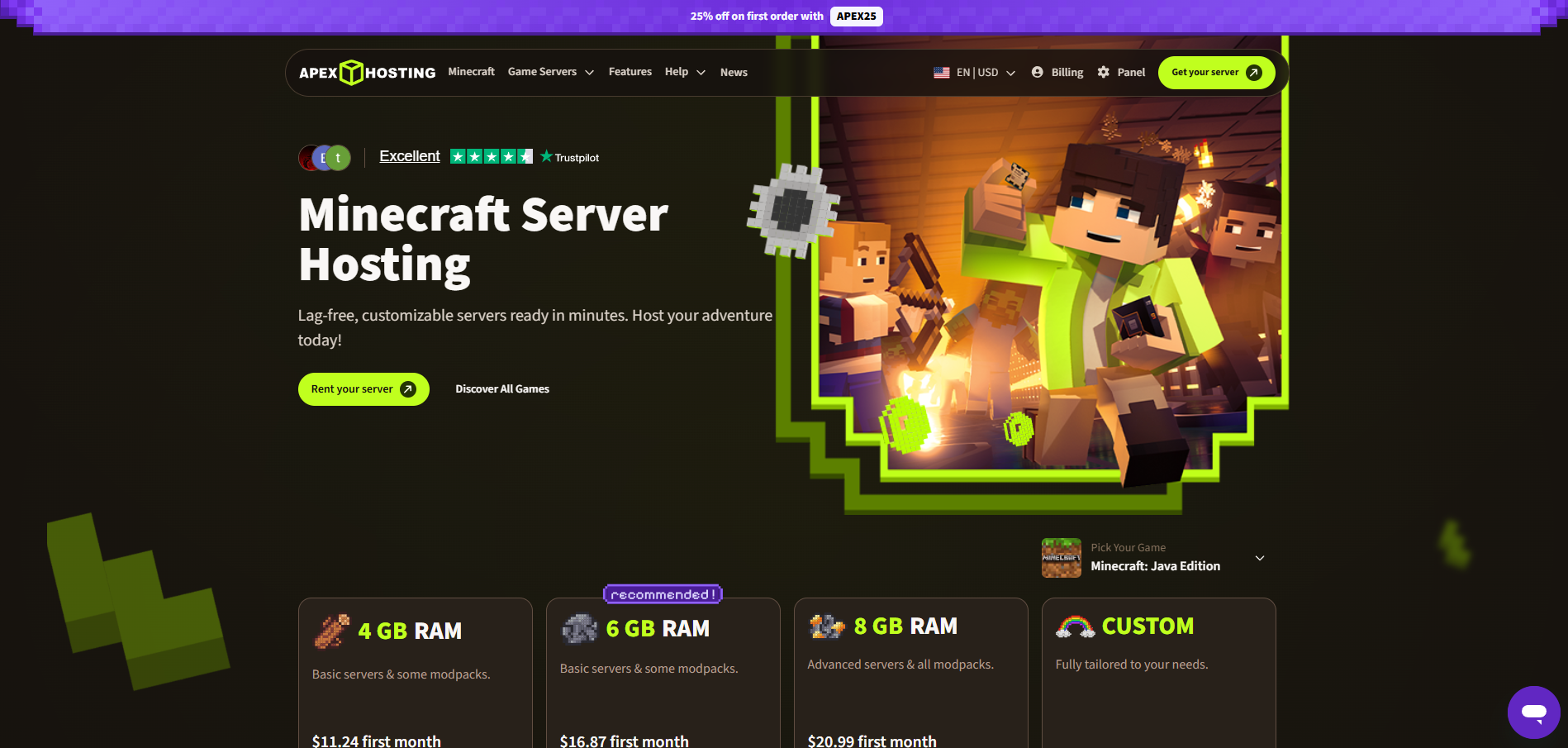
Apex Hosting focuses heavily on providing a user-friendly experience backed by human support lines. Their platform is explicitly designed to guide absolute beginners through the initial intimidation of starting a custom multiplayer community.
The standout feature of Apex Hosting is their 24/7 technical customer support team, which consists of real server administrators capable of manually reading crash logs, fixing broken configuration lines, and repairing corrupt world databases on behalf of the customer, often with very quick response times to assist when problems come up. Users can submit a support ticket at any time for help with setup or crash issues.
This high-touch service model makes Apex a safe option for small friend groups, but the infrastructure costs are some of the highest in the industry, making large-scale public community deployment highly expensive.
Crucial Hardware Features Required for Modded Game Servers
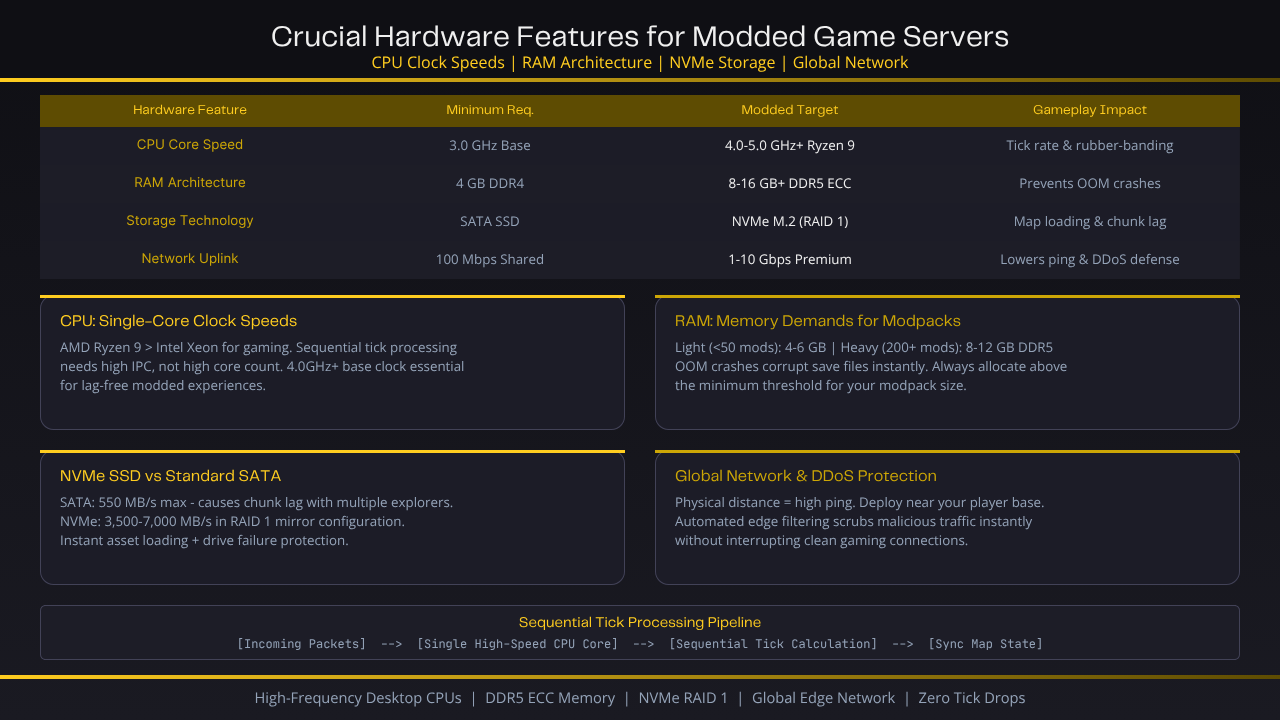
Modded game engines are highly demanding applications that require specialized computer hardware. Standard web hosting components will quickly fail when tasked with running a modified game world.
| Hardware Feature | Minimum Requirement | Modded Target Standard | Impact on Gameplay |
|---|---|---|---|
| CPU Core Speed | 3.0 GHz Base Clock | 4.0 GHz to 5.0 GHz+ (Ryzen 9) | Dictates tick rate stability and limits rubber-banding |
| RAM Architecture | 4 GB DDR4 | 8 GB to 16 GB+ DDR5 ECC | Prevents Out-of-Memory crashes under heavy mod loads |
| Storage Technology | Standard SATA SSD | NVMe M.2 SSD (RAID 1) | Controls map loading times and eliminates world-boundary lag |
| Network Uplink | 100 Mbps Shared | 1 Gbps to 10 Gbps Premium Multi-Blend | Lowers in-game ping and protects against connection loss |
Single-Core CPU Clock Speeds (AMD Ryzen vs. Intel Xeon)
Multiplayer game servers carry out their core calculations sequentially within a single primary processing chain. When a player breaks a block, shoots a projectile, or moves an item through an automated pipe network, that event must be completely resolved before the server can calculate the next tick.
Because of this rigid processing structure, high core-count processors with low individual clock speeds (like older, multi-core Intel Xeon or AMD EPYC enterprise chips) perform terribly under heavy modded workloads.
For a lag-free experience, you need high-frequency desktop-grade processors like the AMD Ryzen 9 series, or to select an appropriate Budget, Enterprise, or Extreme hosting tier that matches your expected player counts and plugin load. These chips provide superior instruction-per-clock (IPC) execution performance, allowing the server to complete complex processing chains inside the mandatory millisecond tick windows.
RAM Allocation and Memory Demands for Large Modpacks
Modifications drastically expand a game's runtime memory footprint. A standard vanilla sandbox world can run comfortably on 2 GB of RAM, but a modern modpack containing over 300 custom modifications requires a massive chunk of memory just to successfully clear the initial boot sequence.
-
Light Modpacks (Under 50 Mods): 4 GB to 6 GB of dedicated memory.
-
Heavy Modpacks (200+ Mods / All The Mods 10): 8 GB to 12 GB of high-speed DDR5 RAM minimum.
When your server instances cross these asset thresholds, running out of memory causes the Java Virtual Machine (JVM) or game engine binary to instantly drop execution, throwing an abrupt OOM crash that can corrupt active save files.
NVMe SSD Storage vs. Standard Solid-State Drives
Modded worlds feature complex custom structures, complex resource nodes, and massive block variations that expand the size of your map files exponentially.
Every time a player moves quickly across the world using custom transportation items, the server must quickly fetch these heavy chunk data files from the storage drive.
-
Standard SATA SSDs: Max out around 550 MB/s transfer speeds, which often causes noticeable block lag and delayed chunk loading when multiple players explore different areas simultaneously.
-
Enterprise NVMe M.2 Drives: Run at speeds exceeding 3,500 MB/s to 7,000 MB/s. Running these drives in a mirror-backed RAID 1 configuration ensures that heavy asset files load instantly while protecting your data from unexpected physical drive failures. Fast storage also improves overall reliability, and dedicated environments such as Sparked Host's gaming and dedicated server hosting often leverage this kind of storage when targeting high-uptime game deployments.
Global Network Data Centers and Edge DDoS Protection
Physical distance is the primary cause of high in-game ping. Your host must operate a distributed global network of data centers, allowing you to deploy your server node near your actual player base.
Furthermore, public modded servers are prime targets for malicious Distributed Denial of Service (DDoS) attacks. Your provider must include high-capacity, automated edge filtering protection that instantly scrubs out malicious traffic spikes without interrupting clean gaming connections or inflating player ping, especially when you are running game hosting across many different titles.
How to Choose a Host for Specific Modded Games
Different game engines interact with custom modifications in unique ways. Your hosting platform must feature specific software integrations tailored to your game of choice.
Best Hosting for Modded Minecraft Servers (Forge, Fabric, and NeoForge)
Minecraft modding is split across competing development frameworks, each requiring specific launch adjustments and memory configurations.
-
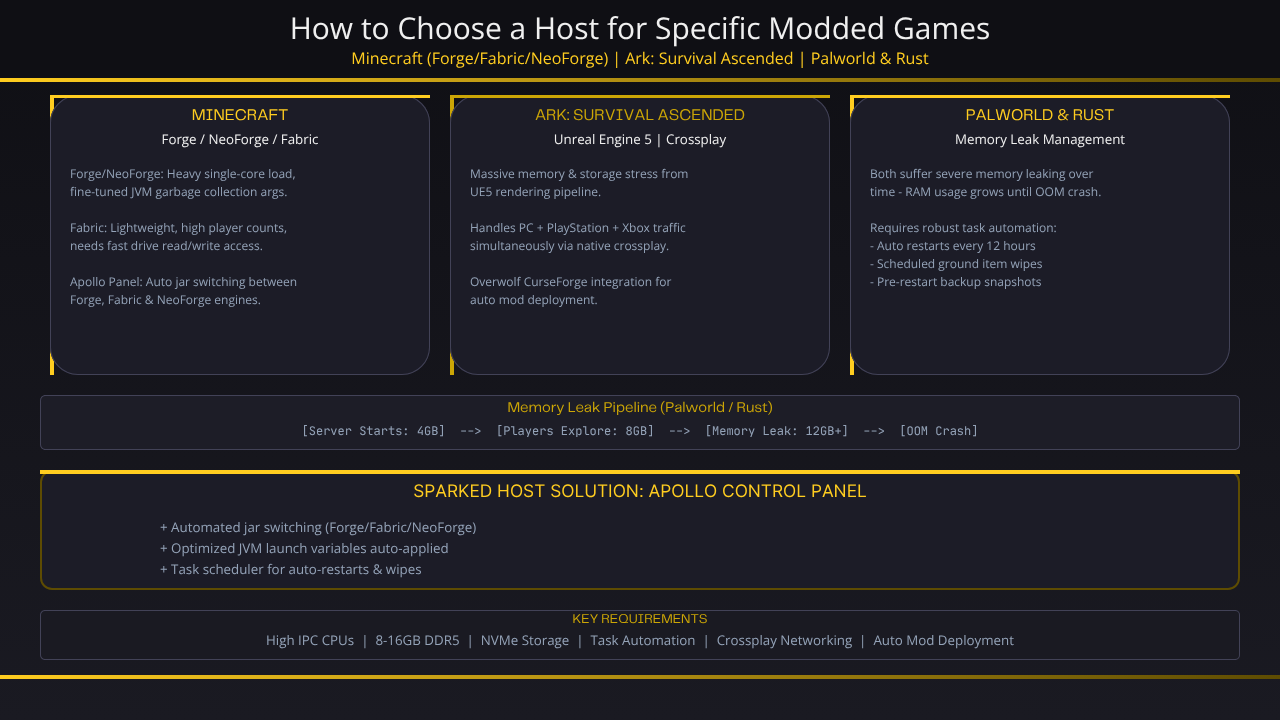
Forge / NeoForge: Highly resource-intensive mod environments that require heavy single-core processing power and fine-tuned JVM startup arguments to handle garbage collection cycles cleanly without stuttering.
-
Fabric: A lightweight modding framework that focuses heavily on optimization, allowing for higher player counts but requiring rapid drive read/write access to stream custom map files smoothly.
Sparked Host provides an automated jar switching toolkit inside the Apollo panel, allowing you to instantly deploy and jump between Forge, Fabric, and NeoForge engines while automatically applying optimized engine launch variables.
Best Hosting for Modded Ark: Survival Ascended
Ark: Survival Ascended runs on Unreal Engine 5, which places massive stress on a server's memory allocation and storage sub-systems. The game's native crossplay framework means your host must handle connection traffic from PC, PlayStation, and Xbox players simultaneously, similar to how Ark Survival Evolved hosting from Sparked Host is structured around cross-platform communities.
Look for hosts that offer direct integration with the Overwolf CurseForge mod system, which allows the server panel to automatically download and deploy crossplay-compatible modifications directly to the server core without requiring manual file conversions.
Best Hosting for Modded Palworld and Rust Servers
Both Palworld and Rust suffer from a severe architectural flaw known as memory leaking. As a server remains online over long periods, the game engine continuously hoards RAM, failing to release unneeded asset data from the system memory until the entire system runs out of resources and crashes, which is why specialized Rust server hosting solutions emphasize restart schedules and memory management.
To combat this constant degradation, your server host must provide highly robust task automation schedulers.
This enables you to configure clean, automated system restarts every twelve hours alongside automated script executions that wipe dropped ground items, while scheduled backups run before each restart so admins can restore the server after a crash or corrupted save and maintain stable performance over long periods—an approach also used by Satisfactory and other automation-heavy server hosting.
Step-by-Step: How to Set Up and Optimize a Modded Server
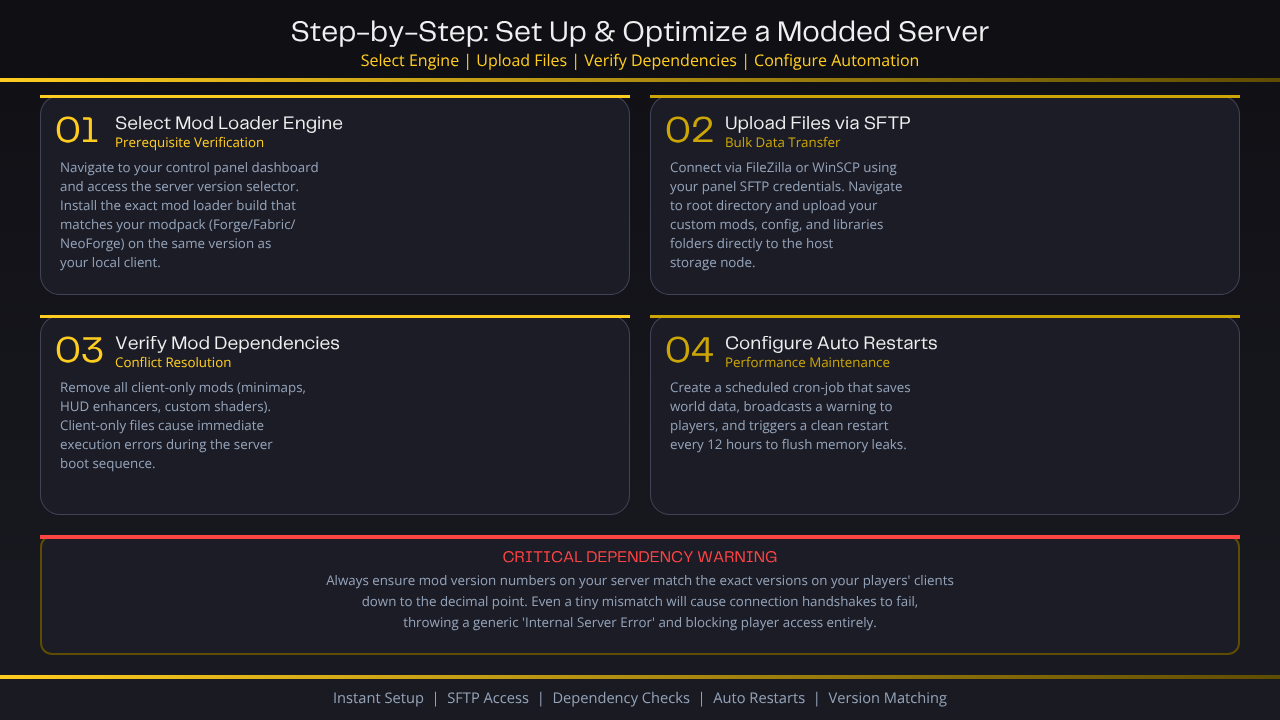
Setting up a customized gaming environment requires following a precise installation and testing sequence to prevent server startup loops, because many hosts advertise instant setup that can get a server ready seconds after purchase, but modded deployments still require careful configuration.
1#. Select the Mod Loader Engine:
Prerequisite Verification.
Navigate to your hosting control panel dashboard and access the server version selector. Installing the exact mod loader build that matches your modpack is literally the first thing to get right, whether you use Forge or Fabric on the same version as your local computer.
2#. Upload Server Files via SFTP:
Bulk Data Transfer.
Open an external file transfer application like FileZilla or WinSCP. Connect securely using your unique panel SFTP credentials, navigate to the root directory, and upload your custom mods, config, and libraries folders directly to the host storage node.
3#. Verify Mod Loader Dependencies:
Conflict Resolution.
Review your mod files to ensure you have removed all client-only modifications (such as custom mini-maps, HUD enhancers, or custom lighting shaders). Client-only files will cause the server console to throw an immediate execution error during the boot sequence.
4#. Configure Automation Restarts:
Performance Maintenance.
Access your panel's scheduled tasks tab. Create a routine cron-job automation script that safely saves the world data, broadcasts a warning message to active players, and triggers a clean system restart every 12 hours to flush out memory leaks, a pattern that also benefits sandbox titles like Space Engineers server hosting.
Critical Dependency Warning: Always make sure that the version numbers of the mods installed on your server match the exact version numbers of the mods installed on your players' game clients down to the decimal point. Even a tiny mismatch in a mod version string will cause connection handshakes to fail, throwing a generic "Internal Server Error" and blocking player access.
Modded Game Server Hosting Pricing and Value Comparison
Understanding how web hosts structure their billing plans protects your community from sudden service shutdowns and unexpected, expensive upcharges.
Resource-Based Pricing vs. Player Slot Limits
-
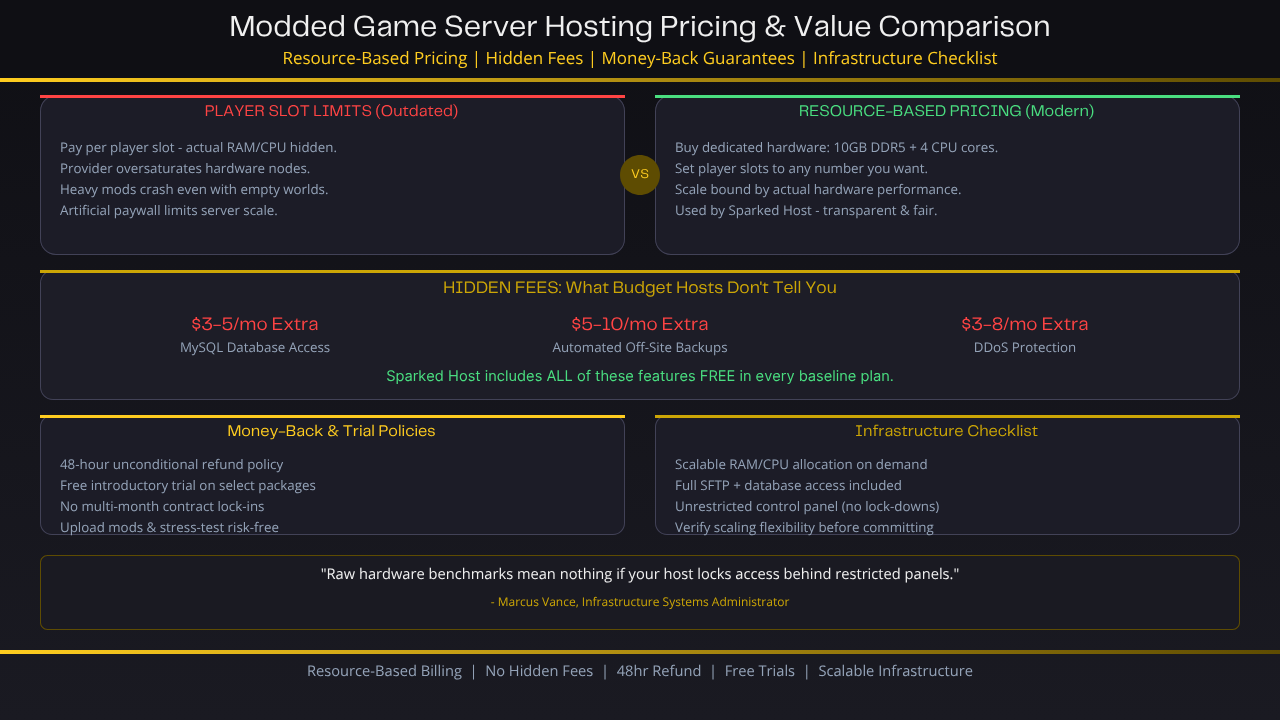
Player Slot Limits: An outdated billing model where you pay a flat fee based entirely on the number of players allowed to connect at the same time. Under this model, the provider frequently conceals your actual RAM and CPU allocations, allowing them to oversaturate their hardware nodes. If you install heavy mods, the server will crash due to out-of-memory errors even if your world is empty.
-
Resource-Based Pricing: The modern standard utilized by Sparked Host. You buy a dedicated allocation of hardware resources, such as 10 GB of DDR5 RAM and 4 explicit CPU cores. You can set your player slot limit to whatever number you want. Your server's scale is bound strictly by actual hardware performance boundaries rather than an arbitrary artificial paywall, mirroring how Enterprise Bedrock hosting plans are sized for different community scales.
Hidden Fees: Premium Support and Backup Upgrades
Many budget-tier web hosting companies catch clients off-guard by listing incredibly low initial subscription prices, only to tack on mandatory hidden fees during the final checkout screen.
Common upcharges include charging an extra $3 to $5 per month just to access standard MySQL databases, locking automated off-site file storage behind a premium tier, or forcing you to pay extra for essential DDoS protection, even on supposedly high-powered Extreme Minecraft hosting plans.
Ensure your chosen host includes these foundational security and data features for free in their baseline plan pricing, particularly when evaluating high-traffic offerings like Counter Strike 2 server hosting.
Money-Back Guarantees and Server Trial Policies
A server hosting provider that is confident in the real-world stability of their hardware networks will never force clients into restrictive, multi-month contract locks. Look for providers that offer a clear 48-hour unconditional refund policy alongside free introductory trial options on select packages.
This gives you ample time to upload your exact community modpack files, stress-test performance under actual player loads, and verify network routing stability entirely risk-free before committing your budget long-term.
Summary Infrastructure Checklist
"Raw hardware benchmarks mean absolutely nothing if your hosting provider locks away your system access layers behind restricted custom control panels," states infrastructure systems administrator Marcus Vance.
Before committing to a long-term billing cycle, verify how easily you can scale your underlying resources up or down as your player base grows.
Final Verdict: Choosing Your Modded Server Host
Selecting the right game server host for a modded multiplayer community ultimately comes down to a balance of raw single-core processor performance, transparent pricing models, and easy-to-use file management tools.
Low-cost providers that lock your configuration files behind artificial player slot caps or use outdated multi-core server chips will inevitably cause your game to lag and crash under the weight of modern modpacks.
If you are looking for an optimal balance of elite hardware infrastructure, full technical freedom, and honest, budget-friendly resource options, Sparked Host delivers the premier platform to keep your community running lag-free well into the future.
Before committing to a long-term billing cycle, verify how easily you can scale your underlying resources up or down as your player base grows.