How to Prepare Your Minecraft Server for Chaos Cubed Launch Day
Master the chaos of Minecraft Server Chaos Cubed with our essential setup guide. Get started on building your ultimate gaming experience today!

Shahrukh Sial is a Gaming Content Strategist at Sparked Host. He identifies his own strategic outlines through deep research to cover game guides, tips, and updates that help players improve their skills and enjoy a better gaming experience.
The Chaos Cubed update arrives tomorrow, and every Minecraft server running outdated builds will face the same decision: rush forward or prepare properly. This guide walks server admins through everything required to update safely, from backups and staging to hardware planning and gameplay configuration.
Key Takeaways
-
The Chaos Cubed update (Minecraft 26.2 for Java Edition and 26.30 for Bedrock Edition) releases on June 16, 2026, across all major platforms.
-
Server owners must take a full backup before updating, as Chaos Cubed changes world generation, entity physics, and block behavior in ways that cannot be reversed.
-
New sulfur caves, potent sulfur mechanics, the sulfur cube mob, and dozens of new blocks can stress plugins, mods, and hardware - testing on a staging server is not optional for production environments.
-
Public and plugin-heavy servers should avoid updating on day one; wait for confirmed Paper, Spigot, Fabric, or Forge compatibility builds.
-
No full map reset is required. Chaos Cubed content like sulfur caves generates only in unexplored chunks, meaning existing worlds remain intact.
Overview of the Minecraft Chaos Cubed Update
The Minecraft chaos cubed update introduces a new underground biome called sulfur caves, a block-absorbing creature known as the sulfur cube mob with unique behaviors, potent sulfur-driven geysers that launch entities into the air, and expanded decorative block families built around sulfur and cinnabar. A new music disc titled "Bounce!" rounds out the content additions, and Bedrock Edition gains a new parties feature for cross-world social play.
Chaos Cubed corresponds to version 26.2 on java edition and approximately 26.30 on bedrock edition. It is the second drop in the 2026 game drop cycle, following the first major content update earlier this year.
The headline gameplay additions include:
-
The sulfur caves biome - a dense underground environment with environmental hazards
-
The new sulfur cube mob - a passive creature that absorbs blocks and changes its physical properties
-
Potent sulfur - a block that powers springs, geysers, and nausea effects
-
Sulfur and cinnabar block families with stairs, slabs, bricks, polished, and chiseled variants
-
The "Bounce!" music disc
-
Bedrock-exclusive new parties and social drawer features, plus a java edition friends list
This article focuses specifically on how to prepare and update a Minecraft server safely for chaos cubed - not on feature lore or gameplay walkthroughs.
Chaos Cubed Release Date and Supported Editions
The chaos cubed release date is confirmed for June 16, 2026. Based on Mojang's typical rollout pattern with past updates, expect the release to land during early-to-mid afternoon Eastern Time.
The Chaos Cubed update requires java edition version 26.2 or bedrock edition version 26.30. It arrives simultaneously on Windows, consoles, and mobile platforms. Both editions receive the core sulfur caves content, though platform-specific social features differ.
Pre-releases and java snapshot builds have been available for weeks before the official drop. Some server admins who chose to enable snapshots on test instances will already be familiar with the sulfur caves biome, sulfur cube interactions, and potent sulfur behavior from those experimental builds. If you have not yet tested any pre-release builds, you still have time to do so before committing your production server.
Server software like Paper, Spigot, Fabric, and Forge typically lags behind Mojang's official release by several hours to several days. For heavily modded servers, the wait can stretch even longer. Planning around this delay is essential - your update timeline should not be based solely on when Mojang publishes the server jar, but on when your preferred server platform confirms a stable build.
Keep an eye on Mojang's official site and the changelogs for your server software on and after June 16. Last-minute changes in release candidates are not uncommon, and a hotfix within the first 48 hours is always possible.
Understand New Chaos Cubed Features That Affect Servers
Not every new feature in Chaos Cubed carries the same weight for server performance or compatibility. Some additions are cosmetic. Others will directly stress your hardware, break plugins, or alter the survival experience for your players. Here is what matters most.
Sulfur Caves Biome
Sulfur caves are a new underground biome in Minecraft. The biome generates mostly underground and rarely on the surface, appearing beneath hills and mountain regions. Inside, you will find bands of yellow sulfur blocks and red cinnabar blocks, along with sulfur spikes - stalactite and stalagmite formations that, unlike pointed dripstone, do not inflict fall damage when players land on them. However, unsupported stalactite sections can fall and deal damage to entities below.
The caves also contain sulfur springs - pools of water where potent sulfur creates bubbles, emits noxious gas particles, and applies nausea to players and mobs who enter or stand nearby. Sulfur pools may look inviting but carry real gameplay consequences for unprepared players.
Geysers are a new feature that launch entities upward. When potent sulfur is placed directly underneath water with a submerged magma block, eruptions occur at random intervals - roughly every 50 seconds. Placing lava beneath the magma makes the eruption continuous, sending water particles upwards with significant force. These geysers provide an upward impulse strong enough to launch players and mobs well above the surface.
Sulfur Cube Mob
The sulfur cube is a passive, slime-like creature that spawns in sulfur caves. Chaos Cubed features sulfur cubes that pose a combat challenge despite their passive nature, because sulfur cubes can absorb blocks from players. When a sulfur cube eats or is fed a block, the absorbed block changes the sulfur cube's behavior and properties - it takes on new physical properties based on what it consumed.
There are at least 11 known archetypes:
-
A sulfur cube fed a slime block gains high bounciness and becomes slow bouncy
-
One fed ice behaves like a hockey puck with medium friction and fast sliding
-
A TNT block creates TNT sulfur cubes with a six-second fuse; nearby explosions can prime other sulfur cubes with a random fuse between 0.75 and 3 seconds
-
Magma block absorption creates a "Hot" cube that damages entities on contact
-
Honey creates a "Sticky" cube with high friction and slow speed
-
Other archetypes include "Light," "Heavy," and variants with medium air drag or different air drag characteristics
Sulfur cubes become damage-immune when absorbing a block, which means standard combat approaches will not work against fed cubes. Players can push and move sulfur cubes after absorption, and shearing removes the absorbed block to restore default behavior. Sulfur cubes can be scooped into buckets for transport, preserving whatever block they have absorbed. Dispensers can also interact with cubes - swapping, inserting, or shearing blocks.
While primed, TNT sulfur cubes cannot be bucketed, sheared, or damaged until they detonate. They chain-react with adjacent explosions, meaning a cluster of explosive cubes near a farm or base can cause cascading destruction.
Potent Sulfur, Blocks, and Other Additions
Potent sulfur is the engine behind sulfur springs and geysers. It naturally generates in sulfur caves and beneath water pools. When placed beneath water, especially above a magma block, it creates the geyser eruption mechanic. On its own beneath water, it will create bubbles, emit gas puffs, and cause nausea - making it both a hazard block and a creative tool.
The update introduces extensive decorative new blocks across the sulfur and cinnabar families: slabs, stairs, walls, bricks, polished, and chiseled variants. Builders will immediately want access to these near spawn.
The "Bounce!" music disc drops as a collectible within sulfur caves, and the music tracks it contains fit the chaotic tone of the new biome. On bedrock edition, the new parties feature allows up to roughly 14 players to move together across different worlds and realms - a social feature that does not exist natively on java edition, which instead gains a built-in friends list and online status visibility through the social drawer in the game's menu.
Make a Full Backup Before Updating
A full backup is mandatory before touching chaos cubed on any production Minecraft server. World conversion to 26.2 is a one-way process. Once your world loads in the new version, rolling back without a clean backup is not a realistic option.
"Full backup" means:
-
All world folders: Overworld, Nether, and End
-
Plugin and mod directories with all current JAR files
-
Configuration files: server.properties, bukkit.yml, spigot.yml, paper.yml, and any custom configs
-
Datapacks and resource packs
-
Any custom scripts or automation files
Shut down the Minecraft server cleanly before copying files. A backup taken while the server is running risks partial writes and corrupt chunk data.
Use a clear naming scheme so there is no ambiguity later:
pre_chaos-cubed_26-2_2026-06-15
Store at least one copy off-server - on a local machine or cloud storage. If your hosting provider's storage fails or files are accidentally overwritten during the update process, your on-server backup is worthless. Backup your server before the chaos cubed update, and verify the backup is complete before proceeding.
Set Up a Staging Server for Chaos Cubed Testing
A staging server is a separate test server where chaos cubed can be trialed without risking your production world. Testing the Chaos Cubed modpack on a staging server is recommended for any server running plugins, mods, or custom datapacks.
The basic process:
-
Create a dedicated folder for the server files during setup - do not mix staging and production directories
-
Clone your production world and all config files into this new directory
-
Download and install the chaos cubed 26.2 server jar into the staging folder
-
Verify your Java version meets requirements (Java SE 25 or newer is expected for 26.2)
-
Accept the EULA before launching the server
-
Start the staging server on a different port (the default port for Minecraft servers is 25565, so use 25566 or similar for staging)
Match your staging hardware specs - RAM, CPU allocation, Java version - as closely as possible to production. Performance observations on underpowered staging hardware will not translate to real-world results.
Simulate normal player behavior: explore sulfur caves, feed sulfur cubes different blocks (TNT, magma, slime, honey), trigger geysers, and run through existing farms and redstone contraptions. Keep a short log of crashes, TPS dips, plugin errors, or unexpected behavior. Test the update on a separate test server first, and review your log before scheduling the production upgrade.
Check Plugin, Mod, and Datapack Compatibility
Chaos Cubed alters entity physics, world generation, predicate formats, and some networking features. These are exactly the areas where older plugins and mods tend to break. Check plugin and mod compatibility before updating - and then verify again on staging.
Start by listing every critical dependency:
-
Paper, Spigot, or Bukkit plugins
-
Fabric or Forge mods
-
Custom datapacks and resource packs
-
Proxy layers like Velocity or BungeeCord
For each dependency, check the official page or repository for explicit "Minecraft 1.26.2 / Chaos Cubed compatible" tags or release notes. The data pack and resource pack format version has bumped to 107.x, which means packs built for earlier versions may fail to load or produce errors. Predicate formats have also changed - the old type field must now use minecraft:entity_type, and unrecognized sub-predicates are now rejected rather than silently ignored.
On the staging server, disable or remove any plugin or mod that lacks a confirmed compatible build. See if the server at least boots and runs cleanly without them before re-adding updated versions one at a time.
Pay special attention to:
-
Protection and region-claim plugins (sulfur cube explosions may not respect existing protection rules)
-
Anti-cheat systems (new entity physics and movement types can trigger false positives)
-
Physics or entity-altering mods (sulfur cube behavior introduces entirely new entity archetypes)
-
Redstone or farm optimization tools (geyser mechanics and block absorption may interfere)
Ensure plugin compatibility with the chaos cubed update before going live. A broken anti-cheat or protection plugin on a public server can cause more damage than a delayed update.
Plan Server Hardware: RAM, CPU, and Storage
Chaos Cubed's new sulfur caves, potent sulfur geysers, and sulfur cube physics increase CPU and RAM load - particularly during the first week when players are actively exploring new chunks to find chaos cubed content.
For active public servers, provision a 20–30% RAM buffer above your current pre-update usage. If you are running comfortably on 4 GB today, consider moving to 5–6 GB during launch week. The spike from dozens of players simultaneously generating new chunks with sulfur caves, triggering geyser eruptions, and spawning sulfur cubes is real and measurable.
Monitor server performance during new chunk generation. Watch TPS (ticks per second), CPU percentage, and memory usage closely when players begin exploring outward from established areas. Use a dedicated hosting service for a community Minecraft server, such as specialized Minecraft server hosting, if you are currently running on shared or underpowered hardware - the physics and entity load from chaos cubed features can overwhelm marginal setups.
Monitor server resource usage closely when running the Chaos Cubed modpack. Practical steps to free headroom:
-
Purge old, unused backups and log archives before update day
-
Temporarily lower view-distance or simulation-distance to reduce chunk generation spikes
-
Review mob caps and adjust if sulfur cube spawning pushes entity counts higher than expected
Storage pressure will increase as players explore new chunks. New world data containing sulfur and cinnabar blocks, sulfur spikes, and potent sulfur formations takes up more space than previously generated terrain.
Decide Whether to Regenerate or Expand the Map
Sulfur caves and all other chaos cubed world generation features appear only in new, unexplored chunks. New world generation requires exploring newly generated chunks - already generated terrain is not retroactively altered. This means no full map reset is required.
Existing worlds will see sulfur caves naturally appear as players explore beyond the current world border or venture into previously unvisited areas. The further your existing world has been explored, the further players will need to travel to find chaos cubed content.
Pros of a full or partial reset:
-
Sulfur caves and new blocks are accessible near spawn from day one
-
Cleaner world generation without chunk boundary artifacts
-
Fresh start can re-engage lapsed players
Cons of a full or partial reset:
-
Loss of established bases, builds, and player investment
-
Community backlash if the decision is made without consultation
-
Unnecessary if players are willing to explore outward
A practical compromise: open new exploration directions or create outpost warps that teleport players to freshly generated areas. This lets your community explore sulfur caves and access new blocks without sacrificing the existing map.
Discuss any reset or border expansion plans with your community well before June 16, 2026. Surprises generate pushback. Transparency generates buy-in.
Configure Gameplay Around Sulfur Caves and Potent Sulfur Hazards
The Chaos Cubed update focuses on challenging environmental hazards, and sulfur caves introduce dangers that can significantly impact survival, adventure, and hardcore servers. Preparation for the update includes managing new gameplay mechanics so they enhance rather than frustrate the player experience.
Sulfur springs and potent sulfur are sources of nausea and vertical knock-up effects. On hardcore servers, where permadeath is final, an unexpected geyser eruption or nausea-induced disorientation near a lava pool can end a multi-month run. The noxious gas emitted from sulfur pools affects only players and mobs within range, but the range is generous enough to catch unsuspecting explorers.
For servers where casual players make up the majority:
-
Consider temporarily enabling keepInventory if chaos cubed hazards spike early-game death rates
-
Adjust difficulty settings if sulfur caves are generating close to established areas
-
Create in-game guides, spawn boards, or short tutorials explaining sulfur spikes, geysers, and potent sulfur mechanics so players are not blindsided
Cave spiders and other hostile mobs still spawn in sulfur caves alongside the new environmental hazards, compounding the danger in tight underground spaces.
For roleplay, adventure, or custom servers, potent sulfur and geyser mechanics open up design possibilities: puzzle rooms with geyser-powered vertical traversal, boss arenas where the floor periodically erupts, or dungeon corridors where nausea gas forces players to move quickly.
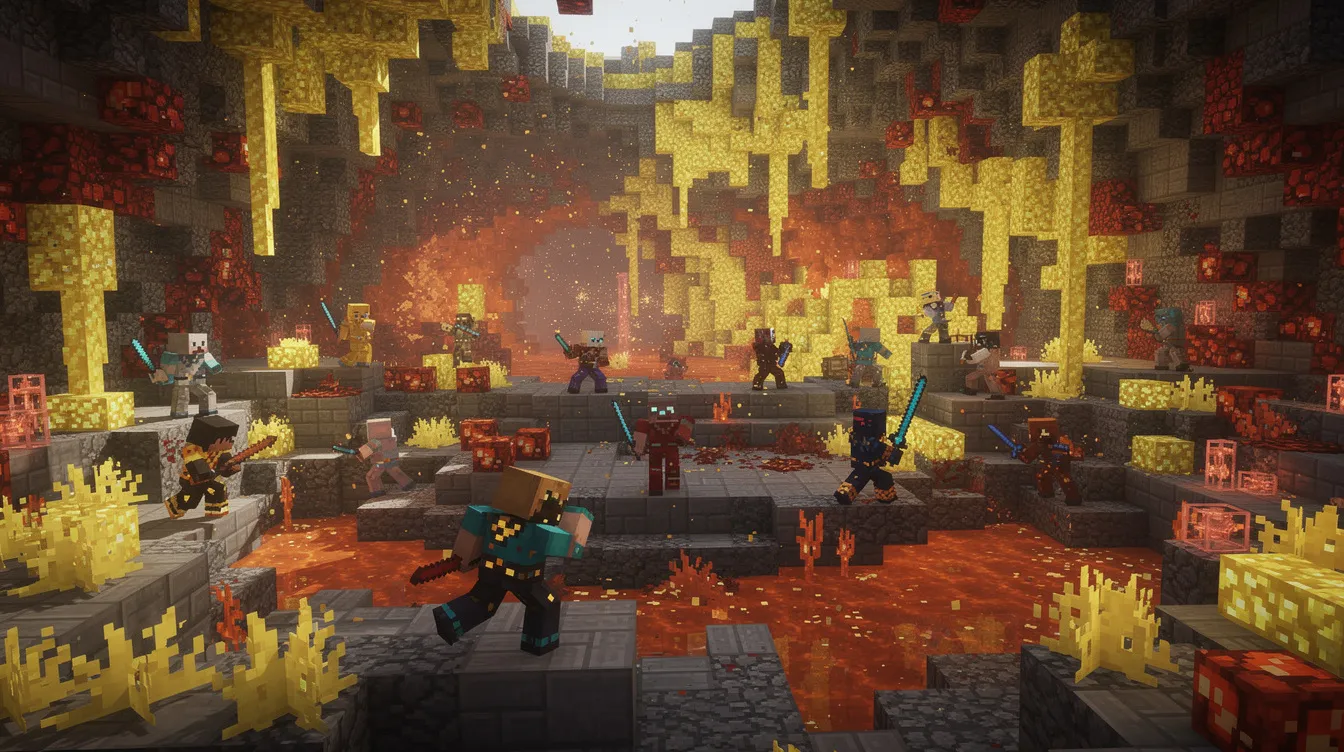
Use Sulfur Cubes and New Blocks in Events and Minigames
Treat chaos cubed as an opportunity to run themed events rather than just a background maintenance task. The new mechanics are built for creative interaction, and your community will engage more deeply if you give them structured ways to experiment.
Event and minigame ideas using sulfur cube behavior:
-
Cube football: Players push sulfur cubes that have absorbed slime blocks (high bounciness) across a field toward goals
-
Puzzle rooms: Sulfur cubes must be pushed onto pressure plates after being fed the correct block to change their weight or friction
-
Obstacle courses: Combine bouncing cubes, sliding cubes, and geysers for a movement-based challenge
-
Demolition derby: Tnt sulfur cubes are primed in a controlled arena; last player standing wins
Specific block interactions worth designing around: magma-fed sulfur cubes that damage entities on contact for hazard courses, honey-fed cubes with high friction for sticky barriers, and ice-fed cubes that slide like a hockey puck across flat surfaces.
Encourage builders to showcase new cinnabar blocks and sulfur blocks in spawn redesigns, community hubs, and build competitions. The sulfur and cinnabar families include enough variants - stairs, slabs, walls, bricks, polished, chiseled - to support detailed architectural work.
The "Bounce!" music disc can be used as a reward item or placed in jukeboxes at event arenas, adding theme-appropriate music tracks to sulfur cube competitions or party areas in singleplayer worlds and multiplayer settings alike.
Differences Between Java Edition and Bedrock Edition Servers
Core chaos cubed content - sulfur caves, sulfur cubes, potent sulfur, new blocks - is shared across both editions. The differences that matter for server admins are in configuration, modding depth, social features, and whether you are running managed Minecraft Bedrock server hosting or self-hosting.
Java Edition considerations:
-
Plugins (Paper, Spigot) and mods (Fabric mod, Forge) provide deep customization but carry higher compatibility risk with each major update
-
The new in-game friends list shows online status and supports multiplayer options like direct connection - but the previously discussed peer to peer world hosting was removed before final release
-
Java snapshots and pre-releases allowed early testing; admins who used the lan screen in singleplayer worlds to test features locally can transfer those observations to server planning
-
The experimental Vulkan renderer is client-side only and does not affect server performance, but player-reported rendering issues may increase support requests
Bedrock Edition considerations:
-
The parties feature allows up to approximately 14 players to move together across different worlds and realms - a significant social feature for community servers
-
Addon and behavior pack options are more constrained than java edition modding, which means fewer compatibility risks but also fewer customization tools
-
Bedrock betas and previews may have surfaced some chaos cubed features earlier, but official parity with Java is expected at launch
If your community maintains both Java and Bedrock server instances, write separate internal checklists for each. The update paths, plugin ecosystems, and social feature sets differ enough to warrant independent planning.
Release Day Strategy: Should You Update Immediately?
The answer depends entirely on your server's complexity and your tolerance for risk.
Small, mostly vanilla or lightly modded private servers can safely update on or near release day. The process is straightforward: take a full backup, download the 26.2 server jar from the Minecraft launcher or Mojang's site, replace the old jar, and start the server. With minimal plugins and a small player base, the risk of disruptive breakage is low.
Large public, plugin-heavy, or modpack-based servers should wait. Essential server jars and mod frameworks (Paper, Spigot, Fabric, Forge) often need several days to publish stable 26.2-compatible builds. Updating before these are available means running without your protection plugins, anti-cheat, economy systems, and other critical infrastructure.
A practical middle ground:
-
Run chaos cubed on your separate test server for at least a few days after the official release
-
Confirm all critical plugins and mods have published compatible versions
-
Schedule a planned maintenance window for the live migration
-
Communicate the planned update date and expected downtime transparently via Discord, forums, or in-game messages
Only players who have updated their own clients can connect to a 26.2 server, so coordinate your timing with your community. Announce the date, explain why you may be waiting a few days past release, and let players know what to expect.
Step-by-Step Chaos Cubed Update Checklist
Follow these steps in order:
Pre-Update
-
Take a full backup of all world folders, plugins, mods, configs, and datapacks
-
Name the backup clearly: pre_chaos-cubed_26-2_2026-06-15
-
Store at least one backup copy off-server (local drive or cloud)
-
Clone production world and configs to a staging directory
-
Download and install the chaos cubed 26.2 server jar in the staging folder
-
Verify Java version (Java SE 25 or newer expected)
-
Accept the EULA in the staging directory
Staging Testing
-
Start the staging server and confirm clean boot
-
Explore new chunks to find and explore sulfur caves
-
Feed sulfur cubes various blocks: TNT, magma, slime, honey, ice
-
Trigger potent sulfur geysers and observe eruption behavior
-
Run existing farms and redstone contraptions to check for breakage
-
Monitor TPS, RAM, CPU usage, and review crash logs
-
Test all critical plugins and mods; note which are compatible and which fail
Production Upgrade
-
Update all plugins and mods to confirmed 26.2-compatible versions
-
Remove or disable any dependency without a compatible build
-
Replace the production server jar with the 26.2 build
-
Update server.properties (note new separate thresholds for chat-spam and command-spam)
-
Start the production server and verify clean boot
Post-Update Monitoring
-
Watch TPS, RAM, and CPU closely for the first 48–72 hours
-
Monitor crash logs and plugin error output daily
-
Adjust view-distance, simulation-distance, or mob caps if performance degrades
-
Communicate known issues and status updates to your community
-
Consider increasing RAM allocation by 20–30% if launch-week load is high

Frequently Asked Questions
Do I need a brand-new world for the Minecraft Chaos Cubed update?
A brand-new world is not required. Sulfur caves, potent sulfur formations, and all other chaos cubed content generate naturally in unexplored chunks of existing worlds. Your current builds, bases, and infrastructure remain untouched.
Some servers still choose fresh worlds so that sulfur caves and new blocks are easily accessible near spawn from day one. A practical middle ground is opening new exploration directions - dedicated warps or outpost portals that send players to freshly generated areas - while preserving the established map.
Will Chaos Cubed break my redstone farms and automation?
Most traditional redstone contraptions will continue to function normally. The physics and block-interaction changes in chaos cubed primarily affect new entities (sulfur cubes) and new blocks (potent sulfur, sulfur spikes), not existing redstone mechanics.
However, farms or automation systems built near areas where players are likely to explore sulfur caves could be affected by sulfur cube interactions, geyser eruptions, or new block properties introducing unexpected movement or damage. Iron farms, mob grinders, and villager trading halls should be tested on a staging server before committing to the production update.
How can I safely experiment with potent sulfur and geysers on my server?
Create a dedicated creative or test world where operators can place potent sulfur under water and submerged magma blocks to study geyser behavior without risk. Geysers erupt at random intervals - roughly every 50 seconds with the standard setup, or continuously when lava is placed beneath the magma.
In survival worlds, keep potent sulfur and high-launch geysers well away from main bases and spawn. Use region protection plugins or claim systems to restrict who can place or modify potent sulfur blocks in hazardous configurations.
Is the Parties feature available on Java Edition servers?
The native parties feature is a bedrock edition social system that allows groups of up to approximately 14 players to move together across different worlds and realms. It is accessed through the social drawer in the game's menu and is not available on java edition.
Java edition servers rely on direct IP connections, server lists, and community tools like Discord for coordinating group play. Server owners who want similar functionality on java edition can approximate it using lobby servers, proxy networks (Velocity or BungeeCord), or plugins that handle cross-server transfers.
What is "potent sulfur" and why is everyone talking about it?
Potent sulfur is a special chaos cubed block found naturally in sulfur caves and beneath water pools on the surface. When placed directly underneath water - especially in combination with a submerged magma block - it powers sulfur springs and creates geyser eruptions that launch entities high into the air. On its own beneath water, it will create bubbles, emit noxious gas puffs, and apply nausea to players and mobs nearby.
For server admins, potent sulfur is both a risk and a creative tool. Uncontrolled, it can cause player deaths and frustration. Controlled carefully, it enables custom parkour courses, launch pads, puzzle rooms, and themed minigames that take advantage of the vertical movement mechanics chaos cubed introduces.