How To Find End Cities In Minecraft
Learn how to find End Cities in Minecraft, from locating End gateways to exploring the outer End islands for Elytra, Shulker boxes, and rare loot.

Shahrukh Sial is a Gaming Content Strategist at Sparked Host. He identifies his own strategic outlines through deep research to cover game guides, tips, and updates that help players improve their skills and enjoy a better gaming experience.
Have you ever wondered how to find the mythical End City in Minecraft? The End is a strange and beautiful place, full of floating islands and dangerous creatures. It is also the home of the most valuable loot in the game. But how do you get there? The End City is a rare and elusive structure, and finding it can be a true adventure.
In this comprehensive guide, we are going to walk you through everything you need to know about how to find the End City. We will cover its history, its unique features, and the valuable loot you can find inside. We will also provide instructions on how to use commands to find end cities if you are in a creative world or if you just want to get there quickly.
So, get your enchanted diamond armor ready, and let us go on an adventure to find the elusive End City.
When Was The End City Added To Minecraft?
The End City was added to Minecraft in the 1.9 Combat Update, which was released on February 29, 2016. This was a major update that changed many parts of the game, including the combat system. However, for many players, the biggest addition was the new end-game content.
Why Was The End City Added?
Before the 1.9 update, defeating the Ender Dragon felt like the end of the game. The developers wanted to give players a new challenge and a reason to keep exploring.
-
A New Purpose: The End City was designed to be a reward for players who defeated the Ender Dragon, giving them a new, challenging area to explore.
-
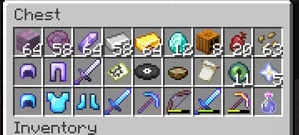
More Loot: It introduced a chance to find some of the most valuable items in the game. The loot rooms and end ship made the risk of exploring worthwhile.
Changes Since Its Release
The initial design of the mysterious End City structure was a little different from what we see today. The developers made several changes to improve the player experience.
-
Refined Layouts: Some early versions had slightly different layouts, and the way the loot was generated was not as polished. These changes were made to make the End City a more cohesive and rewarding part of the game.
-
New Items: The mysterious End City structure was not the only source of new content. The 1.9 update also introduced the elytra and the shulker box. Both of these items are now essential for any player, and they can both be found inside the End City.
How Rare Are End Cities In Minecraft?
End cities are quite rare, which makes finding them an exciting challenge. They are not as common as a village or an outpost, but they are not the rarest structure either. Their rarity is a key part of the end-game experience.
Where End Cities Generate
End cities naturally generate exclusively on the outer islands of the End, which you can only reach after defeating the Ender Dragon. They do not appear on every island, making them a special discovery.
-
World Seed Matters: The location of end cities is determined by your world's seed. Some worlds may have them closer to the main island, while others might require a long journey.
-
Clustered Together: The game's algorithm often creates cities clustered in groups. So, if you manage to find one, be sure to explore the nearby area. There is a high chance you will find another End City or even an end ship close by.
End City Generation Facts
Based on analysis of the game's code, here are a few facts about how an End City appears:
-
Less than Half: It's estimated that less than half of the large islands in the End will have an End City on them. This means you will need to do a good amount of exploring.
-
Not Random: The process is not random; it's based on specific rules that ensure the mysterious End City structure remains a rare and valuable discovery.
-
Layouts vary: The cities generated can be very different from one another. Some end cities consist of just a small tower, while others can be a sprawling complex of large towers and interconnected towers. This makes each discovery unique and exciting.
The rarity of the End City is what makes finding one so rewarding. The patience it takes to navigate the dangerous landscape of the End is well worth it for the valuable treasure you can find.
How To Locate End City In Minecraft
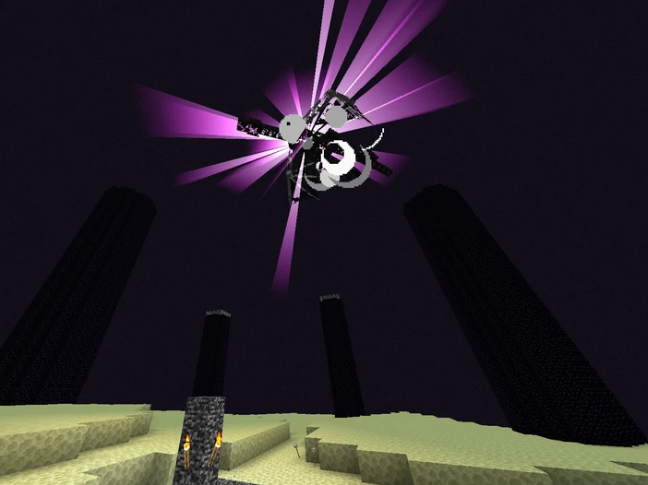
Locating an End City in Minecraft requires you to first defeat the Ender Dragon to gain access to the outer islands of the End. Once there, you must travel across the void to find these rare structures, which can be done by building a bridge or, more efficiently, by using an elytra.
Getting to the Outer Islands
After you defeat the Ender Dragon, a small portal called the End Gateway Portal will spawn on the main island. It appears as a magenta and black pattern with a floating void inside. There are 20 of these portals, and you need to throw an ender pearl into one to teleport to the outer islands.
-
Throwing an ender pearl is the only source of access to these remote islands.
-
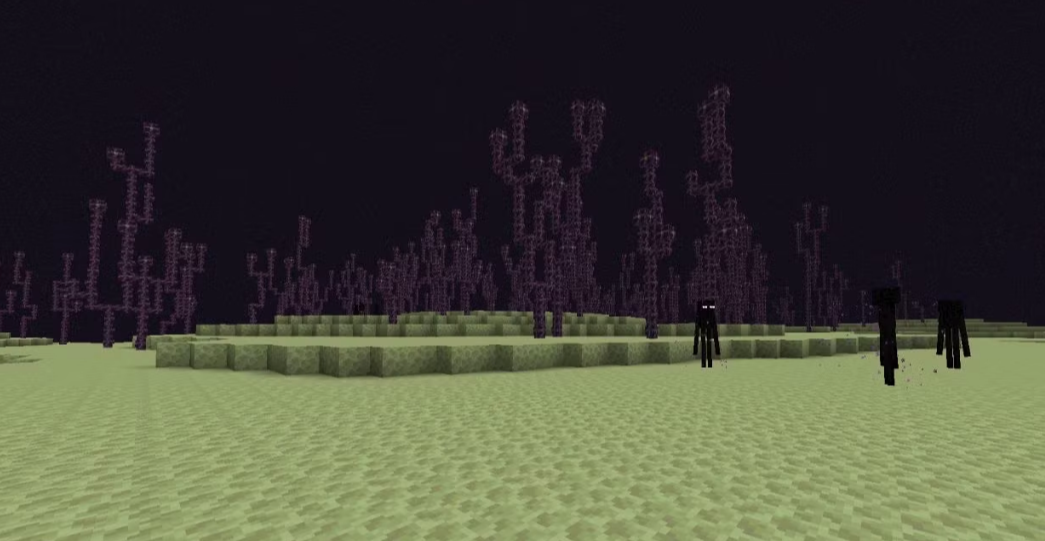
Once you've been teleported, you'll be in a new area made of Endstone and towering Chorus Plants.
-
You will see a large End City or a smaller one on the nearest large island.
Spotting an End City
End Cities are not as rare as some believe, as end cities naturally generate on large islands in groups. They are a sprawling complex of interconnected towers and bridges. They are easy to spot from a distance if you know what to look for.
-
Look for a distinct purpur pillar structure that sits on the island. The city is made primarily of purpur blocks, which makes it stand out.
-
The End City is a large, towering structure featuring multiple large towers and smaller ones.
-
The cities generated tend to be clustered together, so if you find one, there's a good chance you'll find more nearby.
Inside the End City
Once inside, you will find various end city rooms filled with dangerous shulkers. Navigating the city involves a mix of precarious parkour-like staircases and single spiral staircase that lead up the tall skyscraper-like towers. The goal is to reach the treasure room and find the end ship.
-
Towers: The main part of the city is made of inter-connected towers and hanging bridges. Some towers are just for decoration, while others contain end rod spiral staircase or a small spiral staircase leading to loot.
-
Loot Rooms: Many of the loot rooms are found at the top of a treacherous double spiral staircase. These contain an ender chest and a normal chest with valuable items.
-
The End Ship: This is the most valuable part of the End City. The end ship drifts lazily beside the main city, connected by a hanging bridge. This is the only source of the elytra and the dragon head.
-
The Ship's Loot: The end ship itself contains two loot rooms. One is on the main deck with a dragon head and a few Shulkers, while the other is inside the hull, accessible through a ladder entrance, which holds two treasure chests.
The end ship is the ultimate prize, as it contains the elytra, allowing you to fly freely across the End, making finding more end cities much easier.
How To Teleport To End City In Minecraft
If you're in Creative mode or just want to get to an End City fast, you can use a couple of powerful commands. These are helpful whether you want to explore or if you're a builder looking to copy a structure.
Using the /locate Command
The fastest way to get to an End City is by using the /locate command. This command scans the world and finds the coordinates of the nearest structure for you. It's a lifesaver when you don't want to spend time searching the vast outer islands.
Here's how it works:
-
Open the chat window by pressing the 'T' key on your keyboard.
-
Type the following command: /locate structure minecraft:end_city
-
Press 'Enter'. The game will respond with a message showing the coordinates (X, Y, Z) of the closest End City.
-
Once you have the coordinates, use the teleport command: /tp @p x y z. Just replace the x, y, and z with the numbers you were given.
For example, if the coordinates were (1200, 70, -500), you would type /tp @p 1200 70 -500 and you would instantly be teleported to the location.
Creating and Reusing End Cities with Structure Blocks
For creative builders, the structure block is an amazing tool that lets you save, load, and manually generate End Cities or other structures. This is perfect for when you find a cool End City tower or a rare end ship and want to use it in other worlds.
First, you need to get the structure block itself. It's not in the creative inventory, so you'll need to use a command: /give @p structure_block
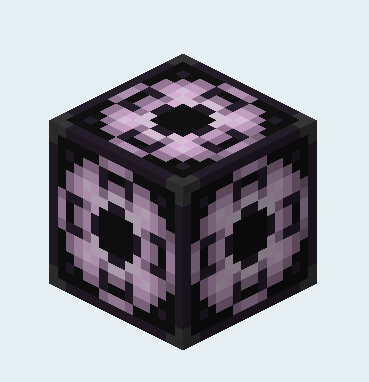
Once you have the structure block, you can place it on the ground and use its interface. It has a few different modes that allow you to do the following:
-
Save Mode: Define a box around a structure you've built or found and save it as a template. You must give it a structure name description.
-
Load Mode: Place the structure block and load a saved template. This lets you manually load city structures you've saved before, creating your own custom End City whenever you want.
-
Corner Mode: Used to define the corners of the structure you want to save.
This powerful block allows you to create a sprawling complex of inter-connected towers or even a mysterious structure of your own design.
Conclusion
The End City is a fascinating and rewarding part of Minecraft. It is a new challenge for players who have already defeated the Ender Dragon, and it is a great way to get valuable treasure, such as the elytra and the dragon head. Finding an End City can be a challenge, but it is well worth the effort.
We have covered everything you need to know about how to find the End City, from its history to its unique features and the valuable loot you can find inside. We have also provided instructions on how to use commands to find end cities if you are in a creative mode.
Now that you have all the information, it is time to go on an adventure to find the elusive End City. Get your enchanted diamond armor ready, and let us go. Good luck.