12 Best Minecraft Java Plugins of All Time
This list shows you the twelve best plugins you can get today. These essential tools give you professional server control, stop bad players, and fill your game with great fun features.

Shahrukh Sial is a Gaming Content Strategist at Sparked Host. He identifies his own strategic outlines through deep research to cover game guides, tips, and updates that help players improve their skills and enjoy a better gaming experience.
12 Best Minecraft Java Plugins of All Time
Want to make your Minecraft world awesome? Are you ready to start your own online game where other people can join? You don't need to be a coding expert. These Minecraft plugins are like easy add-ons that change a plain world into a huge, popular place. Minecraft plugins are the easiest way to build a great server community.
This list shows you the twelve best plugins you can get today. These essential tools give you professional server control, stop bad players, and fill your game with great fun features. We cover only the best plugins that are fully updated for Java Edition servers and are super easy for anyone to install them in minutes.
Before we begin, here are some quick facts. To install plugins, your server type must be running Spigot or CraftBukkit. This is your server software. You just download the plugin .jar file and put it in your server's 'plugins' folder, then restart. Minecraft plugins only run on the server; other players do not need to install anything. Most servers run 15-30 plugins without issues, depending on your hardware. Protection plugins like WorldGuard also defend your server against hackers and griefers. Anti-Cheat plugins also detect common cheats.
1. EssentialsX
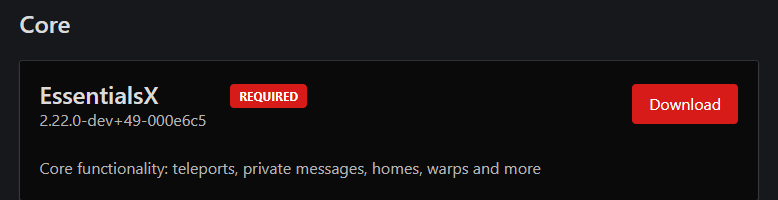
Are your players constantly asking for simple commands like /home or /tpa. EssentialsX is the core plugin that adds all the basic player commands and economy features your Minecraft server needs.
Key Features
-
It offers hundreds of useful commands like /tpa, /warp, and /home.
-
It includes basic moderation tools like /mute and /kick for admins.
-
It features an integrated economy plugin with player balances and ChestShop support.
-
It provides teleportation commands, player nicknames, and a configurable tab list.
Compatibility and Requirements
-
Requires a Bukkit, Spigot, or Paper compatible server core.
-
Supports all major Minecraft versions from 1.8.8 up to the latest 1.21 release.
-
Often requires the Vault API for compatibility with shop and chat formatting plugins.
EssentialsX is primarily designed to run on a Paper server or any compatible fork, though it strongly recommends Paper for reduced lag spikes during player teleports and to enable all of its modern features. As a core plugin, it is stable and must be installed first, often serving as a dependency for many other plugins.
Installation and Configuration
-
Installation: Download the EssentialsX .jar file and place it in the /plugins folder.

-
Configuration: The default settings work right away. You can customize kits, warps, and the economy plugin settings in the config.yml file.
2. Multiverse-Core
Is your single survival world starting to feel crowded or boring? Multiverse-Core allows server owners to easily create and manage multiple separate worlds on a single Minecraft server.

Key Features
-
It allows server owners to create different world types (Nether, End, Flat, Void).
-
You can set the game mode (Survival, Creative) for each world separately.
-
Multiverse-Portals is a popular addon that creates custom portals between multiple worlds.
-
It is essential for isolating minigames, like the SkyBlock addon BentoBox.
Compatibility and Requirements
-
Requires a Spigot or Paper compatible server type.
-
Supports all modern Minecraft versions, including the latest 1.21 release.
-
Optional dependency is the Multiverse-Portals addon for custom travel points.
Multiverse-Core has been confirmed to work flawlessly with modern Minecraft versions, including the latest 1.21 release in 2025. To get the best out of it, especially to make custom travel points, you should install the addon Multiverse-Portals alongside the core plugin .jar file.
Installation and Configuration
-
Installation: Simple drag-and-drop of the plugin .jar file into the plugins folder.

-
Configuration: Use the /mv create command in game to make new worlds. You can configure individual world properties, like mob spawning.
3. LuckPerms
Are you worried about which players have admin access or who can use commands like /fly LuckPerms is the definitive permissions management tool that gives you granular server control over every action on your Minecraft server using a fast, completely free web interface.

Key Features
-
LuckPerms is the modern standard for permissions management in Minecraft servers.
-
It provides a powerful, free web interface for editing user groups and permissions.
-
It is highly performant and stable, making it one of the best plugins for large servers.
-
It works alongside WorldGuard to protect specific regions with unique rules.
Compatibility and Requirements
-
Requires installation on a Bukkit, Spigot, or Paper server.
-
Must also install Vault API to effectively manage permissions for economy plugins.
-
Supports all major Minecraft versions from 1.8.8 up to the latest release.
LuckPerms is incredibly flexible and is designed with performance and scalability in mind, making it the perfect choice for both small and the largest server networks. It is compatible with multiple server types, including BungeeCord, Sponge, Fabric, and Forge. This is considered one of the popular plugins for server software.
Installation and Configuration
-
Installation: Download the plugin .jar file and place it in the plugins folder.

-
Configuration: The easiest way is to use the /lp editor command to open the web interface for simple management.
4. ViaVersion
Are you missing out on players because you haven't updated your server to the latest version yet? ViaVersion is the essential compatibility addon that instantly allows players on newer Minecraft versions (like 1.21) to join your older server without issues.

Key Features
-
It allows newer client versions (e.g., 1.21) to join older server versions (e.g., 1.16).
-
It helps connect java and bedrock players when paired with Geyser.
-
This plugin removes version restrictions, making your server more accessible.
-
It is one of the most useful Minecraft plugins for your Minecraft setup to keep your community together.
Compatibility and Requirements
-
Compatible with Paper, Spigot, and proxy software like Velocity or BungeeCord.
-
Supports joining from virtually any client version released in the past decade.
-
Requires the separate addon ViaBackwards to allow older clients to join a newer server.
ViaVersion is highly flexible and works best when installed directly on your backend Spigot/Paper servers, or on your proxy software. All other Minecraft plugins used on the server should be compatible with the core Bukkit version you are running, not the client version connecting via ViaVersion.
Installation and Configuration
-
Installation: Simple drag-and-drop of the plugin .jar file. No configuration is typically needed.

-
Configuration: The plugin is a simple bridge and works out of the box with its default settings.
5. CoreProtect
Did someone just grief your beautiful spawn area or your players' hard-earned base? CoreProtect is the ultimate anti-griefing and moderation tools solution that logs every action in your world and lets admins instantly rollback damage using a simple command.

Key Features
-
CoreProtect is a block logging plugin which allows you to rollback damage to your world and see which player broke each block.
-
You can see which player broke each block and exactly when.
-
It tracks container interactions, Minecraft chat messages, and commands used.
-
WorldEdit is a powerful plugin for editing and manipulating the terrain in Minecraft; CoreProtect tracks its changes.
Compatibility and Requirements
-
Requires a Spigot, Paper, or compatible fork server.
-
Supports all major versions from 1.14 up to the latest 1.21 release.
-
Designed with performance in mind; uses SQLite by default with optional MySQL support.
CoreProtect is a reliable choice for any modern server and will record and manage data without impacting performance. It works seamlessly with other key admin tools, allowing you to use WorldEdit selections to define the specific area for a quick rollback. This is a crucial bukkit plugins choice for security.
Installation and Configuration
-
Installation: Install the plugin .jar file and run a simple test lookup.

-
Configuration: You can blacklist specific blocks or users in blacklist.txt. Use /co inspect to turn on the rollback tool in game.
6. MCMMO
Do your players complain that pure vanilla survival servers get boring after a month? MCMMO is the most popular fun addon that introduces RPG-style skills and abilities, rewarding players for everything they already do like mining and fighting.

Key Features
-
It adds RPG elements with skills, stats, and abilities that level up as players perform actions.
-
AuraSkills is one of the other plugins that adds similar RPG elements with skills and stats.
-
Simple Voice Chat is a good addon for MCMMO roleplay, adding proximity voice features.
-
This Minecraft plugins encourages resource gathering and extends the longevity of your game.
Compatibility and Requirements
-
Requires a Spigot or Paper compatible server type.
-
Supports the latest Java Minecraft release (currently 1.21) for modern versions.
-
Designed for seamless data transition without the need to delete old data or configs during upgrades.
MCMMO is continually updated to support the latest Minecraft releases and is an API-based plugin. For long-running servers, the developers are proud that you will not lose any skill data when upgrading from older versions. You can display player stats on the tab list.
Installation and Configuration
-
Installation: Drag and drop the plugin .jar file. Data is never lost when upgrading.

-
Configuration: Highly customizable in the config.yml file to change XP rates and skill abilities.
7. Bluemap
Do you want to show off your community's incredible builds with a stunning, real-time map? Bluemap is a visualization tool that renders your entire Minecraft world in gorgeous, interactive 3D, viewable directly from a web browser.

Key Features
-
It creates a beautiful, dynamic information web interface map of your server world.
-
Dynmap displays an overhead view for each of your worlds and shows the location of players on the map.
-
Holographic Displays creates floating text on your server that can display dynamic information like locations or leaderboards.
-
It is a visual addon that drastically improves the Minecraft server experience and helps create better Minecraft content.
Compatibility and Requirements
-
Requires Java 21 or newer to run efficiently.
-
Needs a Spigot/Paper, Sponge, Fabric, or Forge server.
-
Requires an additional port to be open on your host (default is 8100) for the web server.
Bluemap is designed to work with all modern Minecraft versions and world formats, but due to its resource-intensive nature, a modern Java version (17+) is strongly recommended. Since it runs its own web server, you must ensure that a specific port is accessible on your server host to allow other players to view the map in their browser.
Installation and Configuration
-
Installation: Place the plugin .jar file and restart. You must change accept-download to true in core.conf.

-
Configuration: You must set the correct port in webserver.conf. The map is rendered using the /bluemap render command.
8. Citizens
Do you want to add life, lore, and purpose to your spawn and world? Citizens is the premiere npc creation plugin that allows you to effortlessly populate your Minecraft server with static non player characters (NPCs) that can guide players and sell items.
Key Features
-
Citizens lets you create npcs on your Minecraft server with custom skins and names.
-
It is perfect for fun, custom survival servers that use non player characters for roleplay.
-
ChestCommands is a plugin for creating custom GUI menus that players can use via an NPC command.
-
MythicMobs is one of the other plugins that allows you to create custom mobs with special abilities and loot.
Compatibility and Requirements
-
Requires a Spigot or Paper compatible server.
-
Supports only the latest patch version of the three most recent major Minecraft releases.
-
Works seamlessly with the Vault API for integration with economy plugins.
Citizens requires constant updates to work with the latest Minecraft versions. While it provides some limited support for older versions, the newest version of the plugin must be matched with the newest patch version of your Minecraft server for stability. You can also customize the tab list display for players in proximity to the NPC.
Installation and Configuration
-
Installation: Simple drag-and-drop of the plugin .jar file.

-
Configuration: Use the /npc create command in game to make new worlds. You can assign behaviors and commands to npcs without complex coding.
9. Geyser
Why limit your server to just Java Edition servers when millions of bedrock players are out there? Geyser is the revolutionary translation plugin that instantly creates a bridge, allowing players on the bedrock edition to join your Java community, eliminating the need for separate bedrock servers.

Key Features
-
Geyser allows java and bedrock players to join the same server, which is a huge features.
-
It drastically expands the reach of your Minecraft server to the bedrock edition.
-
BentoBox is the best Minecraft server plugin for SkyBlock, and SkyBlock must be installed as a BentoBox addon (BSkyBlock).
-
It is one of the most important Minecraft plugins for merging java and bedrock players.
Compatibility and Requirements
-
Requires Java 17 or newer to run.
-
Compatible with Spigot, Paper (1.16.5+), and proxy software like Velocity.
-
Must install the separate Floodgate addon to allow Bedrock players to join without a premium Java account.
Geyser emulates a modern Java client, so the Java server must be running a version compatible with that client. For the best performance, using a proxy like Velocity is often recommended. If you encounter issues, look up the ray id error on the Geyser wiki.
Installation and Configuration
-
Installation: Install both the Geyser and Floodgate plugin .jar files.

-
Configuration: Mostly works out of the box; minor tweaks may be needed to the MOTD in the config file.
10. Vault
Are your plugins struggling to talk to each other to manage permissions or money? Vault is the quiet API that provides a simple, standard way for all of your other plugins to communicate effectively regarding permissions and the economy plugin.
Key Features
-
Vault is an API that allows other plugins to communicate with each other.
-
It is the standard for coordinating between any economy plugin and permissions plugins.
-
ChestShop allows players to create shops using signs on chests, which relies on Vault's economy link.
-
It is a necessary link for the permissions and economy plugins on your server.
Compatibility and Requirements
-
Required by hundreds of other Minecraft plugins for permission and economy communication.
-
Must be installed first on any Spigot or Paper server that uses an economy plugin or advanced permissions.
-
Highly stable and works with virtually all Minecraft versions without issue.
Vault is the industry standard for coordinating permissions and monetary transfers between different other plugins. It handles simple data communication and requires little resource. It is a completely free API for developers to use for their own plugins.
Installation and Configuration
-
Installation: Simple drag-and-drop of the plugin .jar file.

-
Configuration: You generally do not need to touch the config file; it auto-detects and uses the supported other plugins.
11. SilkSpawners
Do you want to add a powerful, high-value item for resource gathering on your survival servers? SilkSpawners solves a basic limitation of the game by allowing players to collect mob spawning blocks (spawners) using a Silk Touch pickaxe.

Key Features
-
This plugin allows players to control mob spawning and collect the spawners.
-
WorldEdit allows you to select an area of blocks and set all of these to a new block of your choice.
-
ClearLag is one of the other plugins that optimizes server performance by clearing dropped items to prevent lag spikes.
-
It is one of the best plugins for enhanced resource gathering and fun.
Compatibility and Requirements
-
Requires a Spigot or Paper server.
-
Supports all modern Minecraft versions.
-
Configurable to require a specific enchantment level or pickaxe type for collection.
SilkSpawners is designed to work with all modern Minecraft versions. In the configuration file, you have the server control to adjust the drop chance of a spawner and even set an explosion chance upon mining to create a risk/reward element for players. This is one of the best Minecraft plugins for modifying vanilla mechanics.
Installation and Configuration
-
Installation: Simple drag-and-drop.

-
Configuration: Configuration allows you to decide if the spawner type can be changed with a spawn egg, giving you more control.
12. Let Me Despawn
Are you experiencing mysterious lag spikes caused by mobs that picked up random items? Let Me Despawn is a simple, effective plugin that solves a major source of entity lag by ensuring mobs that picked up items despawn naturally when far from players.

Key Features
-
This Minecraft plugins provides huge quality-of-life fun and protection on a Minecraft server.
-
It helps control item loss in specific regions and provides important anti-griefing tools.
-
WorldGuard is one of the other plugins that works alongside WorldEdit to protect areas of your server against griefing.
-
It is a small but powerful features that prevents item loss from crashes or connection issues.
Compatibility and Requirements
-
Compatible with Fabric/Quilt, Forge, and NeoForge mod loaders.
-
Available for all recent Minecraft versions from 1.16.5 up to the latest 1.21.11 release.
-
Functionality is server-side and is not required on the client side.
This plugin, and its updated forks like LetThemDespawn, is compatible with many modern server types and requires very little of your server's RAM or CPU due to its simple, focused purpose. When trying to troubleshoot issues with Bedrock clients, note that the ray id can help identify where the connection failed.
Installation and Configuration
-
Installation: Simple drag-and-drop of the plugin .jar file.

-
Configuration: Configuration is minimal; you can add specific mobs to an exclusion list if needed.
Conclusion
These twelve Minecraft plugins are the best way to make a great Minecraft server. They let you manage your game perfectly.
These Minecraft plugins let people on bedrock edition join your java server, avoiding the need for separate bedrock servers. You can easily control player rules and Minecraft chat. Every server owner must install these essential plugins.
Start by downloading the plugin .jar file for each one. Using these Minecraft plugins gives players the most fun on your Minecraft survival server. Your Minecraft server experience will be one of the best