11 Best Minecraft Bedrock Plugins Of All Time
Discover the 11 best Minecraft Bedrock plugins of all time. Enhance gameplay with top addons for performance, economy, ranks, and world management.

Shahrukh Sial is a Gaming Content Strategist at Sparked Host. He identifies his own strategic outlines through deep research to cover game guides, tips, and updates that help players improve their skills and enjoy a better gaming experience.
Picture this, you and your friends want to play Minecraft together, but everyone is on a different device. One uses a phone, another is on Xbox, and you are on a PC. When you try to join the same world, someone gets blocked because they are on Bedrock Edition while your server software was made for Java. It can be frustrating, especially when all you want is to build, explore, and enjoy the game together.
This is where plugins come in. Over the years, talented developers have created tools that make Bedrock servers more flexible, fun, and secure. With the right setup, you can connect Bedrock players and Java users on one connection, give everyone access to new commands, and even verify players for better security. These features improve gameplay and make managing worlds easier, even if you are new to server development.
In this guide, I will walk you through 11 of the best Minecraft Bedrock plugins that every player should know about in 2025. Each file has been tested, updated, and proven by thousands of clients worldwide. Whether you want to make your server cross-platform, add new features, or keep your folders and permissions organized, this list will help you get started the right way.
1. GeyserMC
GeyserMC is a proxy plugin that allows Bedrock players to join Java Edition servers. It translates data between the two editions so that everyone can play together, no matter their platform. If you want your server to be truly cross-platform, GeyserMC is a must-have. It bridges the gap between Java and Bedrock players without requiring complex setups.
How to install:
-
Download the Geyser plugin for your server type (Spigot, Paper, or standalone).
-
Place the .jar file into your plugins folder.

-
Restart your server to generate configuration files.
-
Adjust the config.yml to set up Bedrock ports and authentication settings.
Pro tip: Combine GeyserMC with Floodgate to let Bedrock players join without a Java account. You will notice a smoother connection and improved security after proper verification and successful waiting.
2. Floodgate
Floodgate works alongside GeyserMC to allow Bedrock players to connect using their Xbox or Microsoft accounts without owning a Java Edition account. This plugin makes it possible for your Bedrock friends to join easily. It removes the need for dual accounts and makes crossplay simple.
How to install:
-
Download the correct Floodgate version for your server (Spigot, Paper, BungeeCord, or Velocity).
-
Place it into the plugins folder.

-
Set auth-type to floodgate in your Geyser config.
-
Restart the server.
Security tip: Keep the key.pem file private, as it is used for authentication. This ensures your review, ray ID, and connection remain protected from intruders.
3. LuckPerms
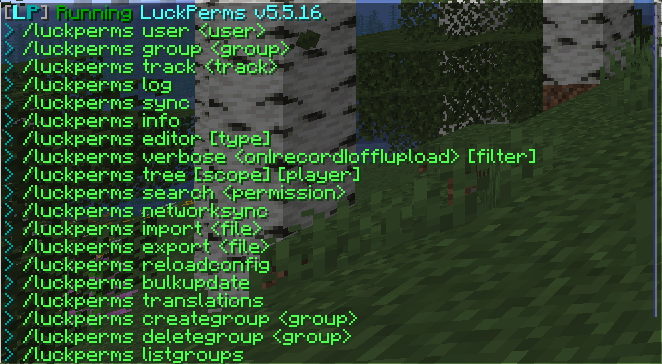
LuckPerms is one of the most powerful permission management plugins in Minecraft. It helps you control who can use commands, manage roles, and organize player groups. If you want a structured and safe server, LuckPerms is essential. It gives admins full control while keeping things simple for regular players.
Basic commands:
/lp editor – Opens a web editor for easier permission setup.
/lp group create <groupName> – Creates a new role or group.
/lp user <player> parent set <groupName> – Assigns a player to a group.
The plugin stores its data in simple files that you can easily find, read, and rewrite later. It supports both pocket and Windows Bedrock Edition setups.
4. MythicMobs
MythicMobs allows you to create custom mobs with special abilities, loot, and behaviors. You can design bosses, add magic attacks, or create new enemies that fit your world’s theme. This plugin brings life to your server and gives players new challenges. It is perfect for RPG-style gameplay or adventure maps.
How to install:
-
Download the plugin and drop it into the plugins folder.
-
Restart the server.
-
Edit the configuration files in the MythicMobs folder to create your own mobs.
Example: You can make a Fire Skeleton that shoots flaming arrows or a “Forest Guardian” that defends certain biomes.
This plugin is widely used in realms, RPG servers, and survival worlds where you want to keep gameplay fresh. It is a perfect mix of development and creativity.
5. BedrockPlayerSupport
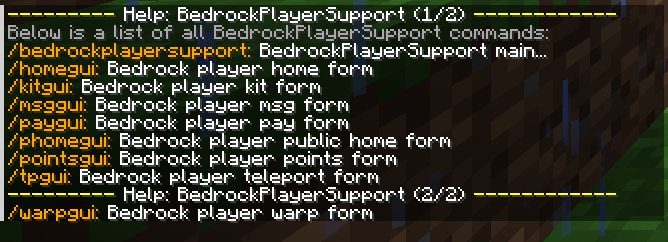
This plugin enhances the experience for Bedrock users on Java servers by offering simple graphical menus (GUIs) for actions like teleporting or using warps. Moreover, Typing commands can be harder for Bedrock players, especially on mobile or consoles. GUIs make gameplay easier and smoother.
How to install:
-
Install GeyserMC and Floodgate first.
-
Add the BedrockPlayerSupport .jar file to your plugins folder.
-
Restart your server.
-
Players can now use commands like /tpgui or /warpgui for easy navigation.
Players can now use GUIs like /tpgui or /warpgui. This plugin improves security and reduces user action errors.
6. GeyserCommandsYML
This lightweight plugin customizes which commands Bedrock players can see. It helps avoid confusion and keeps the command list clean. Bedrock clients can crash or lag if too many commands appear. This plugin ensures only relevant commands are visible.
Commands:
/geysercommands add <command> – Add a command for Bedrock players.
/geysercommands remove <command> – Remove one.
/geysercommands list – View all allowed commands.
Its features help prevent lag on pocket and Windows devices, keeping your connection smooth.
7. BedrockCombatCompat
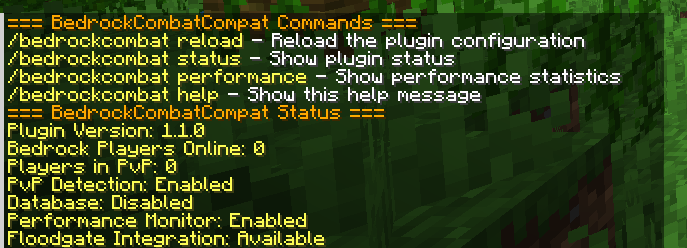
Combat mechanics work differently in Bedrock and Java. This plugin helps balance them, so fights feel fair across both editions. Without this plugin, Bedrock players might struggle in combat against Java users. It ensures gameplay feels fair for everyone.
Commands:
/bedrockcombat reload – Reloads configuration.
/bedrockcombat status – Shows if the plugin is active.
Once verification is successful, waiting is complete, and the plugin syncs the action balance between clients, giving fair PvP to all Bedrock players.
8. CommandComparator
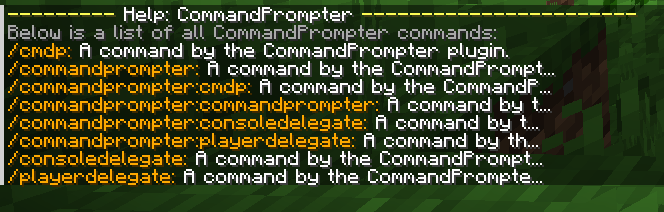
This plugin lets you set different commands or actions for Java and Bedrock players. It detects the client type automatically. You can make personalized experiences for both versions, such as different messages, forms, or teleport effects.
Example command:
/cc say Hello Java || tellraw @a {"text":"Hello Bedrock"}
This will send a custom message depending on the player’s version.
9. WorldEdit: Bedrock Edition
A version of the famous WorldEdit plugin made for Bedrock players. It helps you build faster by letting you copy, paste, and shape large areas easily. Manual building takes time. With WorldEdit BE, you can quickly terraform, create structures, or design custom maps.
How to use:
-
Install the WorldEdit Bedrock Addon.
-
Use commands like ;copy, ;paste, and ;hollow.
-
Save schematics or import builds from other worlds.
It is one of the best tools for map makers who like to work across platforms and realms.
10. EssentialsX
EssentialsX adds simple yet powerful commands like /home, /spawn, /warp, and /back. It is one of the most popular server plugins for good reason. It provides quality-of-life features that every player expects. EssentialsX is especially helpful for beginner-friendly servers.
Useful commands:
/sethome and /home – Set and return to your home.
/spawn – Return to the spawn point.
/warp <name> – Travel to a saved warp location.
It improves security, simplifies actions, and enhances player's quality of life on Bedrock servers.
11. Chat and GUI Enhancer Plugins
These plugins improve how chat and menus look. They make servers feel more professional with colorful messages, buttons, and interactive menus. A clean interface helps new players understand commands without typing. It also adds personality to your server.
Examples:
-
Custom chat formats with player ranks or tags.
-
GUI menus for warps, shops, or help commands.
-
Interactive buttons for Bedrock players using Geyser and Floodgate.
These features make verification, review, and user response times faster since players do not need to type long commands.
Tips for Beginners
-
Always check that your plugin version matches your Minecraft server version.
-
Start with GeyserMC and Floodgate, then add others one by one.
-
Make regular backups before installing or updating plugins.
-
Test commands with both Java and Bedrock clients to ensure compatibility.
Conclusion
Running a Minecraft Bedrock Edition server that supports both Java and Bedrock players is easier than ever. The right plugins help you build a secure, smooth, and feature-rich environment.
If you are new to server development, begin with GeyserMC and Floodgate to make your connection work across platforms. Then, expand with LuckPerms, MythicMobs, and EssentialsX. Regularly review your files, maintain security, and check verification successful waiting logs.
In the end, Minecraft is all about creativity, teamwork, and exploration. These Bedrock Edition plugins ensure that every human player, regardless of device, can join your world, take action, and enjoy a smooth adventure together.