Minecraft Server Optimization Guide: Better Performance Without Spending More
Boost your Minecraft server's performance with essential optimization tips for 2026. Enhance speed, stability, and player experience—read the article now!

Shahrukh Sial is a Gaming Content Strategist at Sparked Host. He identifies his own strategic outlines through deep research to cover game guides, tips, and updates that help players improve their skills and enjoy a better gaming experience.
Lag is the biggest frustration for Minecraft players. It makes blocks break slowly, mobs move strangely, and redstone machines fail. Many owners think the only fix is to buy more RAM or upgrade their hosting plan, but you can achieve a professional-grade experience through configuration and software tuning. This guide explains how to optimize your server for 2026.
Key Takeaways
-
Lag is not always caused by low RAM. TPS, plugins, and network settings matter too.
-
Switching to Paper or Purpur improves performance compared to vanilla.
-
Lowering view distance and simulation distance reduces server strain without hurting gameplay.
-
Pre generating worlds and profiling entities prevent lag spikes during exploration.
-
Plugins can be both helpful and harmful. Profiling helps you remove inefficient ones.
-
More RAM is not always the solution. Balanced settings and JVM flags are often better.
-
Hosting with high single core CPU speed and NVMe storage is more important than raw core count.
-
Always test updates in a staging environment before applying them to your live server.
Understanding the Heartbeat of Your Server
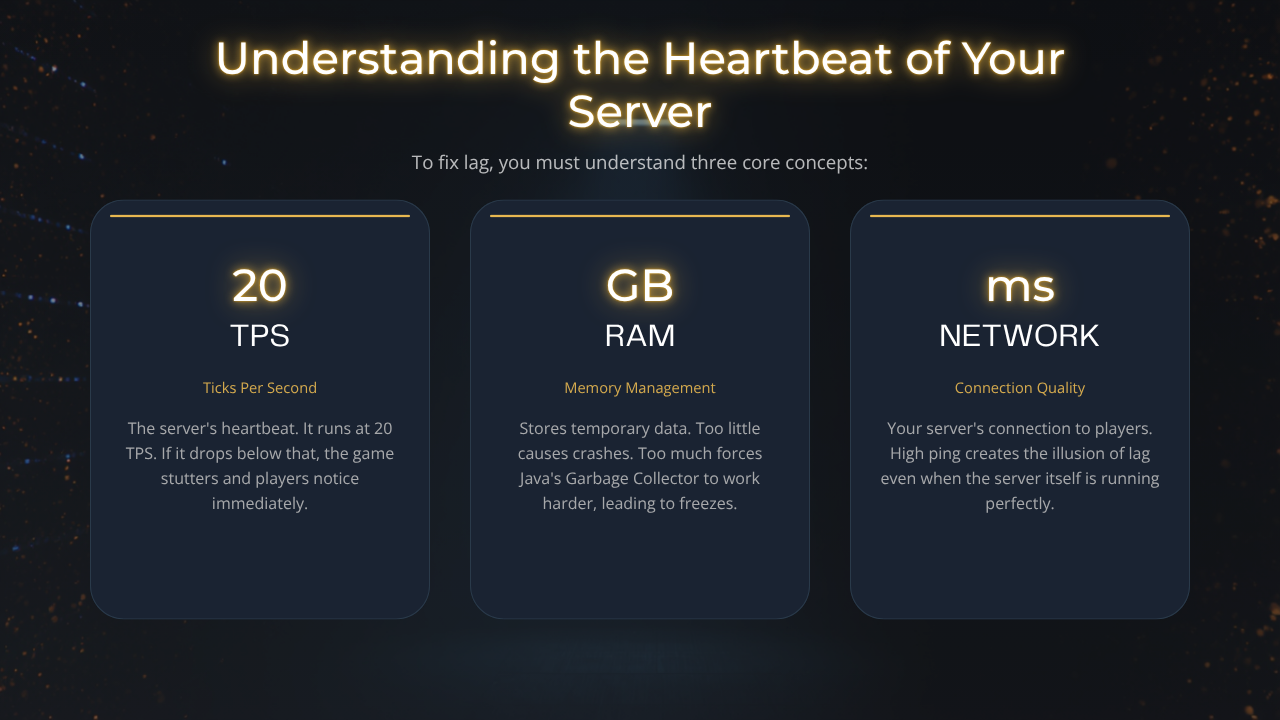
To fix lag, you must understand three core concepts:
-
TPS (Ticks Per Second): The server’s "heartbeat." It runs at 20 TPS. If it drops, the game stutters.
-
RAM: Stores temporary data. The "Goldilocks" rule applies, too little causes crashes, while too many forces the Java Garbage Collector to work harder, leading to freezes.
-
Network: Your server’s connection. High ping creates the illusion of lag even when the server itself is running perfectly.
Step 1: Upgrade Your Server Software
Vanilla Minecraft is not designed for multiplayer efficiency.
-
Use Paper or Purpur: Switch immediately. These forks offer asynchronous chunk loading and optimized entity ticking, which can improve server performance by up to 50% without changing a single setting.
-
Pufferfish is also worth considering for multiple servers or larger networks because its deeper asynchronous task handling can reduce the performance impact on CPU resources under heavy load, especially when paired with reliable Minecraft server hosting.
-
In some cases, server-side mods address backend bottlenecks more effectively than some plugins, and specific server-installed mods can also improve rendering efficiency. Run Java 21 or later for better garbage collection behavior and overall minecraft server's performance.
Step 2: Fine-Tune Core Configuration
Your server. Properties and configuration files are the most powerful tools in your arsenal.
-
View-Distance: Set to 7 as a strong starting point; in Vanilla Minecraft, the default is around 10–12, and lowering it to 7 can improve server performance.
-
Simulation-Distance: Set to 4. This keeps the world active near players without forcing the server to process entities in distant, non-essential areas; a lower value also reduces active chunk work and eases server processes across fewer chunks, which pairs well with budget Minecraft hosting plans for smaller communities.
-
Chunk Handling: Set delay-chunk-unloads-by to 10 seconds and enable prevent-moving-into-unloaded-chunks to prevent players from moving into unloaded chunks and avoid lag.
-
Network Compression: Set network-compression-threshold to 512. This balances CPU usage and bandwidth for a smoother player experience.
-
Mob Controls: Lower mob-spawn-range to 4–6, turn on per-player-mob-spawns for better consistency, adjust despawn ranges to clear distant mobs faster, and set max-entity-collisions to 2; tune these spawn limits carefully.
-
Stability: Set max-tick-time to -1 as a stability-focused config option to reduce false shutdowns during heavy load, especially on Budget, Enterprise, and Extreme hosting tiers where player counts and plugin loads vary.
Step 3: Implement Intelligent Resource Management
Heavy entities and inefficient world loading are the primary causes of TPS drops.
-
Pre-Generate Worlds: Use the Chunky plugin to handle chunk generation before players explore them and set a world border or vanilla world border first so new chunks are not created beyond your intended map. A practical starting point is pre-generating 5–10k blocks from spawn, and keeping the radius under 20,000 blocks helps avoid excessive initial lag. Pre-generation can take hours depending on the selected radius and hardware, so consider sizing your server appropriately with Extreme Minecraft hosting options if you expect large worlds and heavy exploration.
-
Audit Entities: Large farms, dense hopper chains, and dropped items destroy TPS. Use a plugin like Spark and the /mspt command to profile your server, spot lag spikes, and identify exactly which farms or plugins are consuming your "tick budget." Set entity-per-chunk-save-limit and use /gamerule maxEntityCramming 16 to reduce stacked-entity load and avoid server crashes, especially on larger communities using Extreme Minecraft hosting plans.
-
Aikar’s Flags: Use standardized JVM startup flags to optimize how Java manages memory. This is critical for preventing the "stutter" caused by memory cleanup. For redstone-heavy builds, lower simulation distance to reduce processing load; ALTERNATE_CURRENT and observer-based triggers also cut redundant updates by activating only when needed and match these optimizations with suitable hardware and hosting locations close to your players.
Hardware and Hosting Strategies
-
Prioritize Single-Core Speed: Minecraft is largely single-threaded. A host providing high-frequency CPUs (like modern Ryzen chips) will outperform a machine with more cores but lower speed. On dedicated server hardware, use a high-performance power plan so the processor does not downclock under cpu load, which helps maintain smooth gameplay, and if you run multiple titles beyond Minecraft, consider flexible game hosting services that expose clear CPU specs.
-
Use SSD/NVMe Storage: Never host on traditional HDDs. Fast read/write speeds are required to keep up with chunk loading. On self-managed machines, disabling unnecessary startup applications also frees up server resources, and you can often find suitable NVMe-equipped nodes through dedicated server sales.
-
Staging Environments: Always test new plugins or mod updates on a separate, identical test server before deploying them to your live community. Server panels can also simplify plugin and mod management and updates for server owners, and you can experiment safely using free trial hosting before committing to a long-term plan.
Summary Checklist
| Area | Strategy |
|---|---|
| Software | Paper or Purpur |
| View Distance | 6–8 |
| Simulation | 4 |
| Profiling | Spark Plugin |
| World | Pre-generate with Chunky |
Frequently Asked Questions
Is more RAM always the answer?
No. Excessive RAM allocation often leads to longer, more frequent garbage collection freezes.
Do plugins impact performance?
Yes. Use the /spark profiler command to find and remove inefficient plugins.
How do I fix low TPS?
Start by lowering your simulation distance and ensuring your world is pre-generated. Check /mspt to diagnose performance issues from tick-time data, and if the server is stopping during temporary overload, consider setting max-tick-time to -1 for stability.
What is the best hosting for 2026?
Look for providers that offer transparent CPU specs and NVMe storage, such as Sparked Host, and match your needs to their Enterprise Bedrock hosting tiers or start with budget Minecraft server hosting if you’re running a smaller world.
Conclusion
A smooth Minecraft experience in 2026 is built on efficient settings, not just expensive hardware. By choosing the right server software, pre-generating your world, and monitoring your performance with tools like Spark, you can maintain 20 TPS even with a growing player base. Balance your settings, test your updates, and keep your community running fast.