How Much RAM Does a Minecraft Server Actually Need in 2026?
Discover essential insights on Minecraft server RAM for 2026. Learn how to optimize performance and enhance your gaming experience. Read the guide now!

Shahrukh Sial is a Gaming Content Strategist at Sparked Host. He identifies his own strategic outlines through deep research to cover game guides, tips, and updates that help players improve their skills and enjoy a better gaming experience.
Do you hate it when your game starts lagging or crashing? Nothing is worse than wasting money on hosting space you do not even need. If you want to know how much RAM a Minecraft server needs, you are in the right place. This guide shows you how to get a smooth and cheap experience.
Minecraft has changed a lot recently. Modern updates and big modpacks now take more power to run without lag. A good server setup makes sure your game stays fast and responsive. Whether you play with a few friends or run a big server, keeping things running well is very important today.
Choosing the right amount of memory helps you find a balance between stability and cost. By looking at your needs, you can stop wasting money on extra power. This guide helps you understand current hardware needs so you can make smart choices and keep your players happy all year long.
What Is Minecraft Server RAM?
Think of RAM as the short-term memory for a computer. For a server, it acts as a workspace where the game stores everything happening in the world; RAM stands for random access memory, and it holds active world state such as player data.
Also, it tracks player locations, mob movements, and redstone machines. Minecraft servers typically need 400-600 MB just to start before player activity increases memory use. More RAM helps the server hold all this information at the same time.
If your server runs out of RAM, it cannot process new data, which causes lag or crashes. Think of it like a desk. If the desk is too small, your papers fall off and work stops. Giving your server enough memory makes sure it has plenty of space to run well.
Why It Matters in 2026
New game updates and new features have made the game harder to run. Developers keep adding new biomes and complex items, and world generation in newer versions is also more demanding. This means the base memory needed to keep a server running smooth has gone up, raising overall RAM requirements. Using old advice can cause bad performance for your users today.
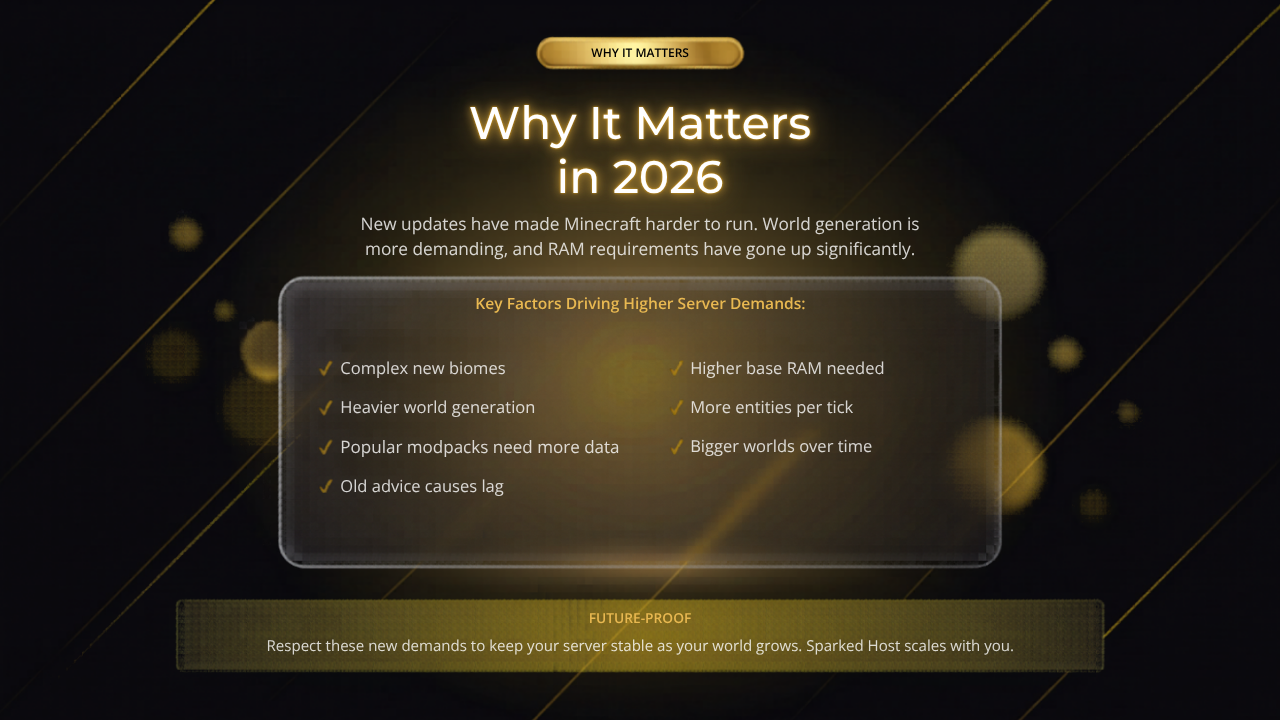
Also, many popular modpacks require a lot more data to be handled every second. In 2026, managing your resources well is key for a stable world. If you respect these new demands, you make sure your server stays ready for the future even as your world gets much bigger.
Is 2GB RAM Enough for Minecraft Hosting?
For most modern Java-based setups, 2GB is often only enough for very basic setups or a small server. While it may work for a few players on a fresh world or a small vanilla server, you will likely face lag as soon as exploration starts.
Some hosts market 2GB as supporting up to 10 players, but that only applies to basic setups and is not a realistic starting point for 2026 Java play. It leaves no room for error or growth. For a stable experience in 2026, 4GB is the real minimum you should aim for.
How Much RAM for a 10-player Minecraft Server in 2026?
For a vanilla server with 10 players, you should look for 6GB to 8GB of RAM. Player count directly affects ram allocation, since each additional player can add roughly 0.5-1.2 GB of RAM usage depending on exploration and activity. If you are using plugins to change the game, aim for at least 8GB to 12GB.
A good rule of thumb is to add about 1 GB of RAM for every 5 active players on top of the base server memory. Having this extra space lets the server handle all 10 players moving and building without hitting a performance wall.
Do Modded Minecraft Servers Need More RAM?
Yes, a modded Minecraft server almost always needs more RAM than vanilla. Mods add new blocks, items, and custom systems that the server must hold in memory. Mods plugins consume memory differently, so lightweight plugins can work well on smaller servers while larger modpacks scale up fast.
Modern packs have much higher baselines than older packs. Lightly modded servers need about 4GB to 6GB of RAM, and for 5–10 players that same range is a solid starting point. A heavily modded pack with hundreds of mods can easily require 12GB to 16GB or more to stay stable. Remove unused plugins and mods to save RAM.
Best RAM for Minecraft Bedrock vs Java Servers
Bedrock servers are written in C++ and are much more efficient, often running well on 2GB to 4GB even for small groups, especially when paired with budget Bedrock hosting or enterprise Bedrock hosting tailored to your player count and performance needs.
While, Java servers run on the Java Virtual Machine, which is more memory heavy, and vanilla Minecraft server software is less optimized than alternatives such as Paper.
So, you generally need to allocate 2GB to 4GB more to a Java server than you would for a Bedrock server of the same size, though in some cases less ram can still perform better when the server software is more efficient.
Real Requirements and Best Practices
Use this table as a Minecraft Server RAM Calculator style baseline, not a guarantee, when asking how much ram do I need for a setup. A Minecraft ram calculator or ram calculator can help frame the estimate, but keep some extra space for busy times, like when players are exploring or fighting many mobs, and then match that estimate against budget Minecraft hosting plans that fit your RAM and CPU needs.
| Server Type | Suggested Players | Recommended RAM |
|---|---|---|
| Vanilla / Paper | 1–5 | 4–6 GB |
| Vanilla / Paper | 10–20 | 8–12 GB |
| Light Modded | 1–10 | 4–6 GB |
| Heavy Modded | 5–20 | 12–16 GB+ |
| Large Community | 50+ | 16–32 GB+ |
| A Minecraft Server RAM Calculator gives a useful starting estimate, but real-world testing is still needed to confirm enough ram under peak load, and checking the underlying Sparked Host hardware helps you understand how different CPU and RAM tiers affect that testing. |
Factors That Affect It
Your play style changes what hardware you need. A simple survival world with two people uses much less memory than a busy public server. A public server often has many machines, farms, and players moving around.
Every extra thing you add can increase RAM usage, raise overall memory usage, and hurt server performance, so choosing the right enterprise Minecraft hosting tier becomes more important as your world grows.
Important Note on CPU Performance: RAM is not a silver bullet for lag. Single-core CPU performance (clock speed) is actually the primary constraint for Minecraft. A server with 64GB of RAM will still lag on a weak CPU. If your RAM is sufficient but you still experience lag, you are likely hitting a CPU bottleneck (TPS drops).
-
Mod or Plugin Count: Every addition forces the server to process more code, so heavily customized setups benefit from specialized modded Minecraft server hosting that can handle the extra load.
-
Player Count: More players mean more loaded chunks and heavier chunk loading.
-
World Size: If you explore a lot, the server must generate new chunks and keep more data in memory.
-
Automation: Big farms and redstone machines make the server work very hard.
-
View Distance: Higher settings mean the server must track a much larger area, and lowering simulation distance can reduce loaded chunks and lag.
Loaded chunks, world saves, and active player data all consume memory and can create memory pressure during busy moments.
Optimization Tips Without Spending More
Before you pay for a bigger plan, make sure you use your current resources well. You can install optimized server software like Paper or Purpur to reduce memory use, then monitor usage or watch memory during peak activity before upgrading.
These tools handle game logic better, which lets you host more players on the same amount of RAM without needing expensive upgrades, and only then consider moving to Extreme Minecraft hosting if your community still outgrows your current setup.
Be careful not to start over allocating ram. Giving Java too much ram can make java's garbage collector less efficient, leading to garbage collection pauses and lag spikes instead of stable performance. Aim to allocate 60–70% of your available server memory.
Using Aikar's Flags is the industry standard for tuning the G1GC garbage collector to perform smaller, more frequent cleanups that do not cause player lag. If pauses persist, reduce ram allocated rather than blindly adding more memory.
Aikar's flags are a set of JVM startup arguments designed to optimize Minecraft server performance by improving memory management and reducing garbage collection pauses.
Never allocate more than 50% of your total physical host machine RAM to a single Minecraft server.
-
Use Optimized Software: Switch to Paper or Purpur to save resources.
-
Lower View Distance: Lower view distance and simulation distance to reduce lag.
-
Pre-generate Chunks: Use tools like Chunky to stop lag when players explore.
-
Regular Restarts: Scheduled reboots help clear out memory leaks and cache files.
-
Limit Entities: Reduce mob spawn limits to keep the server running fast.
Hosting Solutions
Good hosting companies offer more than just basic memory, so choosing the right hosting plan for your game server matters as much as the RAM itself. A company like Sparked Host provides special hardware with fast processors and storage, and lets you choose between Budget, Enterprise, or Extreme plans based on how demanding your server is.
This makes sure the memory you pay for is used well by the CPU. That is why ram matters before performance problems start to affect your players.
A better hosting plan can also include automated backups, not just stronger CPU and storage, and many providers bundle these features across broader game hosting options if you run more than just Minecraft servers.
Growing your server is another important feature from good hosts. As your community gets bigger, your RAM needs will go up. Hosts that let you upgrade quickly are a better fit for the need for a Minecraft that can scale with more players, larger worlds, and added mods without forcing a full move later. Support teams can also help you tweak your settings.
Dedicated Hosting Options
For massive communities or highly complex modpacks, shared hosting may not be enough. Sparked Host offers dedicated server hosting options where you control the entire machine. This eliminates the risk of other users consuming your resources and provides total customization over the operating system and hardware configuration.
-
Total Resource Control: No shared CPU or RAM usage from other customers.
-
Custom Configurations: Install exactly what your server needs without restrictions.
-
Performance Stability: Consistent tick rates ideal for high-player counts, especially when paired with Extreme Minecraft hosting that’s built for large communities.
-
Enterprise Infrastructure: Access to high-end CPUs and massive storage arrays.
Conclusion
The secret to a successful server is planning your total RAM based on your expected player count and the complexity of your mods, and to run a Minecraft server well, start with a measured allocation and adjust based on actual memory usage, while always keeping in mind that CPU speed remains the ultimate performance driver.
So, Sparked Host is the best solution for these needs because they offer powerful, scalable plans that grow alongside your community. By following these exact recommendations, you now have the best guide available to confidently set up and manage your own Minecraft server, with the reminder that RAM matters more than simply adding more memory, especially for modded or growing servers.