How Knockback and Launching Work on Sulfur Cubes in Minecraft
Discover how knockback and launching mechanics affect sulfur cubes in Minecraft, enhancing your gameplay strategy. Read the article for insights!

Shahrukh Sial is a Gaming Content Strategist at Sparked Host. He identifies his own strategic outlines through deep research to cover game guides, tips, and updates that help players improve their skills and enjoy a better gaming experience.
This guide explains the complex physics of knockback and launching mechanics for Sulfur Cubes in Minecraft. It is designed for redstone engineers, map makers, and advanced players who want to utilize these mobs for transportation systems, minigames, or physics experiments.
We will cover how hit force converts to launch velocity, how hit location determines trajectory, and how different block archetypes alter friction and bounce. We will also detail the critical differences between Java Edition and Bedrock Edition physics.
Chaos Cubed Context
The Sulfur Cube and its unique physics were introduced in the Chaos Cubed update. This update added a new layer of complexity to Minecraft by allowing mobs to absorb blocks and inherit their physical properties. The launching mechanic is a core feature of this update, enabling new types of gameplays that rely on momentum, bounce, and slide physics.
Core Mechanics: Minecraft Sulfur Cube Knockback
Understanding the base mechanics is essential before experimenting with specific archetypes.
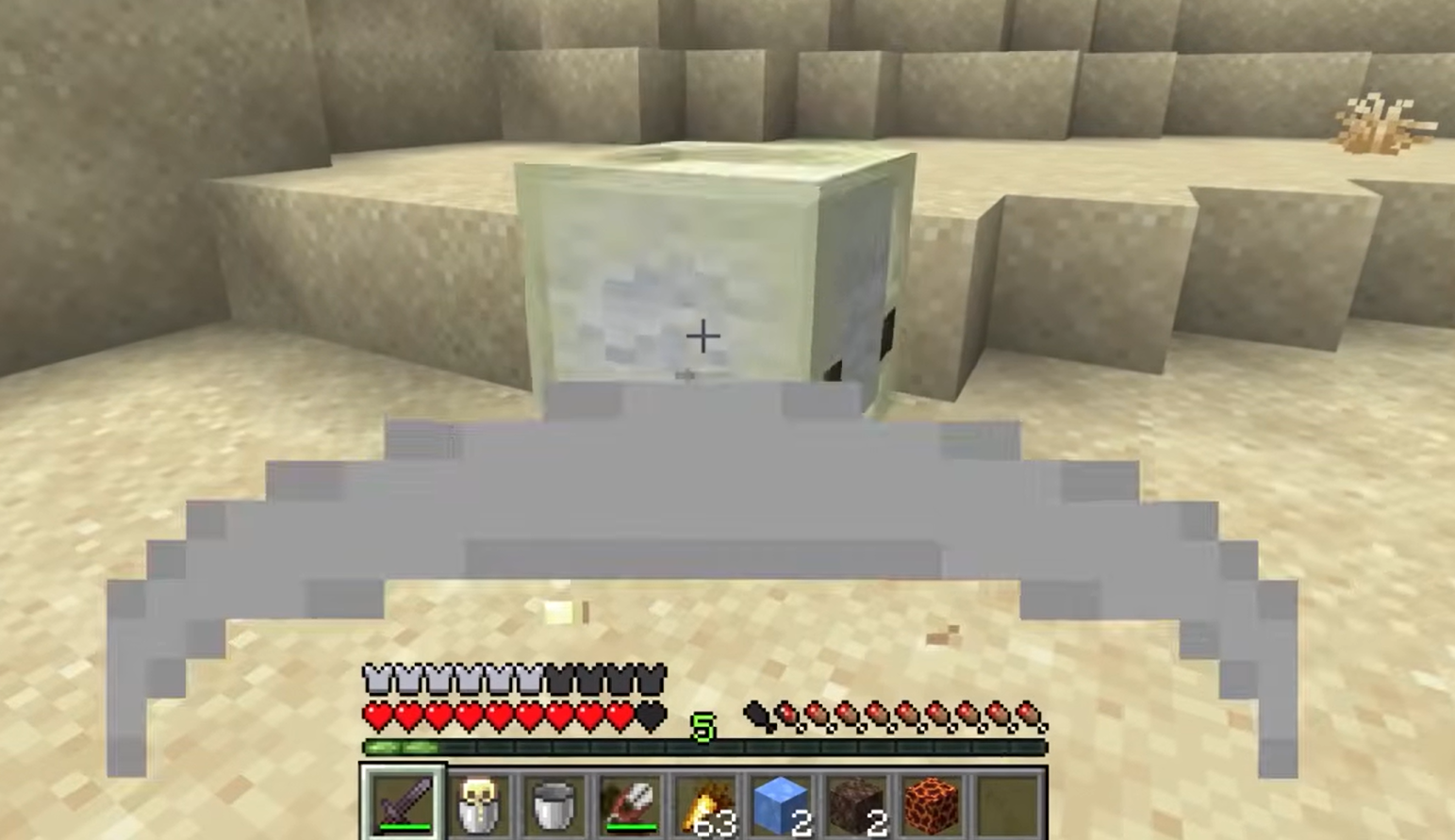
Hit Force and Launch Velocity
When a Sulfur Cube with an absorbed block is hit, it does not take damage in the traditional sense. Instead, the force of the attack is converted into kinetic energy, launching the cube.
-
Proportionality: The distance and speed of the launch are directly proportional to the damage value of the attack. A diamond sword will launch the cube significantly farther than a bare hand.
-
Enchantments: The Knockback and Punch enchantments add additional force, increasing launch distance.
Hit Location and Trajectory
The direction of the launch is determined by where the attack hits the cube.
-
Opposite Reaction: The cube is launched in the opposite direction of the hit location relative to its center. Hitting the left side launches it to the right. Hitting the bottom launches it upward.
-
Precision: Precise aiming allows for controlled trajectories, which is crucial for complex redstone contraptions.
Damage-to-Distance Testing
Players can test the relationship between damage and distance by using weapons with different damage values.
-
Hit the cube with a bare hand (1 damage) and measure the distance.
-
Hit the cube with a wooden sword (4 damage) and measure the distance.
-
Compare the results to understand the scaling factor for your specific build.
Bedrock Edition Differences
It is critical to note that physics behave differently between editions.
Airborne Knockback
-
Bedrock Edition: If a Sulfur Cube is already in the air when hit, it receives a significantly larger vertical boost compared to Java Edition. This can lead to unpredictable high-altitude launches.
-
Java Edition: Airborne knockback is consistent with ground-level knockback, resulting in more predictable trajectories.
Testing Recommendation
Always test your specific setup on the target edition. Do not assume a design built in Java will work identically in Bedrock due to these physics engine differences.
Archetype Modifiers to Knockback
Different absorbed blocks (archetypes) modify the cube's friction, bounce, and knockback resistance. We have grouped these by their launch behavior to help you choose the right material for your project.
Regular Archetype
Blocks: Concrete Powder, Mud, Grass Block, Dirt, Clay, Bone Block.
-
Behavior: Provides a baseline for knockback and bounce. The cube will slide and bounce moderately.
-
Testing: Measure baseline launch distances with these blocks to establish a control group for your experiments.
-
Use Cases: General purpose launches where predictable, moderate behavior is required.
Bouncy Archetype
Blocks: Planks, Logs, Wood, Bamboo Blocks, Mosaic.
-
Behavior: High elasticity. The cube will bounce multiple times and maintain high speed after each bounce.
-
Testing: Perform multi-hit rebound tests to see how momentum is preserved.
-
Use Cases: Minigames requiring high mobility, obstacle courses, or "pinball" style mechanics.
Slow Bouncy Archetype
Blocks: Stone, Cobblestone, Most Stone-like blocks.
-
Behavior: Combined weight and moderate elasticity. The cube will bounce but travel slower and with less height than the Bouncy archetype.
-
Testing: Record travel distances and bounce heights to understand the damping effect.
-
Use Cases: Controlled buoyant launches where you want some bounce but limited range.
Fast Flat Archetype
Blocks: Coral Blocks, Sponge, Moss Block, Pumpkin, Melon, Froglights.
-
Behavior: Low bounce with higher horizontal speed. The cube will slide and glide rather than bounce.
-
Testing: Measure glide distance on flat surfaces to determine efficiency for transport.
-
Use Cases: Farm automation, item transport systems, or rapid horizontal movement.
Fast Sliding Archetype
Blocks: Blue Ice, Packed Ice, Snow Block.
-
Behavior: Extremely low friction. The cube will slide rapidly with almost no bounce.
-
Testing: Test launches on various surfaces to see how the ice interaction compounds with the surface friction.
-
Use Cases: High-speed transport lines or slippery traps.
Slow Sliding Archetype
Blocks: Mushroom Blocks, Mycelium, Nether Wart Block, Shroomlight.
-
Behavior: Low speed and predictable slide outcomes. The cube will slide slowly and stop quickly.
-
Testing: Compare slide distances across different surfaces to find the stopping point.
-
Use Cases: Precision positioning or slow-moving mechanisms.
High Resistance Archetype
Blocks: Soul Sand, Soul Soil.
-
Behavior: Strong knockback resistance. The cube will move very little even when hit with high-damage weapons.
-
Testing: Verify resistance by attempting to launch the cube with maximum force weapons.
-
Use Cases: Anchors, static obstacles, or traps where movement must be minimized.
Explosive Archetype
Blocks: TNT.
-
Behavior: The cube can be ignited to explode. When launched, it retains this property.
-
Testing: Document launch outcomes when the cube is detonated mid-air. Note that explosion force can also launch the cube further.
-
Use Cases: Projectile weapons, explosive traps, or demolition tools.
Hot Archetype
Blocks: Magma Block.
-
Behavior: Damages nearby entities on contact. Launch physics are similar to Regular archetypes but with added danger.
-
Testing: Test launch interactions with other entities to see how damage affects behavior.
-
Use Cases: Hazardous obstacles or defensive mechanisms.
Sticky and Other Special Archetypes
Blocks: Honeycomb Block (Sticky), Wool (Light).
-
Sticky Behavior: Zero bounce and high friction. The cube will stick to surfaces and stop immediately upon contact.
-
Light Behavior: Low gravity. The cube will float and fall slowly, altering its trajectory significantly.
-
Testing: Test player and mob collisions with Sticky archetypes to see how they interact. Test fall speeds with Light archetypes.
-
Use Cases: Elevators (Sticky), floating platforms or slow-fall mechanics (Light).
Practical Test Setups
To accurately measure and utilize these mechanics, we recommend the following test setups.
Horizontal Launch Test
-
Create a flat, long corridor with measurement markers every block.
-
Place a Sulfur Cube with the target archetype at the start.
-
Hit the cube with a standardized weapon (e.g., Diamond Sword) from a fixed position.
-
Measure the distance traveled before stopping.
Vertical Launch and Bounce Test
-
Create a vertical shaft with glass walls for visibility.
-
Place measurement markers on the outside of the glass.
-
Hit the cube upward and record the maximum height reached.
-
Count the number of bounces and the height of each subsequent bounce.
Data Logging
-
Log the block type, weapon used, hit location, and resulting distance/height.
-
Use frame-by-frame video analysis for precise measurements of velocity and trajectory.
Measuring and Reporting Metrics
When documenting your findings, focus on these key metrics:
-
Launch Velocity: How fast the cube moves immediately after impact.
-
Travel Distance: How far the cube travels before stopping.
-
Bounce Count: How many times the cube bounces before coming to rest.
-
Consistency: Ensure you use the same hit force and weapon for all tests to maintain data integrity.
Round your data to the nearest whole number for simplicity in guides but keep precise records for your own engineering work.
Troubleshooting Common Pitfalls
-
Terrain Irregularities: Ensure your test area is perfectly flat. Even a single uneven block can skew results.
-
Wrong Archetype: Verify that the cube has successfully absorbed the intended block. A cube without an absorbed block will not launch correctly.
-
Edition Confusion: Do not compare results between Java and Bedrock. The physics engines are fundamentally different.
Summary Recommendations
-
For Mobility: Use Bouncy or Fast Sliding archetypes for maximum distance and speed.
-
For Traps: Use Explosive or Hot archetypes to create dangerous projectiles.
-
For Minigames: Use a mix of archetypes to create complex puzzles requiring different physical responses.
-
Bedrock Caution: Be extremely careful with airborne launches in Bedrock Edition due to the exaggerated vertical knockback.
We encourage players to continue experimenting with undocumented behaviors and report any anomalies to the official Minecraft bug tracker. The physics of Sulfur Cubes offer a vast playground for innovation, and your discoveries could lead to the next great Minecraft invention.