Before You Update Your Minecraft Server for Chaos Cubed, Read This First
Prepare your Minecraft server for Chaos Cubed (26.2). Learn about sulfur caves, the Sulfur Cube mob, and safe update steps with Sparked Host.

Shahrukh Sial is a Gaming Content Strategist at Sparked Host. He identifies his own strategic outlines through deep research to cover game guides, tips, and updates that help players improve their skills and enjoy a better gaming experience.
Chaos Cubed is the kind of update that can transform Minecraft servers worldwide. The sulfur caves biome and the Sulfur Cube mob sound thrilling, but updating too quickly can lead to downtime, broken plugins, or even corrupted worlds. This guide is designed to help server owners prepare the right way before the June 16 release.
Chaos Cubed (26.2) introduces new gameplay mechanics and server-side changes that affect stability. From fresh multiplayer options to split anti-spam settings, the update touches both players and administrators. Knowing how to prepare ensures that servers stay online, and communities enjoy the new content without disruption.
Minecraft Chaos Cubed (26.2) Release Date: What It Changes
Announced during the Minecraft Live March 2026 stream, the Chaos Cubed update adds a new underground sulfur caves biome filled with colorful new blocks, including sulfur and cinnabar, along with the Sulfur Cube mob.

This mob absorbs blocks and copies their properties, creating unpredictable physics that can challenge farms, plugins, and protection systems.
On the server side, the Open to LAN screen is replaced with new multiplayer options, and server.properties now includes separate chat and command anti-spam settings.
How Chaos Cubed Affects Gameplay
Players exploring sulfur caves will encounter new mechanics that change how Minecraft feels underground, so watch your step around geysers that shoot water upward at high pressure.
The Sulfur Cube’s ability to copy block properties can disrupt farms, Redstone contraptions, and automated builds. For communities that rely on complex systems, this means gameplay may feel different until plugins and mods adapt.
Why You Should Not Update Immediately
Public servers that rely on plugins or mods often face compatibility issues on release day. Paper, Spigot, and mod loaders usually need several days to release stable builds. Updating too early can cause startup failures or gameplay errors.
For private vanilla servers, updating on day one is usually safe, but plugin-heavy servers that use large modpacks may benefit from modded Minecraft server hosting with scalable resources and should wait until compatibility is confirmed.
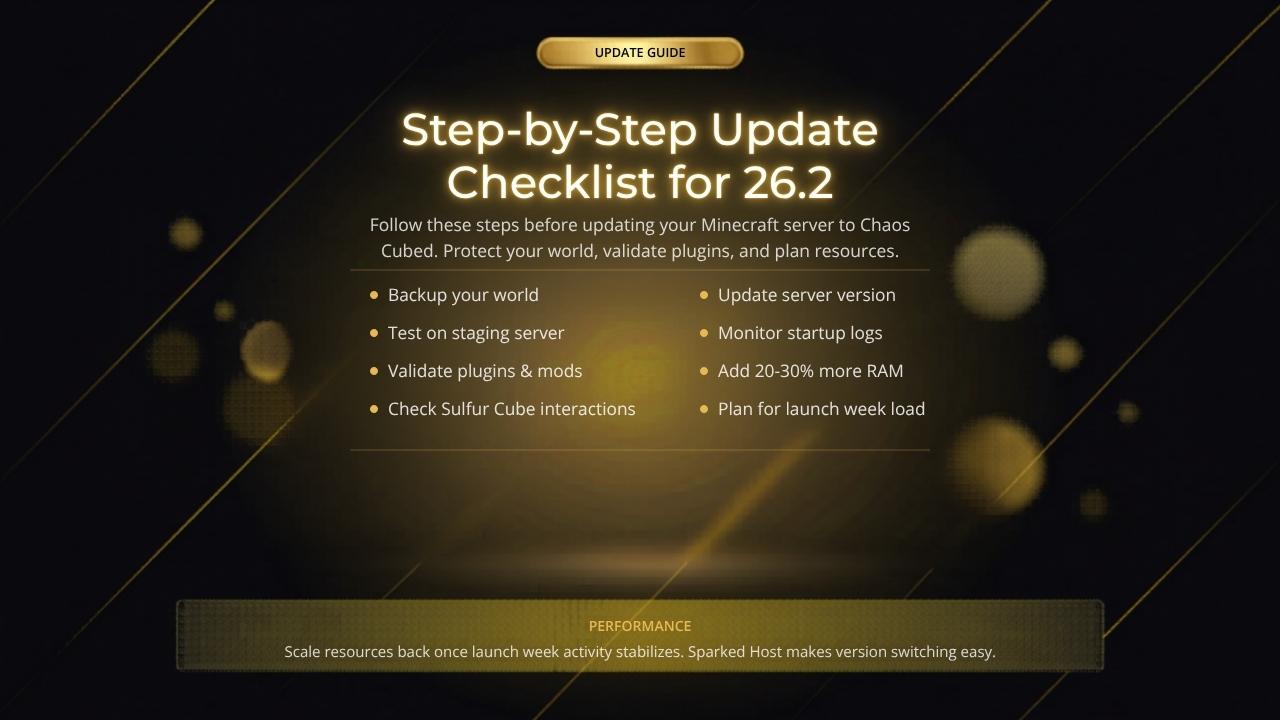
Step-by-Step Update Checklist
If you are still in the planning phase of launching your server, consider using Sparked Host’s game hosting for popular multiplayer titles so you can scale smoothly as Chaos Cubed players join.
Step 1: Backup Your World
Always create a full back up before updating. Once a world is opened in 26.2, rolling back may not be possible. Store a dated archive locally or use your hosting panel’s backup feature.
Step 2: Test Chaos Cubed on a Staging Server
Set up a separate test server to validate the update. Copy your production world and run simulations with farms, Redstone, and claims. If the test server runs smoothly, the production server is more likely to survive launch day.
Step 3: Validate Plugins, Mods, and Packs
Check each plugin and mod for 26.2 compatibility. Pay special attention to protection plugins and automation mods, since the Sulfur Cube’s physics can disrupt them. Admins should also test edge cases such as feeding a sulfur cube tnt, because it makes the mob explode and can trigger an explosive interaction. You can transport sulfur cubes with a bucket, so check any plugins or protections that affect entity movement before launch. Confirm stable builds of server software like Paper or Spigot before migrating.
Step 4: Update Your Bedrock Edition Server Version on Sparked Host
If you are running Bedrock Edition, Sparked Host’s Minecraft Bedrock server hosting plans make it easy to switch versions while keeping performance and uptime reliable.
Once staging tests are complete, update the server version through Sparked Host’s panel. Select the correct version, apply changes, and monitor startup logs for errors. If the server fails to start, check for Java mismatches before troubleshooting further.
Step 5: Plan RAM and Monitor Performance
Chaos Cubed’s new physics may increase server load. Add 20 to 30 percent more RAM during launch week to handle player spikes. For long-term stability, some communities migrate to dedicated servers with flexible hardware options. Scale resources back once activity stabilizes.
Server Owner Tips for Minecraft Chaos Cubed
If your players are spread across different regions, review Sparked Host’s hardware and global server location options so communities can connect to low-latency nodes during and after the update.
-
Communicate update plans with your players before making changes.
-
Schedule downtime during off-peak hours to minimize disruption.
-
Use Discord or community forums to announce staging tests and gather feedback.
-
Encourage players to explore new chunks and check the surface for sulfur springs or geysers, which signal the location of Sulfur Caves, instead of resetting maps.
-
Ask players to post discoveries or hazard reports from newly generated areas.
Do You Need a Map Reset
A full reset is not required. Sulfur caves and new biomes generate only in unexplored chunks, and as players explore farther from spawn, they may also find unique hanging sulfur spikes in Sulfur Caves, unlike ordinary terrain generation.
Players will discover them naturally as they explore farther from spawn. If new biomes are desired near spawn, consider a partial reset, but remember that resets erase player builds.
Frequently Asked Questions
What is the release date for Chaos Cubed (Java 26.2)? Chaos Cubed releases on June 16, 2026, across all platforms.
Should servers update on release day? Vanilla servers can usually update immediately. Plugin-heavy servers should wait until stable builds are available.
Will Chaos Cubed break plugins and mods? Yes, at least temporarily. Validate each plugin and mod on a staging server before updating production.
Do new biomes require a map reset? No. They generate in unexplored areas, so resets are optional.
What is the Sulfur Cube mob? It is a passive mob found in sulfur caves that absorbs blocks and copies their properties, creating unique physics challenges. If you drop certain blocks or items near it, its behavior can change.
How do sulfur caves generate in Chaos Cubed? They appear in unexplored underground chunks, meaning players need to travel beyond previously loaded areas to find them. Players can also build with Yellow Sulfur and Red Cinnabar found there.
Can sulfur springs harm players? Yes. Sulfur springs appear above the caves as a warning sign, and their noxious gas can cause nausea.
What is the difference between Chaos Cubed Java 26.2 and Bedrock 26.30? Both versions release on the same day, but Java uses the 26.2 format while Bedrock uses 26.30. Features are aligned, though server management tools differ, and Bedrock Edition multiplayer options are not the same as Java.
Final Features Checklist Before Updating
-
Backup your world.
-
Test Chaos Cubed on a staging server.
-
Validate plugins, mods, and Best datapacks.
-
Update your server version on Sparked Host.
-
Plan RAM and monitor performance.
Conclusion
Chaos Cubed is one of the most impactful Minecraft updates in years, but the excitement of new biomes and mobs should not overshadow the importance of preparation. Backups, staging tests, plugin validation, and resource planning are the steps that separate smooth updates from server disasters.
With Sparked Host’s tools and hosting panel, along with its broader dedicated server hosting and gaming infrastructure, server owners worldwide can upgrade confidently, knowing their communities will be ready to explore the sulfur caves without interruption. This is the kind of preparation that makes a server stand out as reliable, professional, and ready for the future.