Minecraft's Biggest Update Of 2026: Everything New in the Chaos Cubed Update
Discover the key features of Minecraft's Chaos Cubed Update, from new biomes to gameplay changes. Dive in to see how it transforms your gaming experience!

Shahrukh Sial is a Gaming Content Strategist at Sparked Host. He identifies his own strategic outlines through deep research to cover game guides, tips, and updates that help players improve their skills and enjoy a better gaming experience.
The Chaos Cubed update is officially here for Minecraft. This release marks the second major game drop of 2026. Players across all platforms can now experience new biomes and mechanics designed to change the standard gameplay loop. This update brings massive content changes to both Java 26.2 and Bedrock 26.30.
Before you dive into a main world, you should test these features in a secure environment. Java players can enable snapshots in the launcher. Bedrock players should use the preview or beta channels. Always create a backup of your world to prevent any issues before you start exploring the new content.
Important Note for Server Admins: Before updating your main server to Chaos Cubed, always create a full backup and test your entire plugin stack on a separate staging instance. This protects your world data from corruption and helps you identify compatibility issues before your players experience them.
Key Takeaways
-
Chaos Cubed is the second big update of 2026 for Minecraft.
-
It adds sulfur caves with yellow fog and sulfur springs that cause dizziness.
-
Potent sulfur creates geysers when placed over magma blocks.
-
New blocks include cinnabar and sulfur for building and decoration.
-
Sulfur cube mob absorbs blocks and changes its traits, making it useful for mini games.
-
Feeding TNT to sulfur cubes makes them dangerous but powerful for clearing areas.
-
Builders can use geysers and sulfur cubes for parkour maps, arenas, and redstone contraptions.
-
Java and Bedrock handle features slightly differently, but both aim for stable gameplay.
-
Bedrock adds Parties for smoother multiplayer and a new Bounce music disc collectible.
-
Server owners should test updates on staging servers and monitor performance before going live.
-
Players are encouraged to report bugs and give feedback to help balance new features.
Exploring the Atmosphere of Sulfur Caves and Sulfur Springs
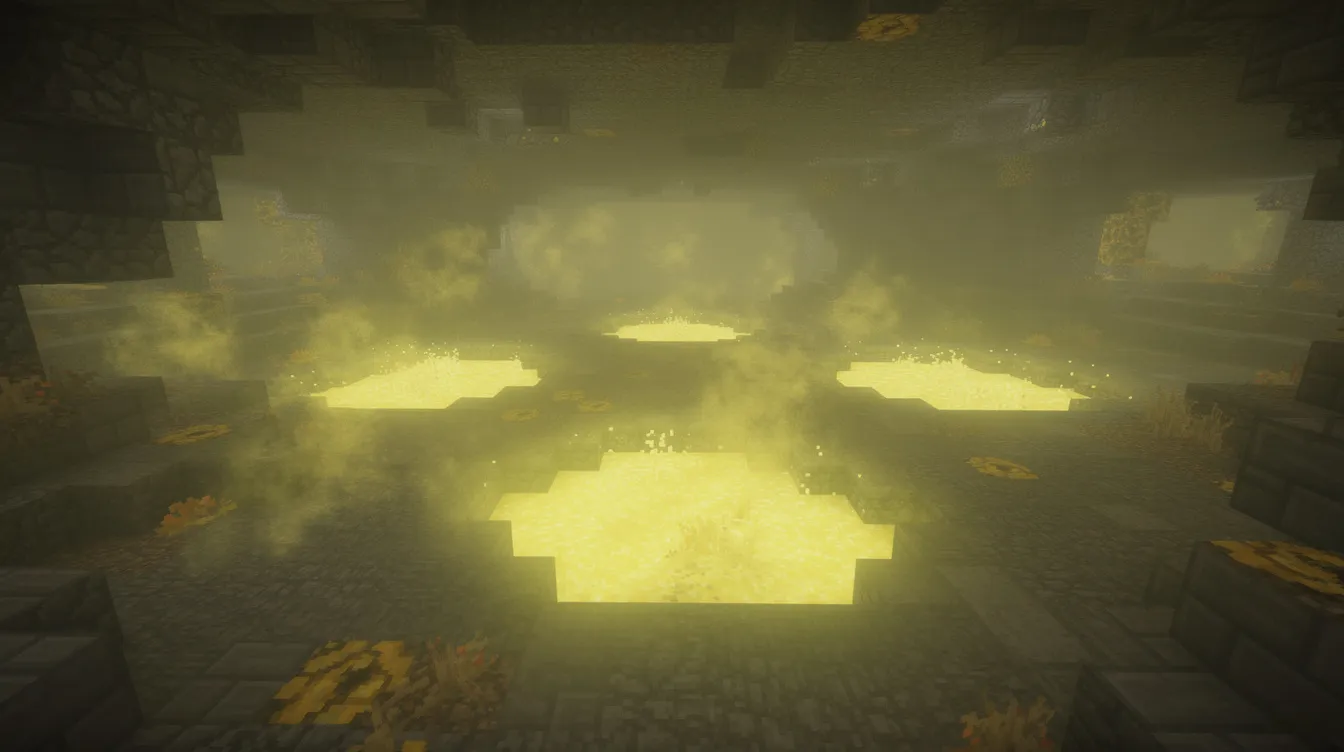
Sulfur caves bring a unique look to the underground. They feature a hazy yellow fog and low, echoing audio effects. These caves contain sulfur springs which form in small pools throughout the area. These springs are easy to spot because they contrast sharply with the surrounding stone and deepslate blocks.
Be careful when you walk through these springs. The noxious pools cause a dizziness effect that makes it difficult to navigate. This status effect stays for a short time after you leave the water. Plan your path through these caves carefully to avoid getting lost in the thick yellow gas.
Understanding Potent Sulfur and New Building Blocks
Potent sulfur is a new block that acts as the foundation for the geothermal energy found in the caves. When you place it over a magma block, this substance reacts to create powerful geysers. These blocks appear in deep underground pockets, and you must use a pickaxe to harvest them correctly.
You will also find cinnabar and sulfur blocks throughout these biomes. Cinnabar provides a vibrant new color palette for building. Sulfur blocks serve as a raw resource for crafting or decoration. These materials are rare, so you should explore the deeper cave levels to find the largest clusters of them.
Mastering Geyser Formation and Advanced Launch Mechanics
Geysers appear naturally when a magma block sits directly underneath a potent sulfur block in a water source. The resulting eruption creates a vertical water column that can shoot entities into the air up to twenty blocks high. A lot of that maximum launch height depends on the water depth above the potent sulfur block, which is what makes the geyser erupt.
Redstone engineers can use these mechanics to create complex transport systems. You can trigger eruptions by moving blocks into place to complete the circuit. Keep in mind that geysers have a short cooldown period after each eruption. Account for this timing when you build your parkour or transport machines.
Leveraging the Unique Behaviors of the Sulfur Cube Mob
The sulfur cube is the most unique creature in the update. This mob can absorb nearby blocks and copy their physical properties. If it consumes a wood block, its outer texture changes and it gains the blast resistance of wood. If it consumes ice, it becomes slippery and moves much faster.
These behaviors make the sulfur cube a great tool for custom mini games. You can control the environment by limiting what blocks are available for the mob to eat. This allows you to create challenges that require specific block properties to solve, which adds a new layer of depth to your servers.
Managing Volatile TNT Interactions with Sulfur Cubes
Feeding TNT to a sulfur cube creates a volatile combination. Once a cube consumes TNT, it becomes a ticking hazard. You can ignite the TNT inside the cube to create a contained explosion. This is useful for clearing large areas, but it is also a very dangerous task to perform.
Be aware that these interactions can lead to irreversible chain reactions. If a sulfur cube holding TNT touches another block that can be absorbed, the explosion might trigger earlier than expected. Always keep a safe distance when you experiment with these mobs to avoid destroying your own builds or machines.
Creating Innovative Builds and Competitive Mini Games
The new mechanics in Chaos Cubed open many doors for creative builders. You can design intense parkour maps that rely on geysers to launch players across long gaps. Arena designers can use sulfur cubes to create mobs that change their physical traits based on the blocks inside the combat area.
Redstone contraptions can also exploit the block absorption ability. By setting up automated systems that feed specific blocks to cubes, you can create dynamic walls or doors that change their properties. The look of sulfur springs also makes them perfect for creating industrial or naturalistic themed bases.
Monitoring Performance Impacts and Edition Differences
Java Edition and Bedrock Edition handle these new entities slightly differently due to the engine differences. Java Edition also gets an upgraded built-in friends list for easier friend management. Java players might notice more fluid physics interactions. Bedrock players will likely see consistent behavior across different hardware. Both versions are designed to maintain a stable experience, but intensive use of geysers can stress a server.
If you run a server, monitor your performance during the first few days of the update. Large arrays of sulfur cubes or constant geyser eruptions can increase the load on your CPU. Start with a few test builds to see how your server handles the new physics before you build massive farms.
New Multiplayer Features and Collectibles
Bedrock 26.30 introduces the Parties feature for a smoother multiplayer experience. This tool allows players to group up and move between worlds or realms as a single unit. Leaders can invite up to fourteen friends to join a session. The group can then follow the leader automatically whenever they join a new server.
This update also adds the Bounce music disc. You can find this rare item in chests located in mineshafts that intersect with the new sulfur cave biomes. It features a unique track that captures the chaotic energy of the new update. Be sure to check every chest while you explore the deep sulfur layers.
How to Conduct Testing and Submit Official Feedback
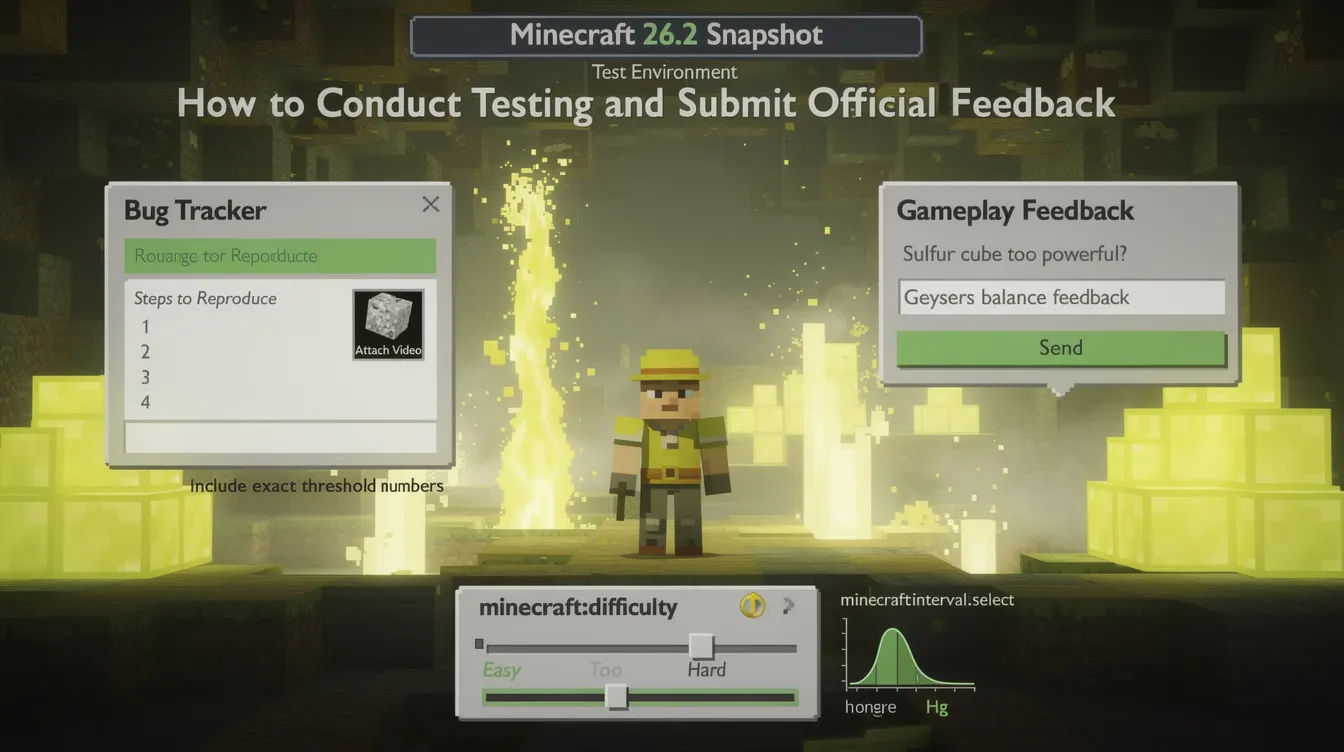
Testing is a vital part of the update cycle. If you find a bug while exploring the sulfur caves or interacting with sulfur cubes, report it on the official bug tracker. Include a clear, step-by-step reproduction process with the exact number used in any threshold-based test and attach a video, if possible, as this helps developers identify the root cause much faster.
Minecraft 26.2 Snapshot adds the minecraft:interval_select feature for density functions.
The test environment in Minecraft 26.2 Snapshot now includes a minecraft:difficulty setting, so game difficulty can be set while testing.
You can also submit your gameplay feedback through the official feedback site. Let the team know if you feel the geysers need a balance change or if the sulfur cube mechanics feel too powerful. Your input helps shape future patches and ensures the game remains fun for everyone in the community.
Conclusion
The Chaos Cubed update introduces fresh gameplay mechanics that will redefine how players build, explore, and compete in Minecraft. From the geothermal power of geysers to the strange, block-absorbing abilities of the sulfur cube, this update offers something for every type of player.
By testing these features in a staging environment and staying active in the feedback process, you help ensure that these new systems remain balanced and polished. Take your time to experiment with the new blocks and mobs, and you will quickly master the chaotic potential of this release.