Best Furniture Mods for Minecraft 26.1
Discover the top furniture mods for Minecraft 26.1 that will elevate your builds. Enhance your gameplay today—read the article for all the details!

Shahrukh Sial is a Gaming Content Strategist at Sparked Host. He identifies his own strategic outlines through deep research to cover game guides, tips, and updates that help players improve their skills and enjoy a better gaming experience.
Best Furniture Mods for Minecraft 26.1
Building a house in Minecraft is a core part of the experience, but the default blocks often feel limited when you want to decorate. You might find that stairs and slabs do not quite capture the cozy feeling of a real living room or a modern kitchen layout.
Furniture mods change the game by adding hundreds of specialized items that make your builds look professional and lived in. These additions range from working electrical appliances to decorative outdoor sets that help you create the perfect home. This guide explores the most reliable options available for the 2026 season.
How to Install Furniture Mods in Minecraft
Installing furniture mods is a great way to customize your game, but the process depends on whether you play the Java Edition on a computer or the Bedrock Edition on a console, mobile device, or Windows. For the most modern experience in 2026, you will likely be using a mod loader that handles the heavy lifting for you.
Java Edition Installation Steps
Java Edition offers the most flexibility for mods. To get started, you must choose a mod loader. Most furniture mods use either Forge or Fabric. You should check the download page of your chosen furniture mod to see which loader it requires before you begin these steps.
-
Install a Mod Loader: Visit the official website for Forge, Fabric, or NeoForge. Download the installer for version 26.1 and run it on your computer. This creates a new "profile" in your Minecraft Launcher.
-
Download the Furniture Mod: Go to a trusted site like CurseForge or Modrinth. Find the furniture mod you want and download the file. These files usually end in a .jar extension.
-
Locate the Mods Folder: On your keyboard, press the Windows Key + R at the same time. In the box that appears, type %appdata%/.minecraft and press Enter. Look for a folder named mods. If it is not there, you can right-click and create a new folder with that exact name.
-
Move the Mod File: Take the .jar file you downloaded and move it directly into the mods folder. Do not unzip the file.
-
Launch the Game: Open your Minecraft Launcher. In the bottom left corner, click the version menu and select the profile for your mod loader (for example, "Forge 26.1"). Click Play to start the game with your new furniture.
Bedrock Edition (Consoles, Mobile, and Windows) Installation Steps
Bedrock Edition uses a different system called Add-ons. These are much easier to install because the game handles most of the file placement for you automatically.
-
Find an Add-on: You can browse the official Minecraft Marketplace inside the game for furniture packs, or download community-made files from websites like MCPEDL.
-
Open the File: If you downloaded a file from the internet, it will likely end in .mcaddon or .mcpack. Simply double-click or tap the file. Minecraft will open automatically and display a message saying "Import Started."
-
Activate in Your World: You do not turn these on for the whole game at once. You must go to the Settings of a specific world. Scroll down on the left side to Resource Packs and select your furniture mod under "My Packs," then click Activate.
-
Apply Behavior Packs: Many furniture mods also require a Behavior Pack to function. Scroll down to the Behavior Packs section in your world settings and ensure the matching pack is also activated.
-
Enable Experimental Features: Some advanced 26.1 furniture mods require "Experimental Gameplay" to be turned on. Go to the Experiments tab in your world settings and toggle these on before entering your world.
13 Best Furniture Mods for Minecraft 26.1
Finding the right style for your world is essential because every player has a different vision for their space. Some creators prefer a realistic look with high-definition textures, while others want furniture that matches the classic pixelated style of the original game. These thirteen mods represent the very best variety.
Choosing the right decoration pack can completely change how you feel when you walk into your digital base. Whether you want a high-tech gaming room or a rustic kitchen, the 2026 modding scene has something for everyone. This list focuses on the most stable and visually impressive options available right now.
13# MrCrayfish’s Furniture Mod: Refurbished
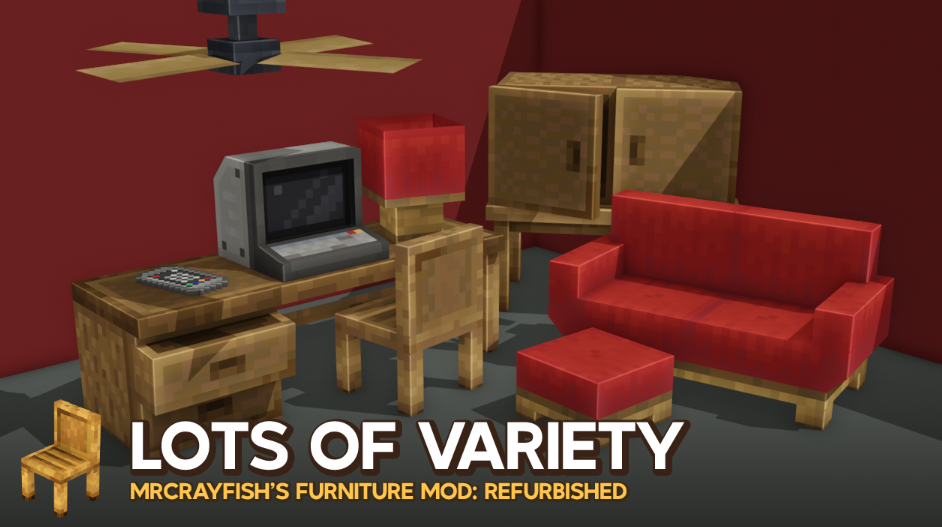
This mod remains the gold standard for players who want interactive and functional items. It includes working ovens that cook food, refrigerators for storage, and even computers that allow you to browse a fictional in-game internet. The "Refurbished" edition for 26.1 features high-quality 3D models that look professional while still feeling like they belong in the blocky world.
Beyond basic home goods, this mod introduces a complex mail system and electrical grids. You can set up working doorbells and light switches that actually control the lamps in your house. It is the perfect choice if you want your home to be more than just a static building, as almost every piece of furniture serves a genuine purpose.
12# Macaw’s Furniture
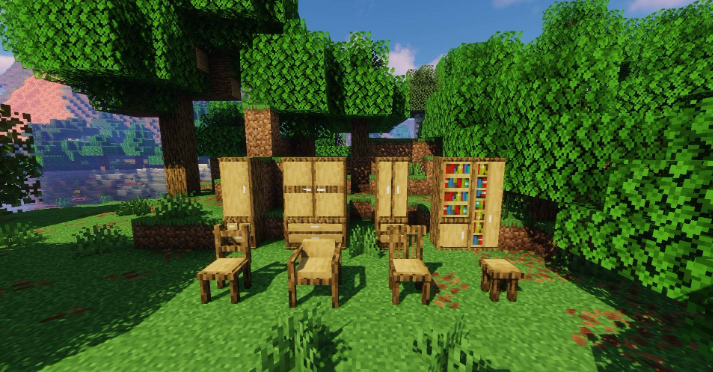
If you are someone who struggles with storage, Macaw’s Furniture provides an incredible amount of variety. It adds specialized wardrobes, bookshelves, and desks that let you organize your items visually. The best part is that every single item comes in every wood type available in the game, including the newer 2026 wood variants, so your furniture will always match your flooring.
The mod also includes unique structural pieces like tall windows and room dividers. These allow you to create distinct areas in a large room without using thick, solid walls. Because the designs are simple and clean, they blend perfectly with the standard Minecraft textures, making them a favorite for builders who prefer a "Vanilla Plus" look.
11# Adorn
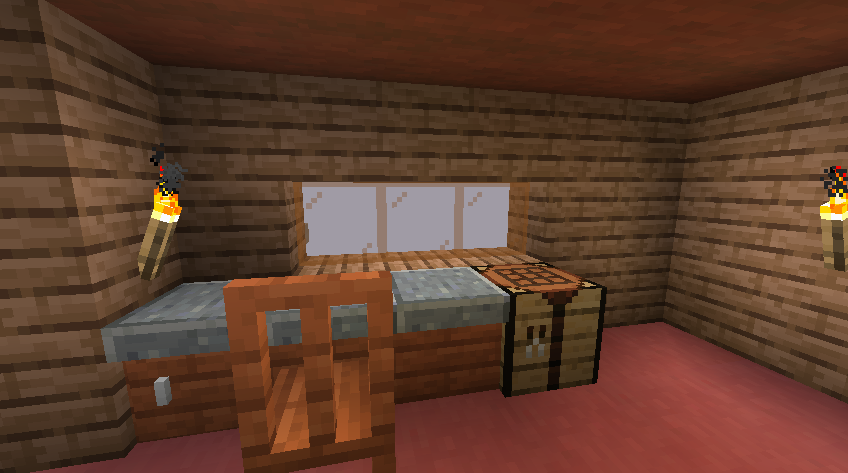
Adorn is specifically built for players who want a cozy and comfortable atmosphere. It adds a wide range of sofas, kitchen cupboards, and coffee tables that focus on aesthetic charm. One of the best features is the ability to sit on the chairs and sofas without needing a separate mod, which makes it great for roleplaying with friends on a server.
In addition to furniture, Adorn adds small utility items like stone torches and chimneys that emit real smoke particles. These details help you build the perfect mountain cabin or forest cottage. The mod is highly optimized for the Fabric and Quilt loaders, ensuring that your game runs smoothly even if you decorate every single room in a massive mansion
10# Handcrafted
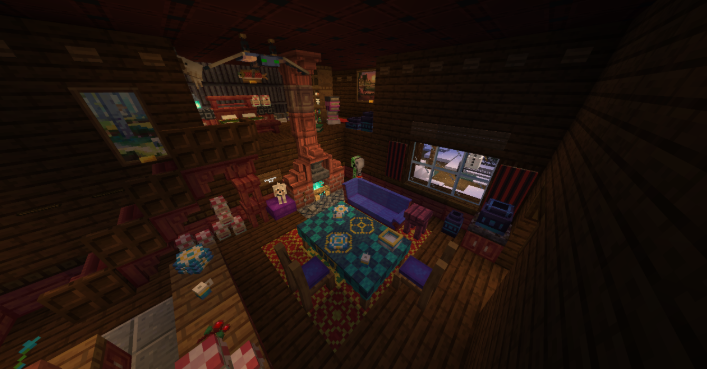
Handcrafted is a mod that focuses on modularity and high-quality craftsmanship. It allows you to place individual couch segments together to create massive L-shaped sofas or long dining tables. The textures are incredibly detailed, featuring subtle wood grains and fabric patterns that make the furniture stand out as premium pieces within your home.
The mod also includes a wide variety of "knick-knacks" such as plates, trophies, and small statues that you can place on top of your furniture. This level of customization ensures that no two rooms ever look exactly the same. It is a fantastic choice for players who enjoy spending hours perfecting the tiny details of their interior designs.
9# DecoCraft
DecoCraft is famous for having one of the largest libraries of decorative items in the history of Minecraft modding. It adds thousands of models ranging from kitchen sinks and toilets to grand pianos and playground equipment. If you can imagine an object in real life, there is a high chance that DecoCraft has a version of it for your world.
While most of the items are purely for show and do not have complex functions, they provide a level of realism that other mods cannot match. You can use this mod to build realistic hospitals, schools, or science labs. Because it uses its own custom "DecoBench" for crafting, it does not clutter your standard crafting menu, which keeps the game organized.
8# Another Furniture Mod
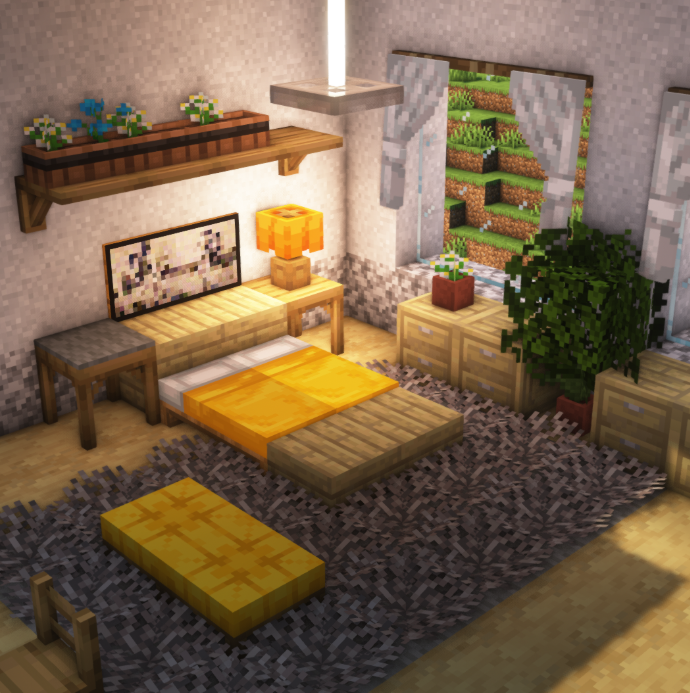
This mod is a lightweight alternative for players who want furniture that stays strictly within the 16x16 pixel style of Minecraft. It provides benches, flower pot shelves, and shutters that feel like they were made by Mojang themselves. It is very popular because it does not require much memory, making it ideal for low-end computers.
One of the standout features is the functional drawer system. You can actually store a small number of items in the desks and nightstands, which helps keep your base tidy. The mod also includes curtains and blinds that you can open or close, giving you control over the lighting and privacy of your indoor spaces.
7# Paladin’s Furniture
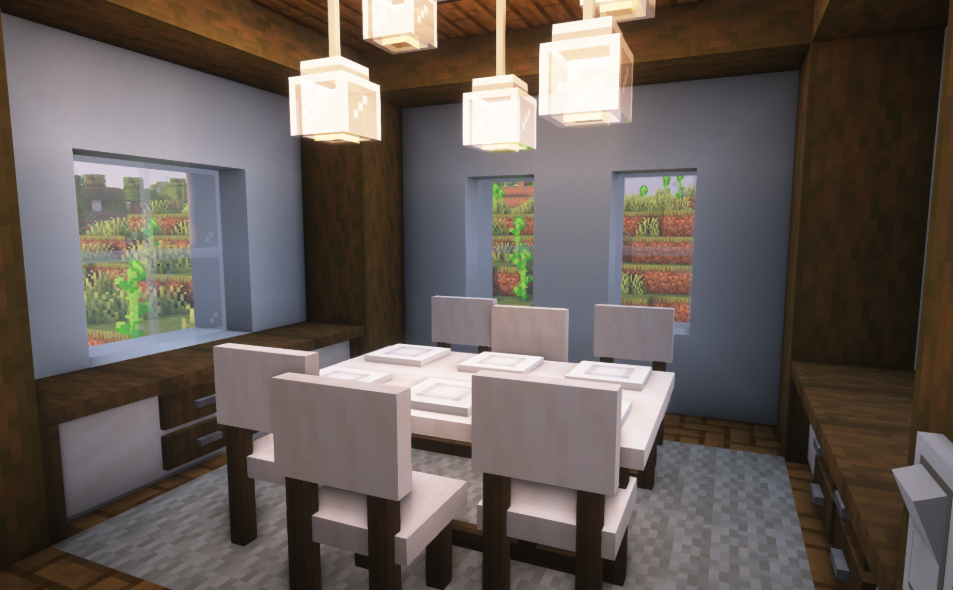
Paladin’s Furniture is designed for players who are building modern, high-end houses or luxury apartments. It features sleek, white porcelain bathroom sets and stainless steel kitchen appliances. The models have smooth edges and a clean look that fits perfectly with modern architectural styles and glass-heavy builds.
You will also find items like flat-screen TVs and modern ceiling fans that add a touch of 21st-century living to your base. The mod is frequently updated to ensure that the textures stay crisp and clear, even when you are using high-definition resource packs. It is the go-to mod for anyone wanting to build a celebrity-style mansion.
6# Fantasy’s Furniture
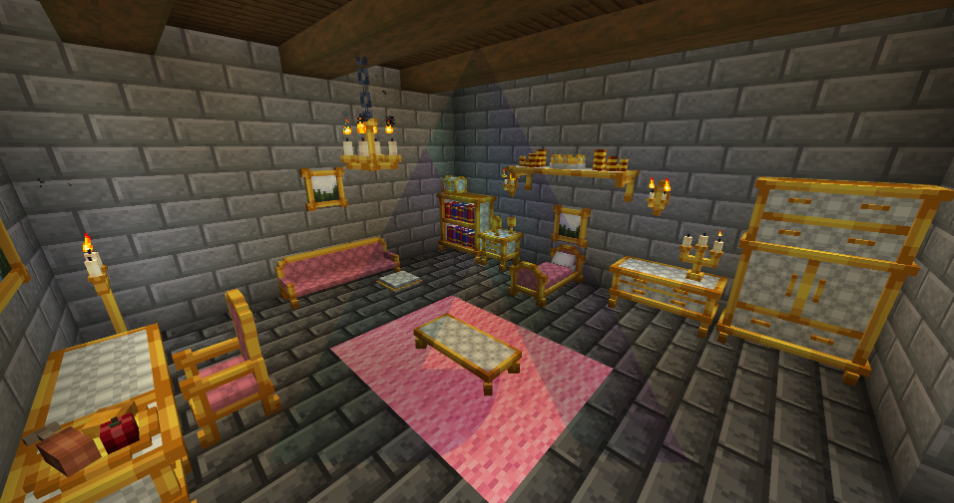
If you are building a castle, a wizard tower, or a medieval village, this mod is an absolute necessity. It moves away from modern designs and focuses on heavy oak tables, ornate iron-bound chests, and royal four-poster beds. The aesthetic is dark, rustic, and regal, perfectly capturing the atmosphere of a fantasy world.
The mod includes unique items like bone-chilling dungeon decorations and elegant chandeliers that hang from high ceilings. Every piece of furniture feels like it has a history, with textures that show a bit of wear and tear. It is the best choice for roleplayers who want to immerse themselves in a magical or historical setting.
5# Mo’ Glowstone
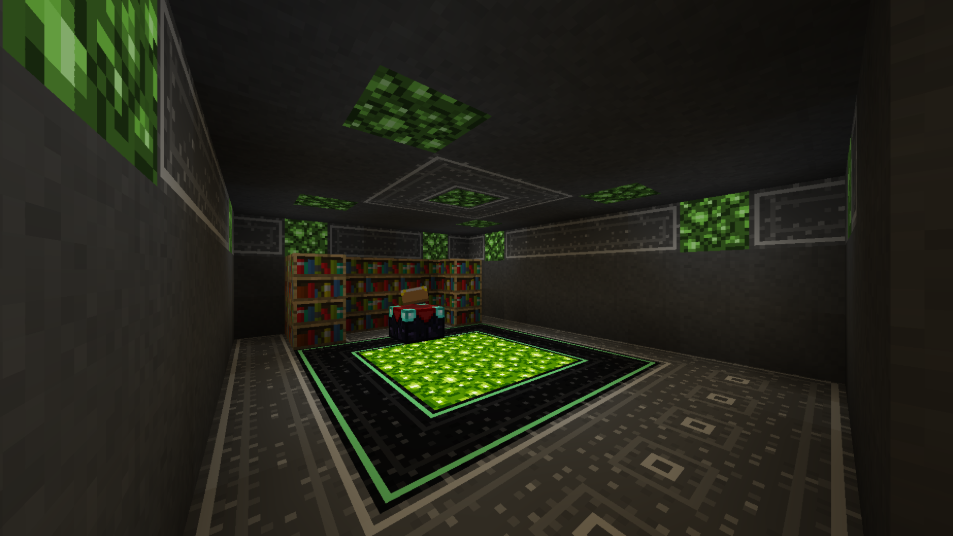
Mo’ Glowstone is unique because it combines lighting with furniture design. It allows you to craft glowstone in various colors and shapes, which can then be used to create neon signs, colored lamps, and glowing pedestals. It is perfect for adding a futuristic or "cyberpunk" look to your modern city builds or underground bases.
Beyond just blocks, the mod includes decorative light fixtures like sleek wall sconces and hanging lanterns that emit different levels of light. This allows you to set the mood in different rooms, from a bright laboratory to a dimly lit basement. It is a great way to make your furniture serve the dual purpose of decoration and essential lighting.
4# Supplementaries
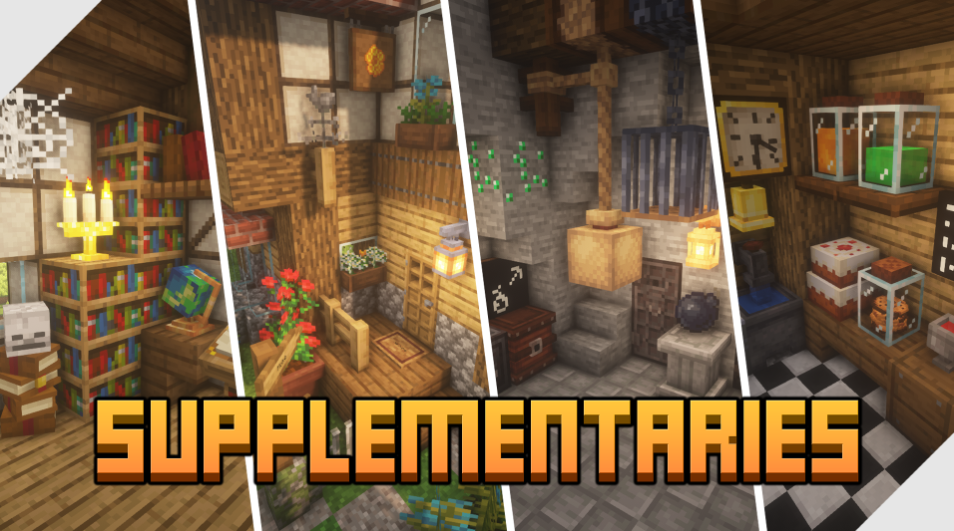
Supplementaries is a "Utility-Plus" mod that adds a huge amount of small, interactive furniture. It includes things like hanging signs that you can write on, flower boxes for your windows, and working wall clocks. These items bridge the gap between being useful tools and beautiful decorations for your home.
One of its most loved features is the "Globe," which actually maps out the surrounding area as you travel. You can also find jars for storing liquids or even small mobs like bees and fireflies. This mod makes your world feel alive and interactive by giving you many small things to tinker with in every room of your house.
3# Outdoor Stuffs
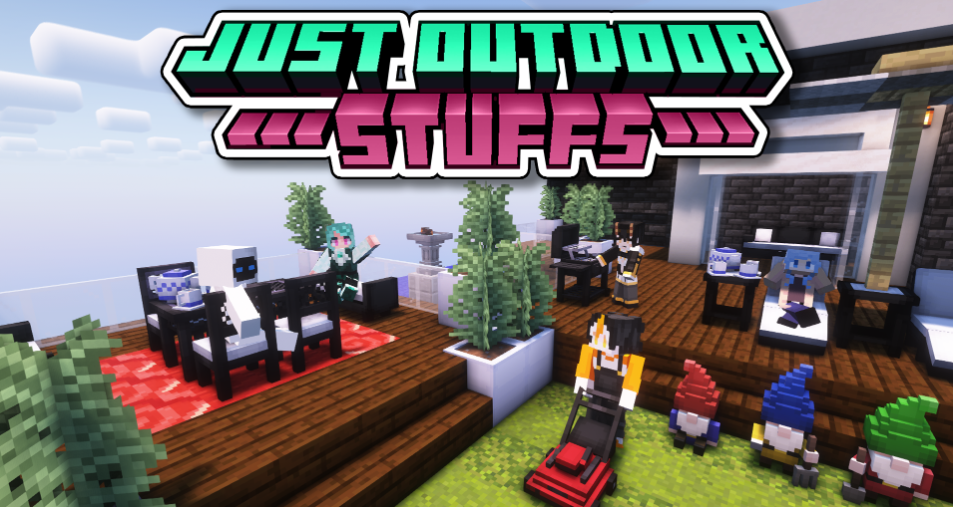
While most mods focus on the interior of your house, Outdoor Stuffs is all about making your yard look amazing. It adds patio umbrellas, fire pits, and functional gardening tools. You can use it to create a beautiful backyard park, a professional-looking garden, or a relaxing pool area with beach chairs.
The mod also includes decorative plants and lawn ornaments like bird baths and stone statues. These items help fill the empty green space around your base, making your entire property look complete. If you enjoy the landscaping part of Minecraft, this mod provides all the extra tools you need to succeed.
2# Chipped
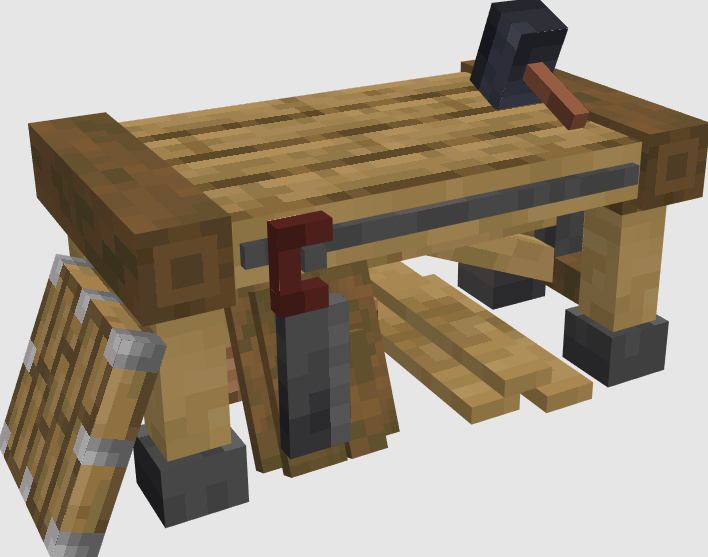
Chipped is a revolutionary mod for players who want total control over the textures of their furniture. It provides a set of special workbenches that allow you to take a standard block, like oak planks, and turn it into hundreds of different patterned designs. This allows you to create custom-patterned carpets, carved wooden walls, and intricate stone pillars.
Because it works with existing Minecraft blocks, you do not have to learn a bunch of new crafting recipes. You just pick a block you like and choose a new "chipped" version of it. It is an essential mod for professional builders who want to add subtle details to their furniture that are impossible to achieve with the standard game blocks.
1# Cluttered
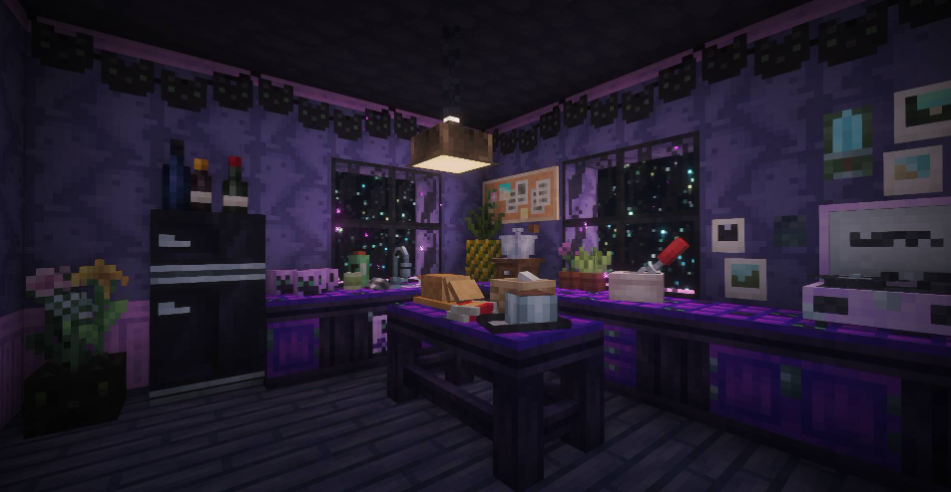
Cluttered is the best mod for making a house feel like a home. Most furniture mods create very clean and empty-looking rooms, but Cluttered adds small items like stacks of books, messy pillows, tea sets, and scattered papers. These small touches provide a "lived-in" feel that makes your builds look much more realistic.
The mod is inspired by cozy games and cottagecore aesthetics, featuring soft colors and rounded edges. It is perfect for creating a cluttered library, a busy kitchen, or a teenager’s bedroom. If you want your Minecraft world to have personality and charm, adding these small clutter items is the most effective way to do it.
Conclusion
Decorating your world is a journey that allows you to express your creativity in new ways. By using these furniture mods, you are no longer restricted to using basic blocks to represent chairs and tables. You can finally build the exact home you have always imagined in Minecraft.
The community continues to update these mods to ensure they work with the latest versions of the game. Always make sure to check for compatibility updates when Minecraft 26.1 releases new patches. These tools will help you stay inspired as you continue to build and expand your digital world.